Ditto Music Pricing Explained: Starter vs Pro vs Labels
How this pricing guide was evaluated: This article compares Ditto’s plans by artist count, monetization routes, support level, and operational complexity, using only information clearly visible on Ditto Music’s live pricing, Pro, and Labels pages.
If you are comparing Ditto Music plans, the real question is not “which one has more features?” It is which route covers the next 6–12 months of what you are actually trying to do. On the current live site, Ditto positions Starter as the base route for one artist, Pro as the upgrade for artists who want more revenue and more support, and Labels as the route for managing multiple artists with broader operational tools.
That makes this less of a generic pricing page and more of a decision page. If you are releasing your own music under one name, the answer is usually simple. If you have a side project, want extra royalty routes, need faster help, or are moving toward a multi-artist setup, the choice gets more strategic very quickly.
Quick fit: which Ditto route matches you now?
At the broadest level, Ditto’s pricing page currently frames the three routes like this: Starter for 1 artist, Pro for 2 artists plus added revenue and support features, and Labels for 3+ artists with a multi-artist operating setup. That alone already answers a lot of buyer confusion, because the plan split is not random. It follows artist count and operational complexity.
.jpg)
Ditto’s pricing page makes the difference between Starter, Pro, and Labels easier to compare at a glance
A useful way to think about it is simple. Starter is for getting music out properly. Pro is for turning one artist account into a broader growth stack. Labels is for when your account stops feeling like “my releases” and starts feeling like “our roster.”
The clearest live-site offer visible right now is on the Pro page: 20% off your first year with code PRO20. That matters because Pro is the first place where Ditto clearly starts pitching itself as more than basic distribution.
| Offer | What the shopper gets | Example savings calculation | Verification link |
| 20% off first year with code PRO20 | First-year discount on Ditto Pro | The page states 20% off your first year with code PRO20. Verify the current yearly Pro price shown live at checkout before purchase. | https://dittomusic.com/en/pro |
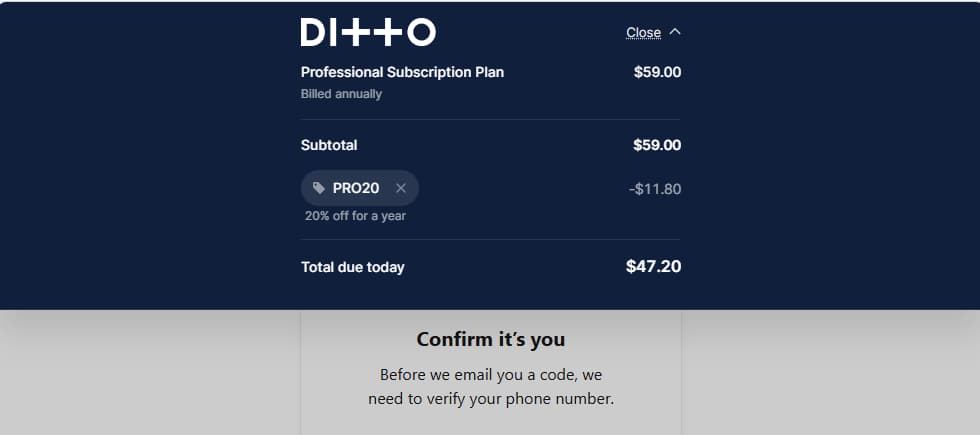
Live checkout example showing PRO20 applied to Ditto Pro at the time of review. Final pricing may change if Ditto updates the plan or promotion.
Starter makes the most sense when you want a clean one-artist setup
Starter is the most natural fit if you are releasing under one artist name and want the core Ditto stack without stepping into heavier upgrade territory. The pricing page says Starter includes unlimited releases for one artist, 100% of your royalties, release to 150+ platforms, starter industry tools, free pre-save SmartLinks, analytics and fan data, automatic split royalty payments, instant Spotify verification, playlist submission access, fast payouts, Ditto Perks, and the Ditto App.
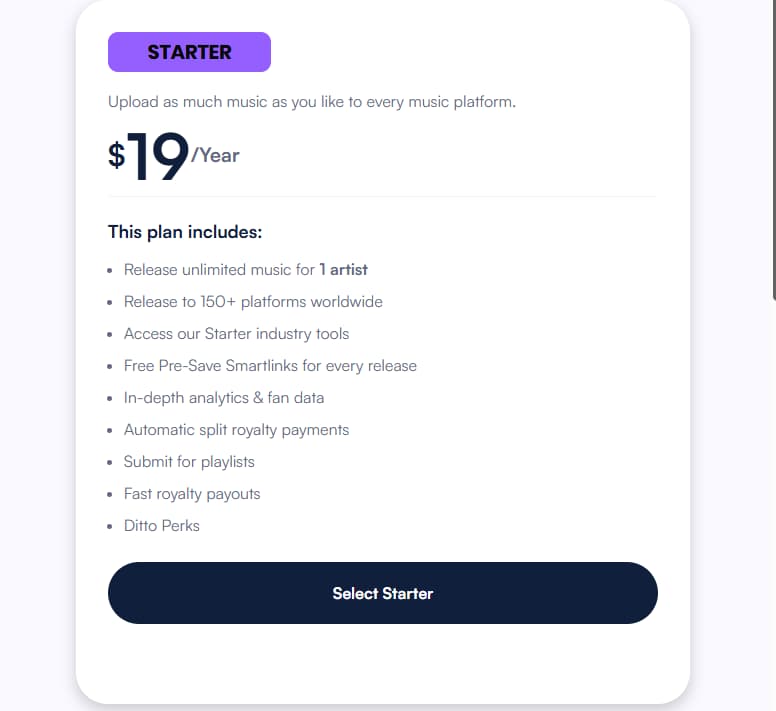
Ditto’s Starter plan is positioned as a clean one-artist route for strong release basics without moving into heavier upgrade territory.
That is already a lot for a base plan. The practical question is not whether Starter looks “light.” It is whether you genuinely need more than one artist seat, more advanced monetization routes, timed releases, or faster support right now. If the answer is no, Starter is probably the better decision because it covers the core release workflow without paying for future complexity too early.
Starter also works well for people who want to keep the plan decision small while their catalog is still small. If your next 6–12 months mostly mean singles, EPs, albums, simple collaboration splits, and standard artist growth tasks, the base plan already covers more than just upload-and-wait distribution.
Pro starts making sense when your account needs to do more than distribute
The cleanest reason to upgrade is this: Pro is not framed as “Starter with a few extras.” Ditto’s pricing and Pro pages both present it as the route where new revenue, better control, and faster help begin to matter more. On the live pages, Pro adds unlimited distribution for two artists, sync pitching for TV and film, music publishing royalty collection, YouTube Content ID and OAC setup, exact release times, priority support, release protection, compilation releases, Pro Perks, and exclusive access to new features.
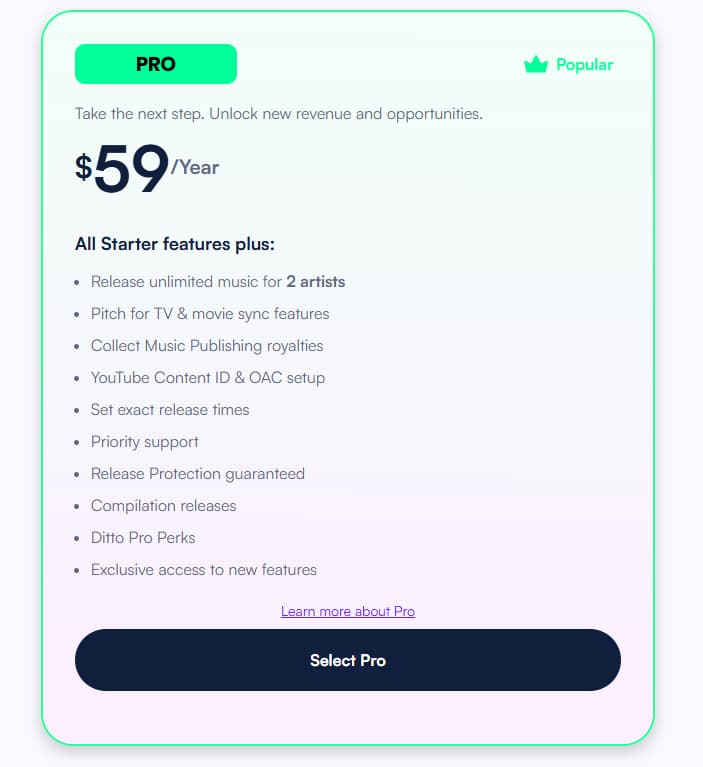
Ditto’s Pro plan adds deeper monetization, faster support, and more release control for artists whose setup is growing beyond basic distribution.
That changes the buyer logic. You should not upgrade to Pro just because it sounds more serious. You should upgrade when one of these triggers becomes real: you manage a side project, want to collect more publishing income, want YouTube monetization and channel setup, need specific release timing, or want faster human help when the cost of mistakes is higher.
The support angle matters more than many artists admit. The pricing page says Pro includes priority support, and the Pro page expands that into “skip the queue,” chat with the team when needed, and 24/7 help. That is not a cosmetic add-on. It becomes valuable when your workflow is more commercial, more time-sensitive, or more revenue-linked.
The biggest upgrade trigger, though, is probably monetization breadth. Pro’s live page leans hard into publishing royalties, Content ID, and sync pitching, which means the plan is really for artists who are no longer satisfied with basic distribution alone.
Labels is the route for teams, rosters, and multi-artist control
If Starter is the solo route and Pro is the growth route, Labels is the operating route.
Ditto’s labels page says this plan is built for multiple artists, and the pricing page presents it as the route for 3+ artists. The support article about multiple artists adds a more specific rule of thumb: Label plans cover 5–40 artists depending on plan.
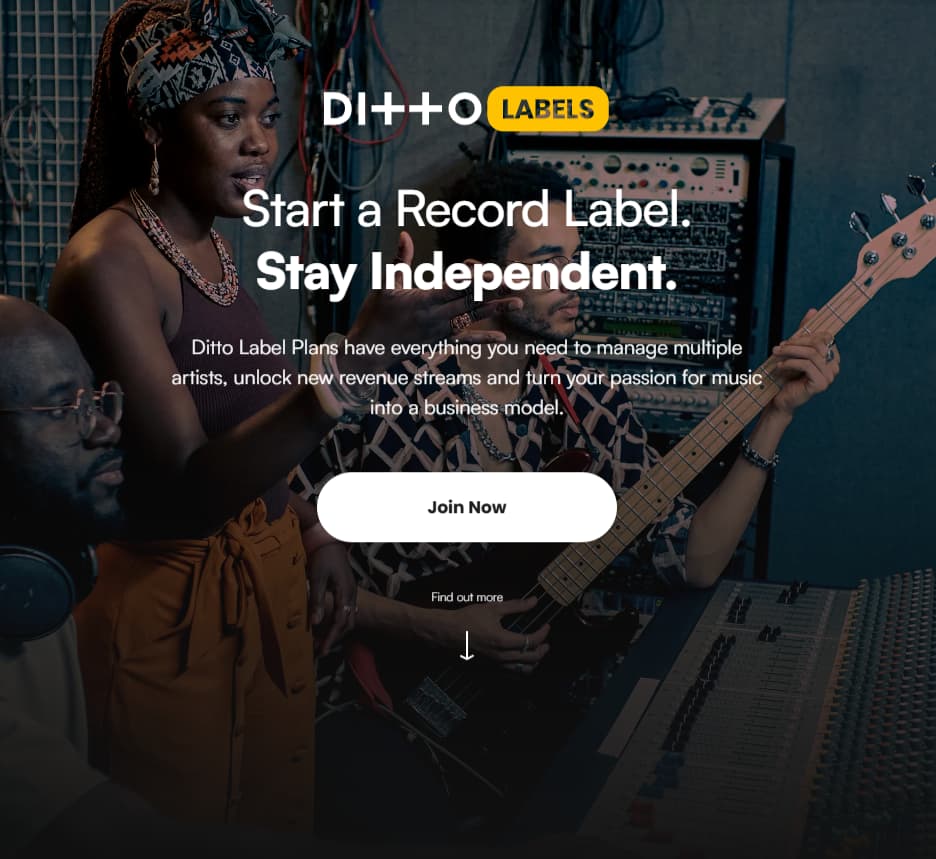
Ditto Labels is positioned as a route for managing multiple artists and building a more team-based music operation
The Labels page makes the difference clear. It highlights signing and releasing talent, managing and promoting a roster, automatic royalty splits, direct artist payouts, pre-save links for every release, lyrics and credits uploads, auto-release existing music to new platforms for free, analytics across platforms and demographics, and support that can skip the queue around the clock.
That means Labels is not just “Pro with more seats.” It is for people whose job now includes team coordination, roster management, and multi-artist release control. Once your account sounds more like “our catalog” than “my next release,” Labels starts to make a lot more sense.
The real trade-offs are artist count, monetization depth, and support speed
The easiest pricing mistake is treating cost as the whole decision.
Ditto’s live pages suggest the more useful trade-offs are how many artists you manage, how many revenue routes you need, and how much support speed matters. Starter covers one artist well. Pro becomes more relevant when you want deeper monetization and faster help. Labels becomes more relevant when multi-artist administration is part of the work itself.
Another useful way to frame it is this: do not buy the biggest plan because it feels safer. Buy the smallest plan that still solves the next real problem. For some people, that problem is just releasing music properly. For others, it is publishing royalties, Content ID, exact release timing, or faster human support. For teams, it is direct payouts, roster structure, and scalable artist management.
That is what makes Ditto’s pricing structure more useful than a flat one-size-fits-all subscription. It is trying to match the plan to the stage of work.
.jpg) Ditto’s three core routes make the final decision easier: Starter for solo artists, Pro for growing setups, and Labels for multi-artist operations.
Ditto’s three core routes make the final decision easier: Starter for solo artists, Pro for growing setups, and Labels for multi-artist operations.
If you are a solo artist with one active project, Starter is usually the right first move. It already includes unlimited releases, broad platform reach, split payments, analytics, fast payouts, and app access without pushing you into unnecessary complexity yet.
If you are a solo artist with a side project, or you now care about publishing royalties, Content ID, timed releases, and faster support, Pro is the clearer fit. It is the plan where Ditto starts behaving like a broader growth stack rather than just a distributor.
If you are a manager, team, or label-style operator, Labels is the more natural answer because the account model, payout logic, artist scaling, and support setup are built for multiple artists rather than one personal release cycle.
The best next step is to compare the three routes and start with the smallest plan that still covers your next 6–12 months. That reduces hesitation without paying too early for complexity you are not ready to use yet.