How to Launch a Release With Ditto Music: Pre-Save Links, Timed Releases, Playlists and Promo Tools
How this workflow guide was evaluated: This article focuses on the launch steps artists are most likely to need before release day, including pre-save setup, fan email capture, release timing, playlist submission, promo tools, and post-release SmartLink use.
If you are close to release day, the real problem is rarely “where do I upload my song?” The real problem is how to make the release feel organized before, during, and after it goes live.
Ditto’s current live site gives a fairly clear workflow for that. It shows free pre-save SmartLinks, a way to collect fan emails, optional Timed Releases for Pro and Label artists, playlist submission access, and separate promotion tools for ads and campaign support. That means the launch stack is not hidden across ten unrelated pages. It is already laid out in the open.
The smartest way to use Ditto is not to grab every tool at once. It is to use the tools that match the stage of your next drop, then upgrade only when timing precision and promotion support actually matter.
Start with a free pre-save SmartLink
The cleanest place to begin is Ditto’s free pre-save SmartLink flow. On the live pre-save page, Ditto says fans can pre-add your music to Spotify and Apple Music using a free pre-save SmartLink, and the same page lays out a simple sequence: upload the release, get the SmartLink automatically, then promote it.
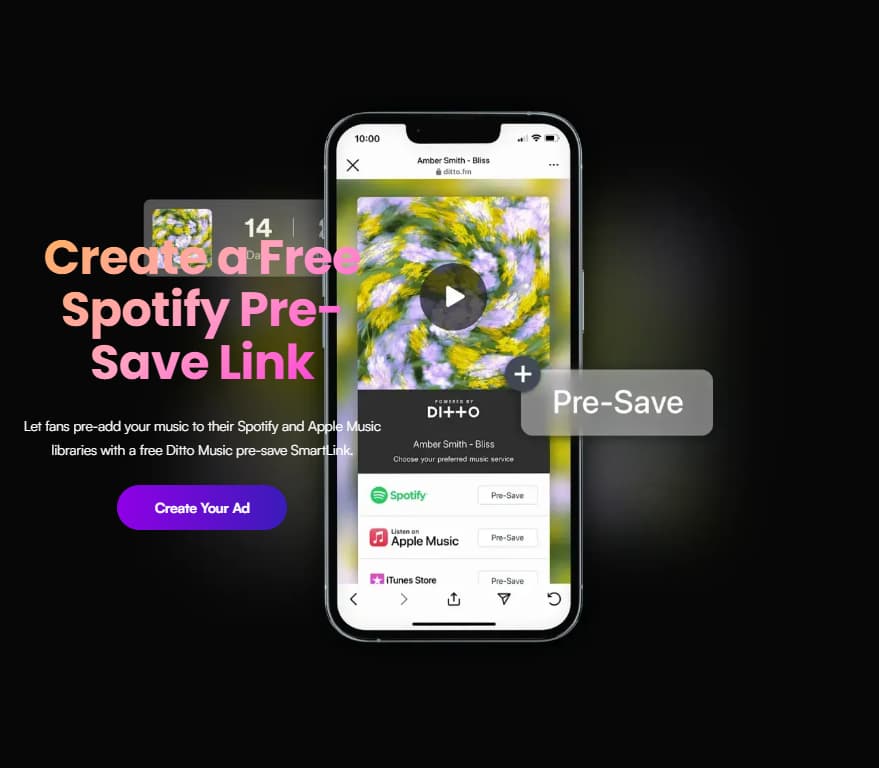
Ditto’s pre-save SmartLink gives artists a simple launch-ready link before the release goes live
That matters because a pre-release campaign works better when your link is ready before you start posting. Instead of building launch assets around a release that is not yet easy to save, you can point early traffic toward one place that is already built for the drop.
On Ditto’s homepage, the same idea is framed even more simply: you get a free SmartLink whenever you release new music, fans can pre-save before the drop, and once the track is live the same link can point people to the major platforms afterward. That is one of the most useful parts of the workflow, because it avoids forcing you to swap links mid-campaign.
Use fan email capture before the song is live
A pre-save page is more valuable when it does more than collect a click. Ditto’s live pre-save page says fans can opt in to receive email updates directly from the SmartLink, and the homepage repeats that artists can collect fan emails when people pre-save.
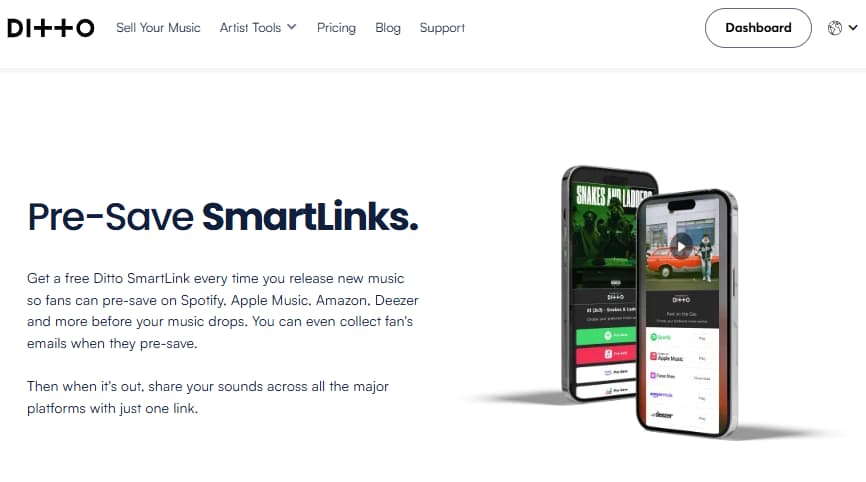
Ditto’s Pre-Save SmartLinks help artists collect fan emails before release day and keep using one link after the track goes live
That changes the role of the link. It is not just a holding page before release day. It becomes a lightweight way to build a warmer audience for the release itself, especially if you are trying to avoid relying only on social reach.
The practical takeaway is simple: before you start talking about playlisting, ads, or post-release traffic, make sure your pre-save page is also working as fan email capture. That gives you a direct audience to message again when the track is live.
Add Timed Releases only when release-day precision matters
Not every artist needs exact release-time control. But if you do, Ditto makes that a clear upgrade trigger. Its Timed Releases tool page says Pro and Label artists can add an exact release time from inside the Release Builder, not just a release date. The pricing page says the same thing in the Pro feature list.
That matters when your launch has a hard moment attached to it: a midnight campaign, a coordinated premiere, a social countdown, or a same-day promo push. If none of that applies, standard scheduling may be enough. But if your release timing is part of the strategy, Timed Releases stops being a luxury and starts being a workflow tool.
This is also the clearest point where Ditto’s launch tools separate into “good enough for most drops” and “worth upgrading for if timing really matters.” That is a much smarter way to think about Pro than upgrading just because the label sounds more serious.
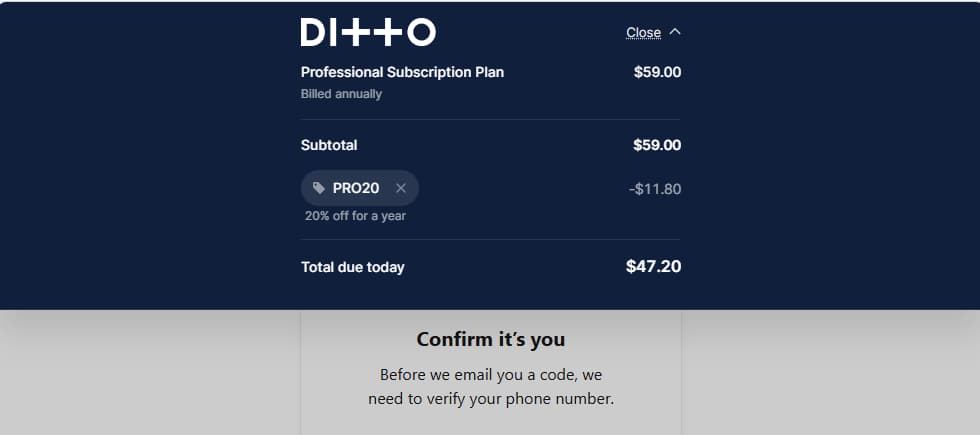
The only clearly visible launch-related deal tied to this upgrade path right now is on the Pro page, where Ditto says Save 20% on your first year with code PRO20.
| Offer | What the shopper gets | Example savings calculation | Verification link |
| PRO20 | 20% off the first year of Ditto Pro | If the live Pro price is $59/year, 20% off would reduce it by $11.80, bringing the first-year total to $47.20 | https://dittomusic.com/en/pro |
Use playlist submissions before you start chasing bigger promo
Ditto’s pricing page includes Submit for playlists in the Starter feature stack, and the dedicated playlist page says Ditto artists can submit a latest track to Ditto’s Spotify playlists by sending information about the artist, the music, and the playlist target. Ditto also describes itself there as an Official Spotify Tastemaker.
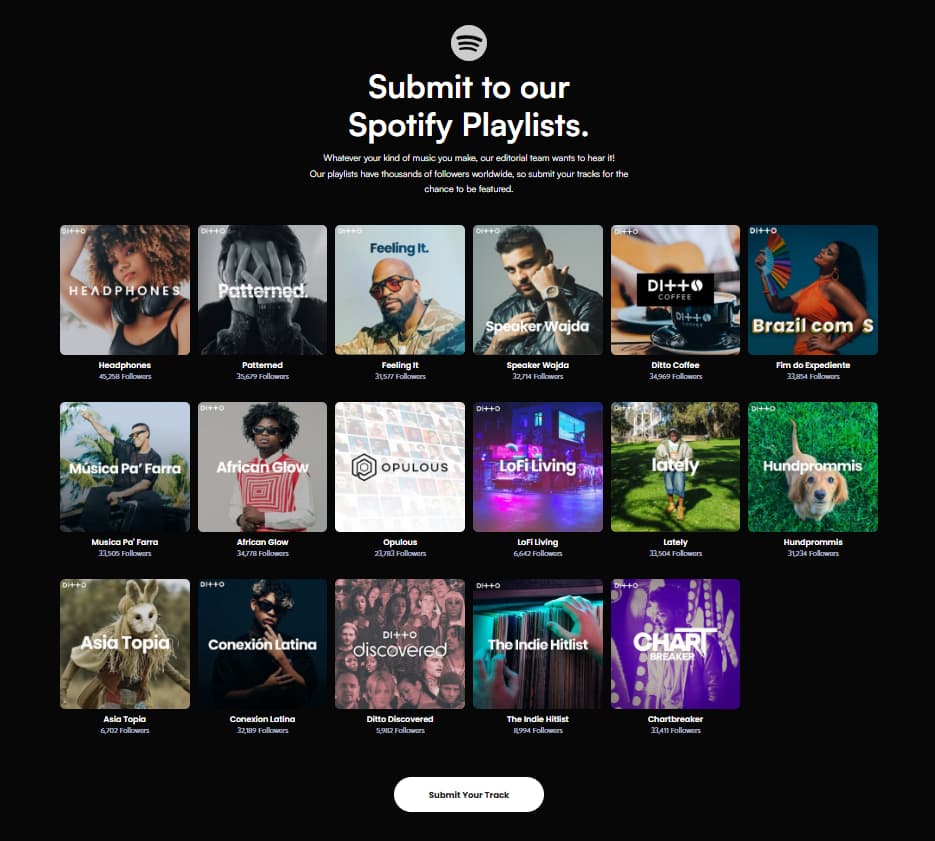
Ditto’s playlist page turns playlist submissions into a visible launch step before heavier promotion.
That is important because playlisting should usually happen before you assume you need a bigger campaign. A strong release workflow should move from pre-save setup to timing and submission basics before it jumps to heavier promotion. Otherwise you can end up paying to amplify a release that has not even used the platform’s built-in routes properly.
The clean rule is this: if the song is almost ready, use playlist submissions as part of the launch checklist, not as an afterthought. Even if you later add promo, this is still one of the first actions worth taking from inside the Ditto ecosystem.
Add a promo support layer only when launch assets and reach really need help
Once the basics are covered, Ditto also offers a heavier promo support layer. Its music promotion page says the service includes playlisting, online press, social strategy, sponsored ads, and custom graphics, while the Ad Launcher page says artists can launch ad campaigns directly from the Ditto dashboard using links such as a track URL, pre-save page, or fan link.
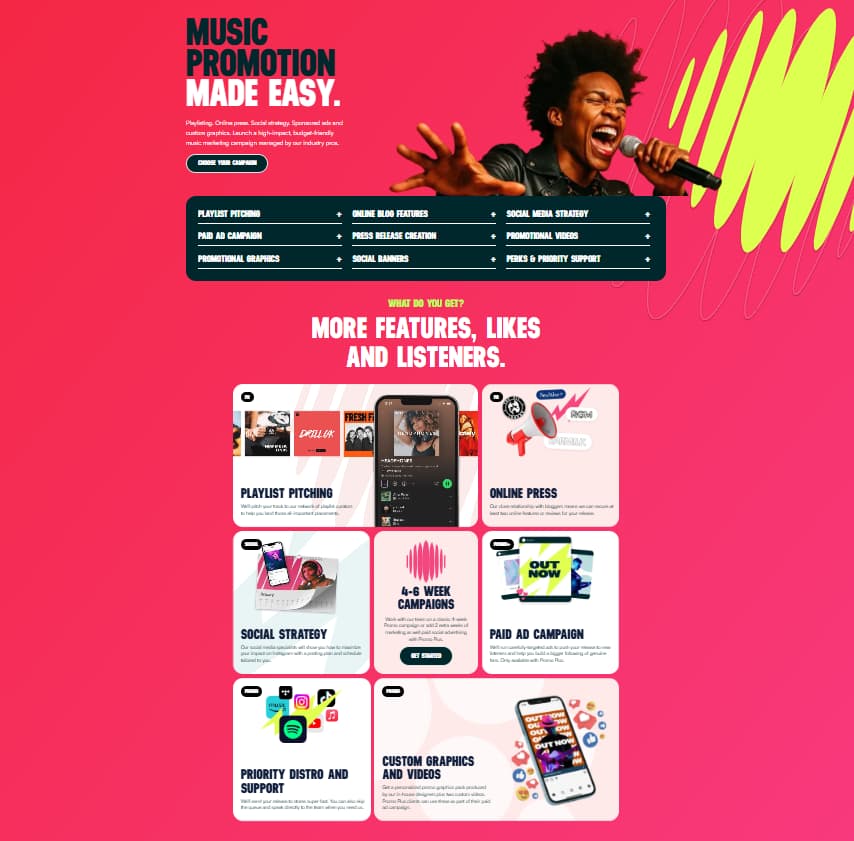
Ditto’s promotion page shows the heavier launch support layer available when a release needs more reach, assets, and campaign structure.
That means the release workflow can keep building after the pre-save stage. If your drop is strong enough to justify a broader push, Ditto gives you two different directions: a managed promotion route and a dashboard tool for launching ads around the release.
The key is not to assume every song needs all of it. Promo support makes the most sense when your release already has the basics in place and you now need reach, assets, or more structured momentum around launch week.
After release day, keep using the same SmartLink
One of the simplest but most useful details on Ditto’s homepage is that the SmartLink does not become useless after release day. Ditto says that before the release it works for pre-saves, and once the track is out it can be used to share the live music across major platforms with one link. The support article on SmartLinks says the same thing: before release, the page shows pre-save links; after release, it updates to live music links.
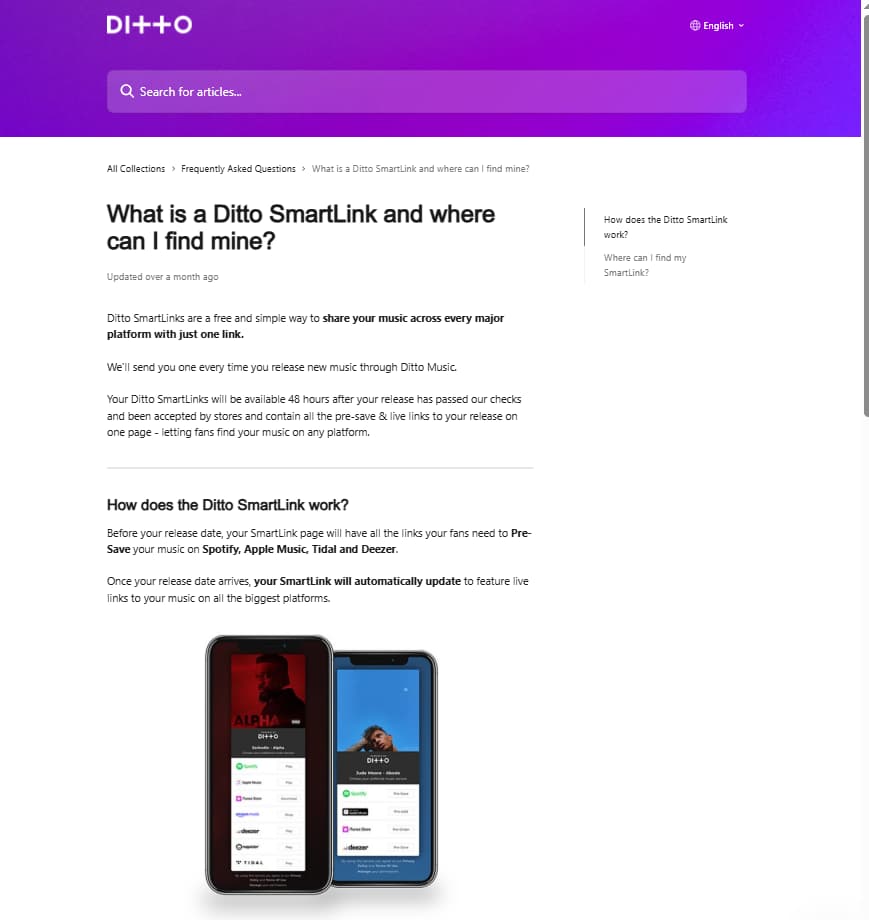
Ditto’s SmartLink support article makes the workflow clear: pre-save links before release, then automatic live links after the track goes out
That makes post-release sharing easier than many artists expect. Instead of rebuilding your launch assets from scratch, you can keep using the same SmartLink as the release moves from pre-launch hype into active listening and sharing.
The best next step is to use the launch tools that match your next drop, then upgrade only if timing and promotion genuinely matter for that release. That is the cleanest way to turn Ditto’s launch stack into an actual workflow instead of a pile of disconnected features.