Publitio Review 2026: Pricing, CDN Media Hosting, Video Management, API & WordPress Offloading
Written & Reviewed by CandidCodes Editorial Team – SaaS, Cloud Storage, CDN & Media Workflow Research
Our team reviewed Publitio’s official website, pricing page, API documentation, media management pages, video processing page, demo page, WordPress offloading plugin details, CDN delivery features, security options, transformations, player features, analytics, and public product information before writing this review. This article was last updated May 2026.
Affiliate Disclosure: Some links in this article may be affiliate links. If you choose to sign up through them, we may earn a commission at no extra cost to you. We only recommend tools we have researched and believe offer genuine value.
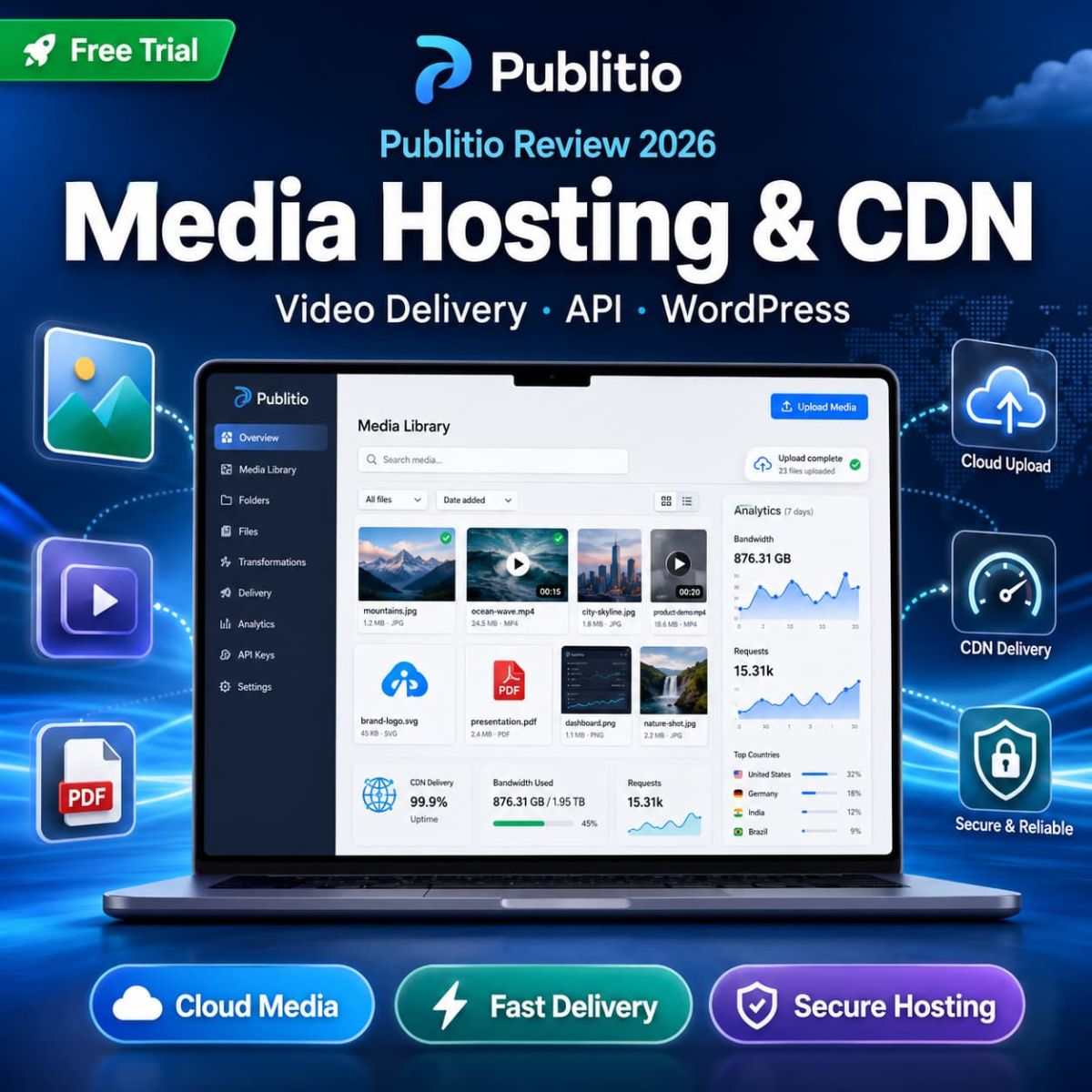
Publitio Review 2026: cloud media hosting, CDN delivery, video management, API, URL transformations, WordPress offloading, pricing, and best plan.
Publitio Quick Summary
Best for: website owners, developers, SaaS teams, agencies, creators, publishers, course platforms, WordPress users, and businesses that need to host, transform, protect, and deliver images, videos, audio, PDFs, and documents from one cloud media platform.
Not best for: users who only upload a few small images per month, people who do not need CDN delivery, or teams that want a full enterprise DAM with complex approval workflows, legal asset rights management, and enterprise governance layers.
Best value point: Publitio combines cloud media storage, CDN delivery, dashboard upload, REST API, URL-based transformations, video conversion, HLS encryption, domain protection, watermarking, analytics, custom video players, and WordPress offloading in one platform.
Current offer: Publitio promotes a free trial and paid plans starting from Premium at $19/month. Pricing, storage, bandwidth, pay-as-you-go usage, and feature access may change, so always confirm current details on the official pricing page before subscribing.
Best first step: Start with a free trial, upload a few real website media files, test URL transformations, check CDN delivery speed, try video player/customization, and compare how much server load or media workflow time it can reduce.
If your website is slowly turning into a chaotic warehouse of images, videos, PDFs, screenshots, and files named final-final-real-final-v3.jpg, Publitio exists because apparently humans needed cloud infrastructure to stop naming assets like exhausted raccoons.
Publitio is a cloud-based media asset management platform that helps users upload, store, process, transform, protect, deliver, and share media files. It supports images, videos, audio files, PDFs, and documents through a dashboard, REST API, CDN delivery, URL-based transformations, video player tools, file privacy controls, watermarking, analytics, and WordPress offloading.
This Publitio review covers pricing, CDN media hosting, image and video transformations, video management, API, WordPress offloading, protection features, pros and cons, alternatives, and whether Publitio is worth using in 2026.
Check the latest Publitio pricing, free trial, and media hosting features:
 |
Publitio Review 2026: Pricing, CDN Media Hosting, API & Best Plan CANDIDCODES · MAY 2026 |
CandidCodes Rating: 4.5 / 5
★★★★☆
Ease of Use 4.5 • CDN Delivery 4.6 • Media Transformations 4.6 • Video Hosting 4.5 • API Workflow 4.4 • WordPress Offloading 4.5 • Value for Media-Heavy Websites 4.6
Best for: teams that need a lightweight but capable media cloud for website files, videos, images, documents, player delivery, transformations, and API-based workflows.
Best feature: URL-based transformations and CDN delivery are the core value. You can resize, crop, convert, watermark, optimize, transcode, and deliver files without constantly re-uploading new versions.
Main downside: Publitio is more technical than a simple image library. Non-technical users may need time to understand CDN delivery, URL parameters, video encoding, custom CNAMEs, HLS encryption, and API use. The internet promised simplicity, then gave everyone dashboards with settings. Classic.
Best first step: Start with a free trial, test real files from your website, then compare storage, bandwidth, player, watermark, protection, and API needs before choosing a plan.
Why Media Hosting Gets Messy Fast
Most websites start simple: a few images, a few blog graphics, maybe a PDF. Then content grows. Suddenly there are product videos, course previews, social assets, downloadable documents, thumbnails, resized images, compressed variants, watermarked versions, private files, and media URLs scattered across your CMS like digital confetti after a bad marketing sprint.
The problem is not only storage. The real problem is workflow. Media-heavy websites need fast delivery, file organization, transformations, privacy controls, video playback, CDN performance, and developer-friendly access. Hosting everything on your own server can slow down websites, consume storage, increase bandwidth costs, and make file management unnecessarily painful.
Publitio is designed to centralize this workflow. It gives you a cloud media library, dashboard uploads, API access, CDN delivery, transformations, video player tools, security settings, and WordPress offloading so your website does not have to carry every media file like a tired donkey with a broadband connection.
| ❌ Without Publitio | ✓ With Publitio |
| Upload every media file directly to your server or CMS | Upload images, videos, audio, PDFs, and files to cloud media storage |
| Manually create resized, cropped, compressed, or watermarked versions | Use URL-based transformations for resizing, cropping, conversion, watermarking, quality adjustment, and video transcoding |
| Serve heavy files from your own hosting environment | Deliver media through CDN infrastructure to improve speed and reduce server load |
| Use separate tools for video player, watermarking, security, and analytics | Manage custom players, ad tags, watermarks, analytics, domain protection, and HLS video encryption in one workflow |
| Manually move WordPress media to external hosting | Use Publitio Offloading to move and serve WordPress media from Publitio cloud storage and CDN |
Quick Verdict
Publitio is worth considering if your website, app, agency, course platform, or content business handles a lot of images, videos, audio files, PDFs, or documents and you want cloud hosting, CDN delivery, transformations, privacy controls, and API access in one place.
It is not ideal if you only need basic file storage or a simple drag-and-drop image library. Publitio is more useful when media delivery, transformations, security, bandwidth, API workflow, and video hosting matter.
Best starting option: Try Premium first if you need CDN media hosting, transformations, HLS encryption, domain protection, analytics, player access, and priority support at a lower monthly cost.
Best long-term value: Startup or Business makes more sense if you need more storage, more bandwidth, password-protected content, more custom CNAMEs, more players/watermarks/ad tags, 2K/4K video support, DRM video security, S3 backup, or heavier media delivery.
Best Publitio Deal Right Now
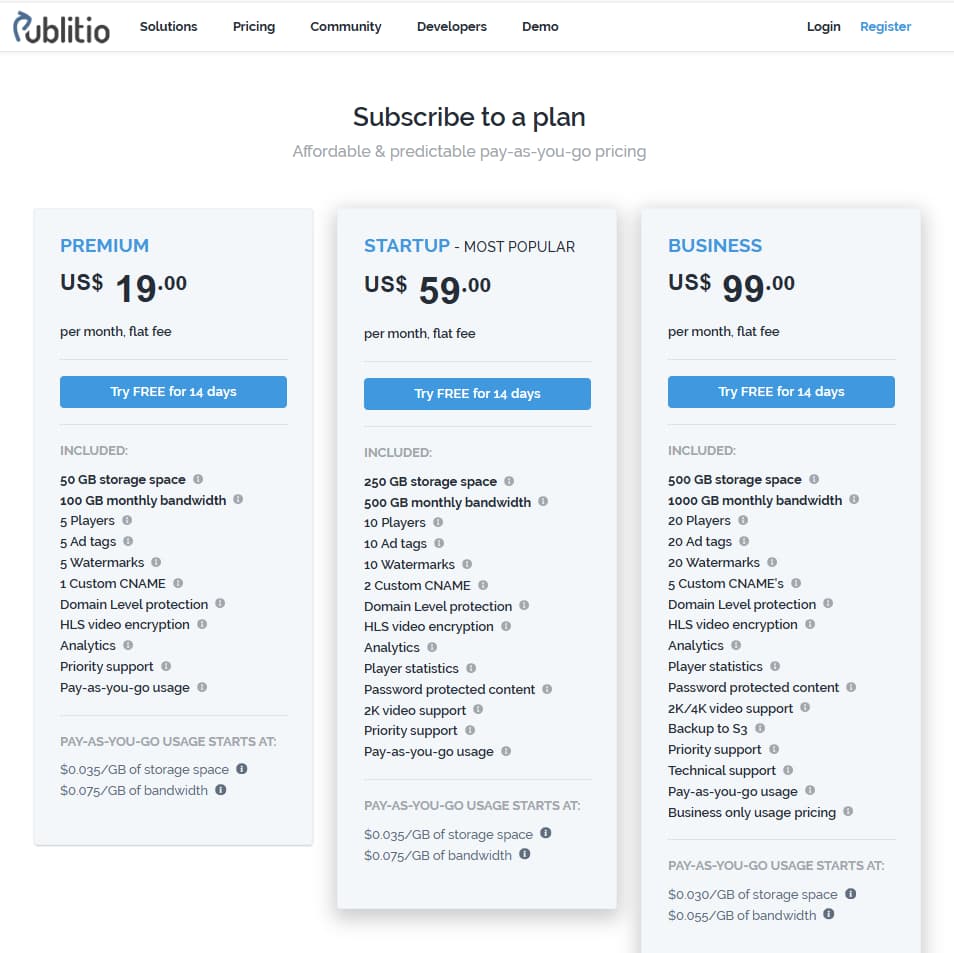
Publitio currently promotes a free trial and paid monthly plans. The official pricing page lists Premium at $19/month, Startup at $59/month, and Business at $99/month. Pricing, included storage, bandwidth, pay-as-you-go usage, feature access, and trial terms may change, so always verify the current pricing page before subscribing.
- Premium: $19/month with 50GB storage and 100GB monthly bandwidth listed
- Startup: $59/month with 250GB storage and 500GB monthly bandwidth listed
- Business: $99/month with 500GB storage and 1000GB monthly bandwidth listed
- Free trial available according to Publitio pricing information
- Pay-as-you-go usage available on paid plans
What Is Publitio?
Publitio is a cloud-based media asset management and delivery platform for storing, processing, transforming, protecting, and delivering media files. It supports images, videos, audio, PDFs, and documents through a dashboard, API, CDN, transformations, media player, and security features.
The platform is useful for website owners, developers, agencies, publishers, content creators, course platforms, SaaS apps, and WordPress users that need a more organized way to handle media files without relying entirely on local server storage.
In plain English: Publitio helps you upload media once, transform it when needed, protect it when necessary, and deliver it faster through cloud infrastructure and CDN delivery.
It is not only a file cabinet. It is closer to a media infrastructure layer: upload, organize, transform, stream, embed, protect, analyze, and deliver. Basically, the part of your website nobody thinks about until pages load slowly and users flee like they saw a 12MB hero image.
Managing social media assets and publishing workflows alongside your media library?

Vista Social Review 2026: Social Media Scheduling, Analytics & Publishing Tools
CANDIDCODES · MAY 2026
Read full reviewWho Should Use Publitio?
Publitio may be a good fit for:
- Website owners who need faster image, video, audio, and document delivery
- Developers who want API-based media upload, transformation, and delivery
- WordPress users who want to offload media from local hosting to cloud storage and CDN
- Agencies managing client websites with heavy media libraries
- Course creators or publishers hosting videos, PDFs, downloads, and protected media
- SaaS teams that need dynamic file transformations and media delivery
- Content teams that need watermarking, custom players, analytics, and domain protection
If your workflow includes creating video ads or social creative before hosting or distributing them, our Arcads AI Review 2026 covers AI video ad generation and creative production.
Publitio may not be the right fit if you only need basic file storage, have very low media traffic, or prefer a non-technical website builder where CDN, API, CNAME, player, and transformation settings never need to be touched.
Publitio vs Manual Media Hosting
Manual media hosting can work when your website is small. Upload images into a CMS, embed a few videos, attach some documents, and call it a day. But as content grows, media management becomes harder. Files get duplicated, image sizes get inconsistent, videos slow down pages, and server storage becomes bloated.
Publitio is better when media becomes operational infrastructure. Instead of creating every variant manually, you can transform files through URLs. Instead of serving everything from your own server, you can use CDN delivery. Instead of building your own video player workflow, you can use Publitio’s player and media controls.
Latest Publitio Pricing 2026
Publitio’s official pricing page currently lists Premium, Startup, and Business plans. Premium is listed at $19/month, Startup at $59/month, and Business at $99/month. The page also describes included storage, monthly bandwidth, custom CNAMEs, players, ad tags, watermarks, domain protection, HLS video encryption, analytics, support, pay-as-you-go usage, and business-level features.
Publitio pricing 2026: Premium, Startup, and Business plans with storage, bandwidth, players, watermarks, custom CNAMEs, security, analytics, and pay-as-you-go usage.
Important pricing note: Publitio pricing, storage, bandwidth, pay-as-you-go rates, feature access, trial availability, and plan details may change. Always confirm current details directly on the official Publitio pricing page before subscribing.
| Plan | Displayed Price | Included Usage | Best For |
| Premium | $19/month | 50GB storage, 100GB monthly bandwidth, 5 players, 5 ad tags, 5 watermarks, 1 custom CNAME | Websites and small teams that need cloud media hosting, CDN delivery, transformations, player tools, HLS encryption, analytics, and priority support |
| Startup | $59/month | 250GB storage, 500GB monthly bandwidth, 10 players, 10 ad tags, 10 watermarks, 2 custom CNAMEs | Growing content websites, agencies, and platforms that need more capacity plus password-protected content and heavier media delivery |
| Business | $99/month | 500GB storage, 1000GB monthly bandwidth, 20 players, 20 ad tags, 20 watermarks, 5 custom CNAMEs | Media-heavy businesses needing 2K/4K video support, DRM video security, player statistics, S3 backup, technical support, and business-level pay-as-you-go usage |
💰 Is Publitio Worth Paying For? Practical ROI Breakdown
|
The Manual Way ❌ Store heavy media directly on your website server |
With Publitio ✓ Cloud media storage and CDN delivery |
Bottom line: Publitio is easiest to justify if your website or app handles enough media files that server storage, slow delivery, manual transformations, video hosting, or CDN setup starts costing time, speed, or money.
Want to check the latest Publitio pricing?
Start with the free trial and compare current storage, bandwidth, player, watermark, CNAME, analytics, security, and pay-as-you-go limits before choosing a paid plan.
Does Publitio Have a Free Trial?
Yes. Publitio’s pricing information mentions a free trial for new accounts. This makes sense because media infrastructure should be tested with real files before paying. A pricing table can look great, but the real test is whether your images, videos, player embeds, transformations, security settings, and delivery workflow behave correctly on your actual website.
Before subscribing, test these areas:
- Upload real images, videos, audio files, PDFs, and documents
- Try resizing, cropping, converting, watermarking, and quality adjustment through URL transformations
- Test video playback and custom player settings
- Check HLS encryption and domain-level protection if you host protected videos
- Review CDN delivery speed for your target audience
- Test WordPress offloading if you use WordPress
- Compare your expected storage and bandwidth against paid plan limits
Want to test Publitio first?
Key Features of Publitio
1. Cloud Media Upload and File Management
Publitio lets users upload images, videos, audio files, PDFs, and documents through a dashboard or API. This is the base layer of the platform: a centralized media library where files can be stored, organized, processed, and delivered without keeping everything inside your website’s local hosting environment.
This matters for media-heavy websites because local media libraries can become slow, messy, and expensive to maintain. Publitio gives teams a more structured way to manage assets before they are embedded, transformed, streamed, or shared.
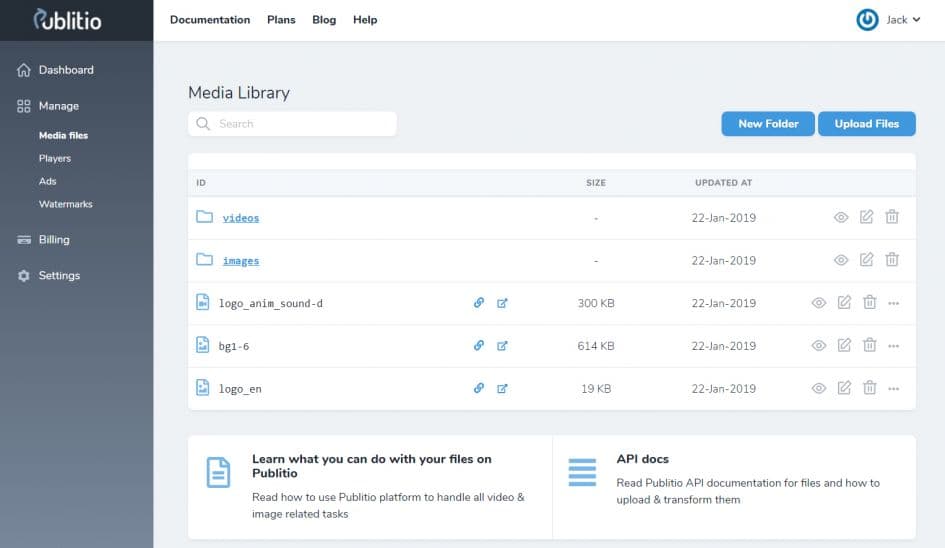
Publitio media library: upload, organize, manage, and deliver images, videos, audio files, PDFs, and documents from a cloud media dashboard.
2. URL-Based Image and Video Transformations
Publitio supports URL-based transformations for images and videos. Users can convert formats, resize, crop, trim, watermark, adjust quality, and process files through URL parameters instead of manually creating a new file version for every size or format.
This is one of Publitio’s strongest features. For developers, it can simplify dynamic media workflows. For marketers and website owners, it reduces the need to create endless versions of the same image or video. Humanity may still create 14 versions of a thumbnail anyway, but at least now it is optional.
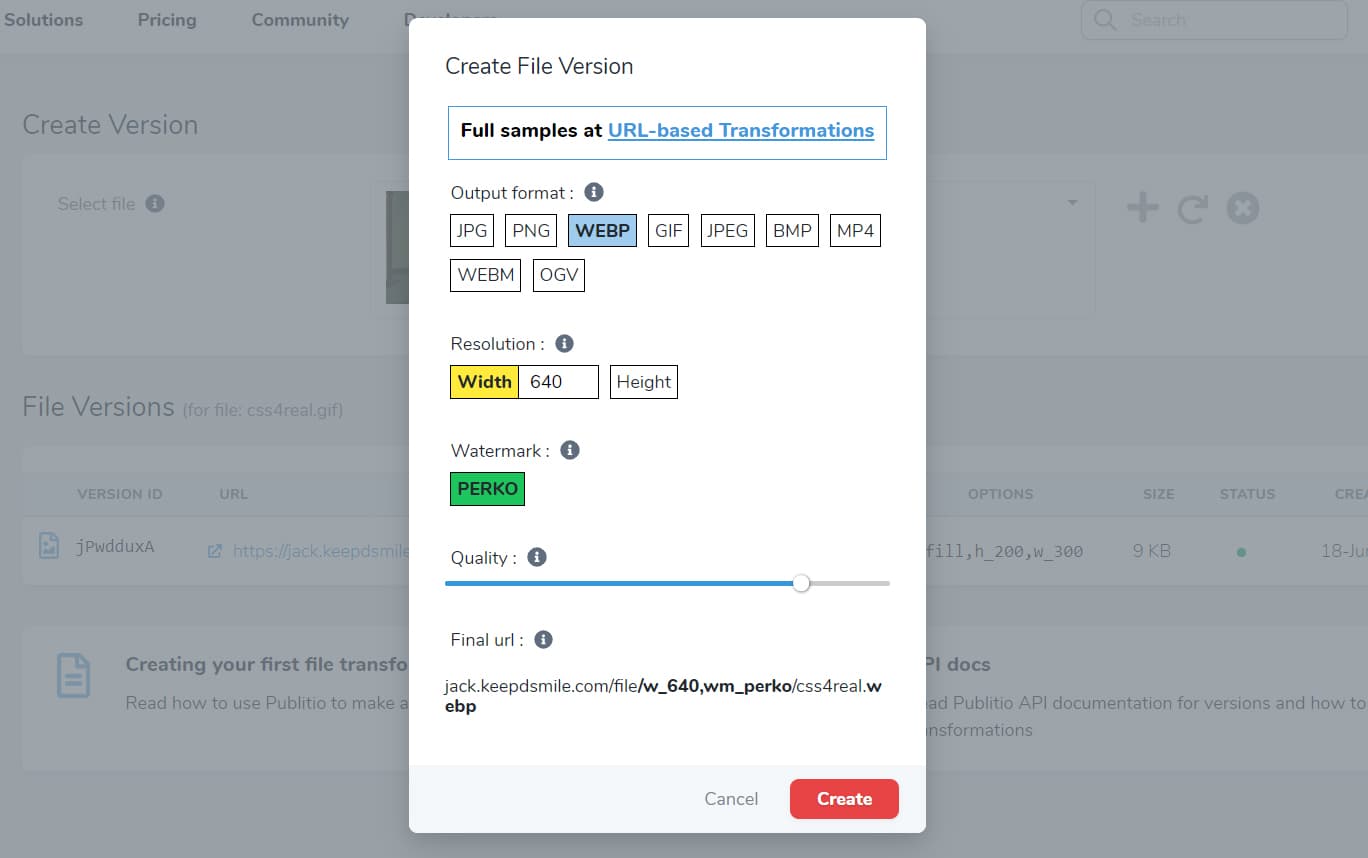
Publitio URL transformations: resize, crop, convert, watermark, optimize, and transform images and videos without manually creating every version.
3. CDN Delivery and Website Performance
Publitio includes CDN delivery by default, helping media files load from infrastructure closer to the visitor. For media-heavy websites, this can reduce server load and improve delivery speed compared with serving large files from standard website hosting.
Website speed matters for SEO, user experience, and conversion. A beautiful page that loads like it is being carried across the ocean by a tired pigeon is still a bad page. CDN-backed media delivery helps reduce that problem.
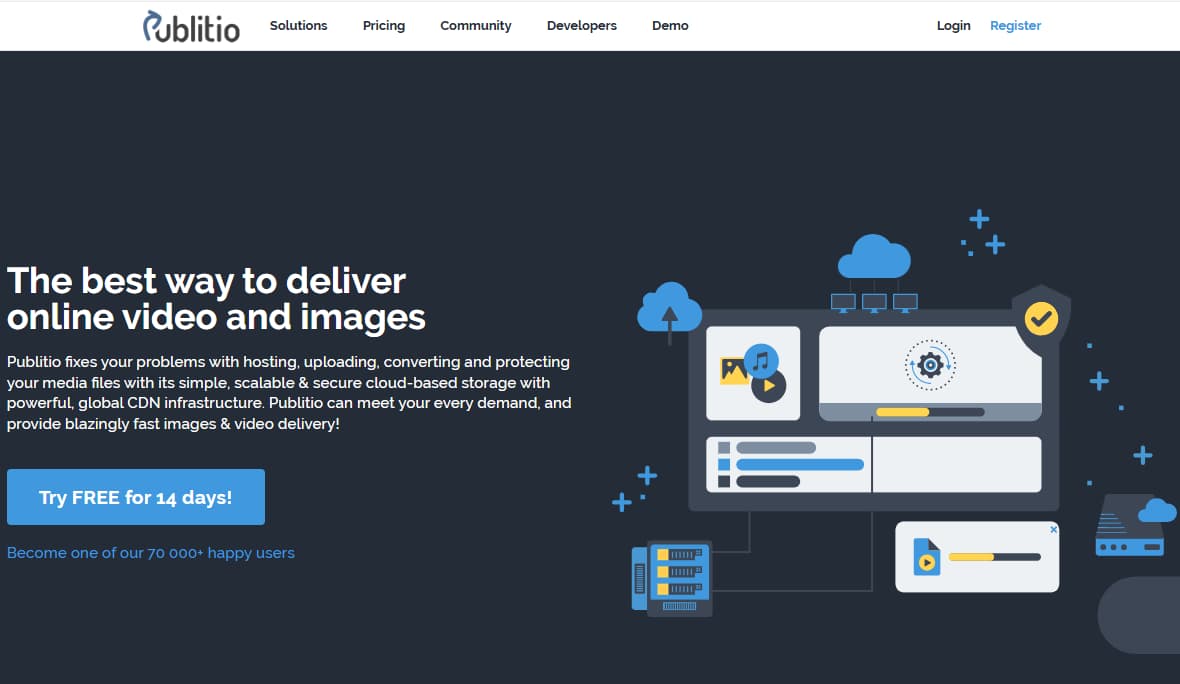
Publitio CDN delivery helps serve media files faster while reducing server storage pressure and bandwidth load on your website hosting.
4. Video Hosting, HLS Encryption, and Custom Player
Publitio supports video hosting and video management, including custom HTML5 players, HLS streaming, HLS encryption, video conversion, player customization, ad tags, watermarks, and playback-related features depending on the selected plan.
This makes Publitio useful for websites that host protected videos, course previews, product demos, internal media, or video content that needs more control than basic file storage. Business-level features may include stronger video support such as DRM security and 2K/4K video support.
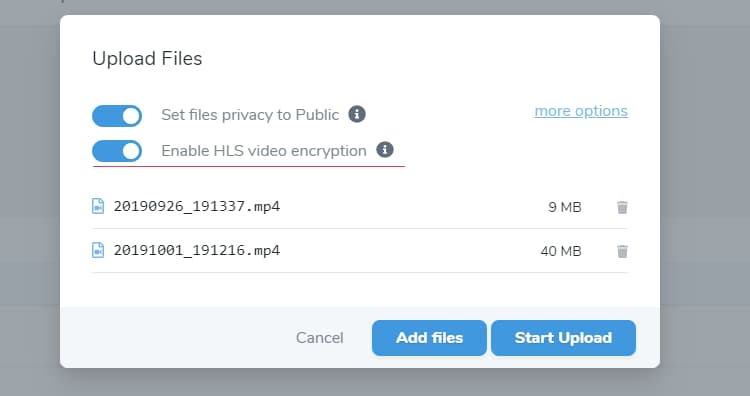
Publitio video hosting: manage video files, customize players, use HLS encryption, convert video formats, and deliver video content through CDN-backed infrastructure.
5. REST API and Developer Workflow
Publitio provides REST and URL-based APIs for media management. Developers can use API endpoints to manage files, versions, players, ad tags, watermarks, and other media-related resources.
This is important for SaaS products, apps, custom websites, and developer-led workflows. Instead of manually handling media in a dashboard only, teams can build media upload, processing, and delivery into their own applications or internal systems.
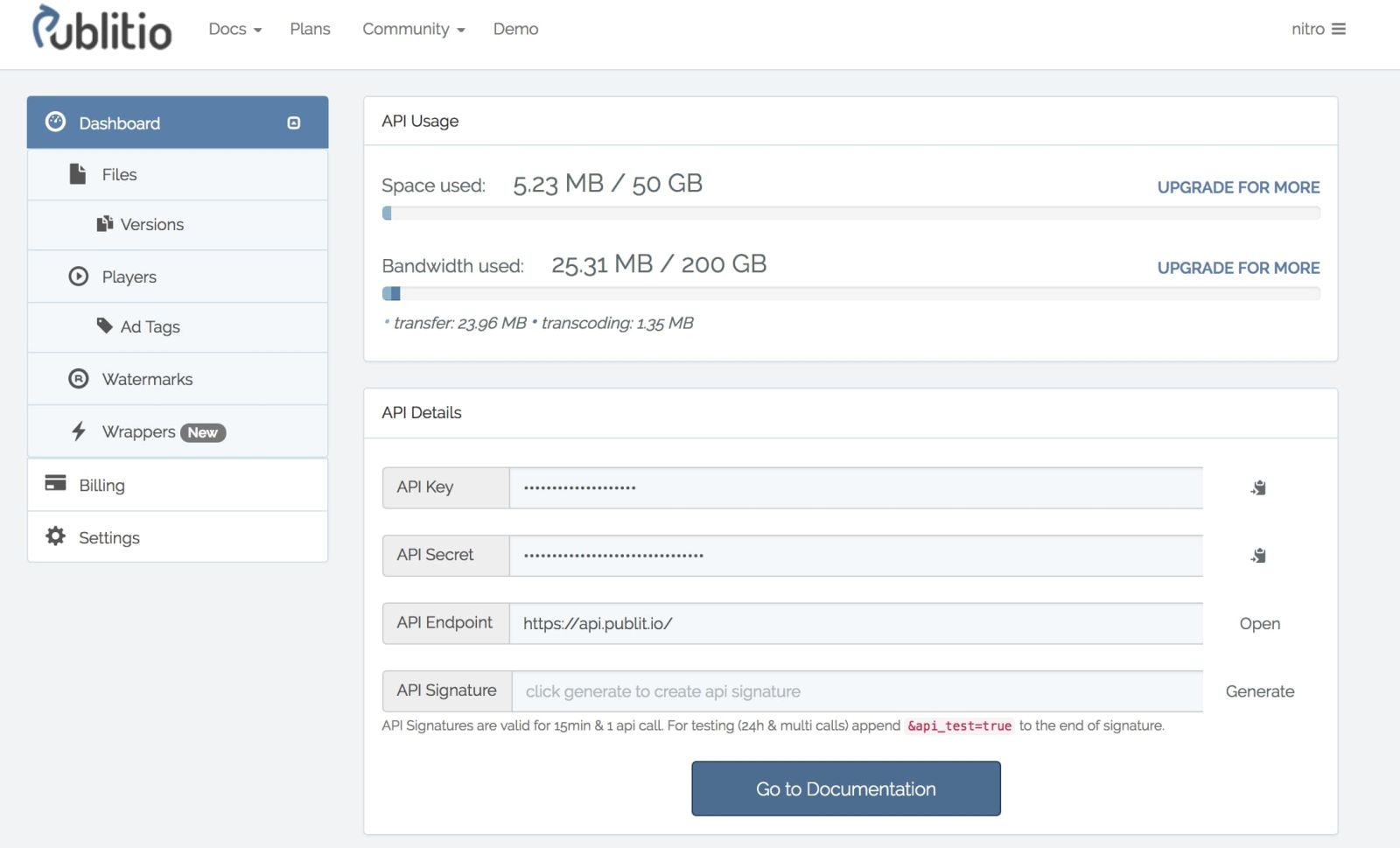
Publitio API documentation: manage media files, versions, players, ad tags, watermarks, and URL-based transformations through developer-friendly endpoints.
6. WordPress Offloading Plugin
Publitio has a WordPress offloading plugin that can connect WordPress media libraries with Publitio cloud storage and CDN delivery. The plugin is designed to offload media and document files, replace local media URLs with Publitio URLs, and reduce server storage load.
For WordPress sites with many media files, this can be especially useful. Instead of stuffing every image, video, audio file, document, or archive into your hosting account, Publitio Offloading can help serve media from external cloud storage and CDN infrastructure.
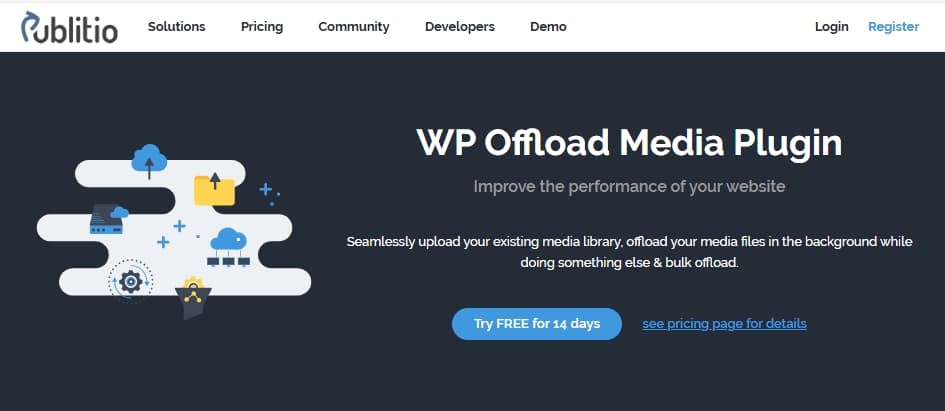
Publitio WordPress Offloading helps move and serve WordPress media files from Publitio cloud storage and CDN delivery instead of relying only on local hosting.
Ready to explore Publitio features?
Test cloud media hosting, CDN delivery, URL transformations, video player tools, security, and WordPress offloading before choosing a paid plan.
Need a cleaner way to host, transform, protect, and deliver media files?
Publitio helps teams manage images, videos, audio, PDFs, and documents with cloud storage, CDN delivery, URL transformations, video hosting, API access, analytics, protection, and WordPress offloading.
| ✓ | Upload images, videos, audio, PDFs, and documents |
| ✓ | Use CDN delivery for faster global media access |
| ✓ | Transform images and videos through URL parameters |
| ✓ | Protect files with private settings, domain protection, and HLS encryption |
| ✓ | Offload WordPress media to cloud storage and CDN delivery |
Media Hosting · CDN Delivery · Video Management · API · WordPress Offloading
Publitio Plans: What to Compare Before Upgrading
| What to Compare | Why It Matters | Best For |
| Storage and bandwidth | Media hosting costs depend heavily on file size and delivery volume. Match the plan to your expected monthly traffic and library size. | Every Publitio user |
| Video requirements | If you host protected videos, need custom players, HLS encryption, DRM, 2K/4K video, or player statistics, plan choice matters more. | Course creators, video platforms, publishers, SaaS apps |
| Security features | Domain protection, private files, password-protected content, HLS encryption, and DRM are important when media should not be freely downloadable. | Paid content, private videos, gated downloads, internal files |
| API and automation | Developer teams should test whether Publitio’s API and URL transformations fit the app or website workflow before scaling usage. | Developers, SaaS teams, custom web apps |
| WordPress offloading | WordPress users should confirm whether the offloading plugin works smoothly with their theme, builder, caching plugin, and hosting setup. | WordPress blogs, media-heavy sites, publishers |
Publitio Pros and Cons
Pros
- Supports images, videos, audio files, PDFs, documents, and archives
- Cloud media storage with CDN delivery
- URL-based transformations for resizing, cropping, watermarking, conversion, trimming, and quality adjustment
- Dashboard and API workflows for both non-technical users and developers
- Video hosting, custom player options, HLS encryption, ad tags, watermarks, and analytics
- Domain-level protection and private file controls
- WordPress offloading plugin for serving media through Publitio cloud storage and CDN
- Pay-as-you-go usage available on paid plans
- Pricing starts at $19/month according to the official pricing page
Cons
- May be more technical than simple file storage tools
- Storage and bandwidth costs can rise if usage grows significantly
- Some security and business-level features require higher plans
- Non-technical users may need time to understand URL transformations, CNAMEs, CDN delivery, and video settings
- Not a full enterprise DAM replacement for teams needing advanced approval workflows, rights management, and asset governance
Which Publitio Plan Should You Choose?
Choose Premium if:
You need cloud media hosting, CDN delivery, URL transformations, HLS encryption, custom CNAME, domain protection, analytics, players, ad tags, watermarks, and priority support at the lowest listed paid price. Premium is the best starting point for most smaller websites and content projects.
Choose Startup if:
You need more capacity and more media controls. Startup is a better fit for growing websites, agencies, content teams, and platforms that need more storage, more bandwidth, more players, more watermarks, more CNAMEs, and password-protected content.
Choose Business if:
You need heavier video support, business-level capacity, DRM video security, S3 backup, 2K/4K video support, player statistics, more custom domains, and higher media delivery needs. Business is the plan to compare if media hosting is a real infrastructure cost for your business.
Use the free trial first if:
You are unsure how much storage, bandwidth, transformation, player, or API usage you need. Test your real workflow first. Pricing pages are calm. Real media libraries are not.
Ready to compare Publitio plans?
Start with the free trial, test your real files, then choose the plan that matches your storage, bandwidth, security, video, and API needs.
Is Publitio Worth It?
Publitio is worth considering if media files are becoming a real workflow problem for your website, app, agency, or publishing operation. Its strongest value is not simply storage. The stronger value is the combination of storage, CDN delivery, transformations, video tools, file protection, player customization, API access, and WordPress offloading.
For websites with lots of images and videos, Publitio can reduce the need to manually resize files, create separate versions, store everything locally, or build a custom media delivery setup. For developers, the API and URL-based transformations can simplify media workflows inside apps and custom websites.
If your work includes creating marketing videos, social clips, or media-heavy content, our Arcads AI Review 2026 covers AI video ad creation. If you need to plan and publish those assets across social channels, our Sked Social Review 2026 covers visual scheduling and approval workflows.
Turning stored media assets into scheduled social content?

Sked Social Review 2026: Instagram Scheduling, Grid Preview & Agency Tools
CANDIDCODES · MAY 2026
Read full reviewReady to test Publitio?
Publitio Alternatives to Consider
Cloudinary: A popular image and video API platform with strong transformation and delivery features. It may be better for teams that need a larger ecosystem and enterprise-level media workflows.
ImageKit: Strong for image optimization, CDN delivery, and developer-friendly transformation workflows. Compare it with Publitio if image optimization is your biggest need.
Bunny CDN / Bunny Storage: Useful for teams focused on CDN delivery and storage performance, though it may require more setup around media transformations and player workflows.
Amazon S3 + CloudFront: Powerful and flexible, but more technical. It can be excellent for developers, but less convenient if you want an all-in-one media dashboard, transformations, player, and WordPress offloading workflow.
Vimeo / Wistia: Better for polished video hosting, marketing video pages, lead capture, and video analytics. Publitio is broader for media asset management, file transformations, CDN delivery, and API workflows.
Publitio: Best for users who want a practical media cloud that combines storage, CDN delivery, transformations, protection, video player tools, API access, and WordPress offloading without building everything from separate services.
How Publitio Fits Into a Broader Content Stack
Publitio works best as the media infrastructure layer. A practical content stack could look like this: Publitio for hosting and delivering media files, SEOWriting.ai for long-form content production, Arcads AI for video ad creation, Sked Social or Vista Social for social publishing, and SuiteDash for client portals if you manage media assets for clients.
For AI-assisted content writing, our SEOWriting.ai Review 2026 covers long-form blog creation and SEO workflow. For client portals and service operations, our SuiteDash Review 2026 covers CRM, portals, invoices, and business workflow tools.
Frequently Asked Questions
What is Publitio used for?
Publitio is used for cloud media asset management, CDN media hosting, image and video transformations, video hosting, file protection, API-based media workflows, and WordPress media offloading.
How much does Publitio cost?
Publitio’s official pricing page currently lists Premium at $19/month, Startup at $59/month, and Business at $99/month. Pricing, included usage, and feature access may change, so confirm current details before subscribing.
Does Publitio offer a free trial?
Yes. Publitio pricing information mentions a free trial for new accounts. Users should confirm current trial terms on the official pricing page before starting.
Does Publitio include CDN delivery?
Yes. Publitio includes CDN delivery by default, helping media files load faster through global infrastructure instead of relying only on local website hosting.
Can Publitio transform images and videos?
Yes. Publitio supports URL-based transformations for resizing, cropping, converting, watermarking, trimming, quality adjustment, and video transcoding depending on the file type and workflow.
Does Publitio support video hosting?
Yes. Publitio supports video hosting, custom video players, HLS streaming, HLS video encryption, ad tags, watermarks, analytics, and video conversion features.
Does Publitio have an API?
Yes. Publitio provides REST and URL-based APIs for managing media files, versions, players, ad tags, watermarks, and other media-related resources.
Does Publitio work with WordPress?
Yes. Publitio has a WordPress offloading plugin that can move media files from the WordPress media library to Publitio cloud storage and serve them through Publitio CDN URLs.
Is Publitio worth it?
Publitio is worth testing if your website or app handles enough media files that local server storage, bandwidth, slow delivery, manual transformations, video hosting, or CDN setup becomes a real workflow issue.
Current Publitio Offer — May 2026
Publitio promotes a free trial and paid plans for cloud media hosting, CDN delivery, transformations, video management, security, analytics, API workflows, and WordPress offloading. Pricing and plan details may change.
Start Publitio Free Trial →Final Verdict
Publitio is a strong media asset management and delivery platform for users who need cloud storage, CDN delivery, image and video transformations, file protection, custom video players, API access, and WordPress media offloading.
Its strongest value is the combination of media hosting and media processing. You are not just storing files. You can transform them, protect them, embed them, analyze them, and deliver them faster. That makes Publitio especially useful for media-heavy websites, video projects, agencies, publishers, developers, and WordPress users.
For small websites with very little media, Publitio may be more than you need. But if media files are slowing down your workflow, increasing server load, or forcing you to juggle separate tools for hosting, CDN, transformations, and video delivery, Publitio is worth testing.
Try Publitio Before Choosing a Paid Plan
Upload real media files, test CDN delivery, try URL transformations, check video player settings, and confirm WordPress/API workflow before subscribing.
Publitio Media Hosting & CDN Trial
Test Publitio for cloud media hosting, CDN delivery, image and video transformations, video player tools, secure file delivery, API workflow, and WordPress offloading.
✓ CDN media delivery
✓ URL-based transformations
✓ Video hosting and custom players
✓ HLS encryption and domain protection
✓ REST API and dashboard workflow
✓ WordPress offloading plugin
Pricing, free trial terms, storage, bandwidth, feature access, and pay-as-you-go usage may change. Confirm current details before subscribing.
Try Publitio Now → Cloud Media Hosting · CDN Delivery · Video Management · URL Transformations · WordPress Offloading · API
Explore more software reviews, SaaS tools, creator tools, and media workflow deals on CandidCodes.