FlowSavvy Review 2026: Pricing, AI Calendar Auto-Scheduling, Features & Buyer Verdict
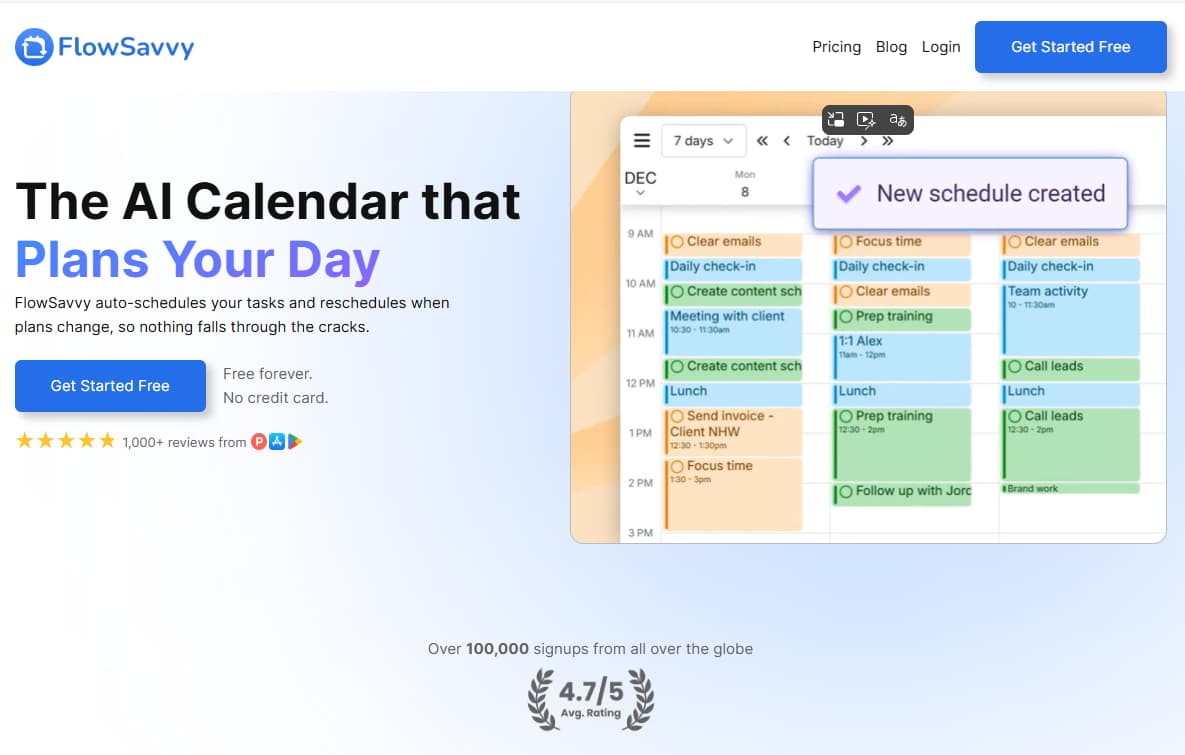
FlowSavvy is an AI calendar and auto-scheduling app for students, solo professionals, freelancers, creators, consultants, and busy operators who want tasks planned into real calendar time instead of living inside a to-do list swamp with notifications and guilt.
Why Trust This FlowSavvy Review?
We reviewed FlowSavvy as an auto-scheduling workflow tool, not as a magic productivity button. The key question is whether it reduces enough manual calendar planning, task rescheduling, time-blocking, and priority management friction to justify upgrading from Free to Pro.
Free and Pro plan details are separated clearly, including monthly and yearly Pro pricing, yearly savings, and key scheduling limits.
The FlowSavvy affiliate link is kept exactly as provided: https://flowsavvy.app?via=03111983.
The review focuses on real scheduling work: auto-scheduling, rescheduling, calendar sync, scheduling hours, priorities, dependencies, and task lists.
No productivity guarantees, income promises, or stress-cure fantasies. A calendar can organize time. It cannot rescue vague priorities from themselves.
30-Second Verdict
FlowSavvy is best for individual professionals, students, freelancers, creators, and busy operators who already use calendar-based planning and want their task list automatically turned into time blocks.
The strongest reason to use FlowSavvy is simple: it schedules flexible tasks into real calendar openings and can rebuild your plan when the day changes. The Free plan is strong enough to test core auto-scheduling, while Pro is better for heavy workloads because it adds 8-week scheduling, priorities, dependencies, unlimited task lists, unlimited scheduling hours profiles, and unlimited repeating auto-scheduled tasks.
The main limitation is also simple: FlowSavvy can build a schedule, but it cannot decide your priorities, rewrite vague tasks, or create more hours in the day. Software continues to refuse becoming a responsible adult. Suspiciously fair.
What Is FlowSavvy?
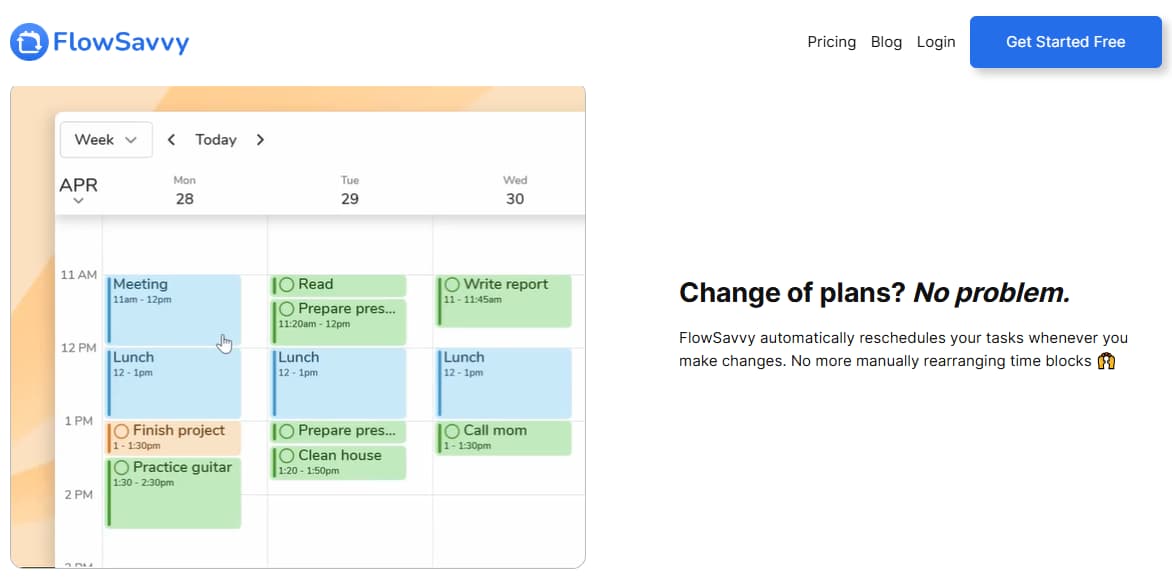
FlowSavvy is an AI calendar and auto-scheduling app that automatically places tasks into your calendar based on due dates, durations, scheduling hours, and existing events. Instead of manually dragging time blocks around every time the day changes, FlowSavvy can rebuild the schedule around the available time you actually have.
The platform is especially relevant for individual professionals, students, freelancers, creators, consultants, and busy operators who need a realistic plan for tasks, meetings, errands, habits, and flexible work. In plain English: FlowSavvy helps you turn a messy to-do list into a time-blocked calendar without manually rebuilding the whole day every time something changes.
Related Read
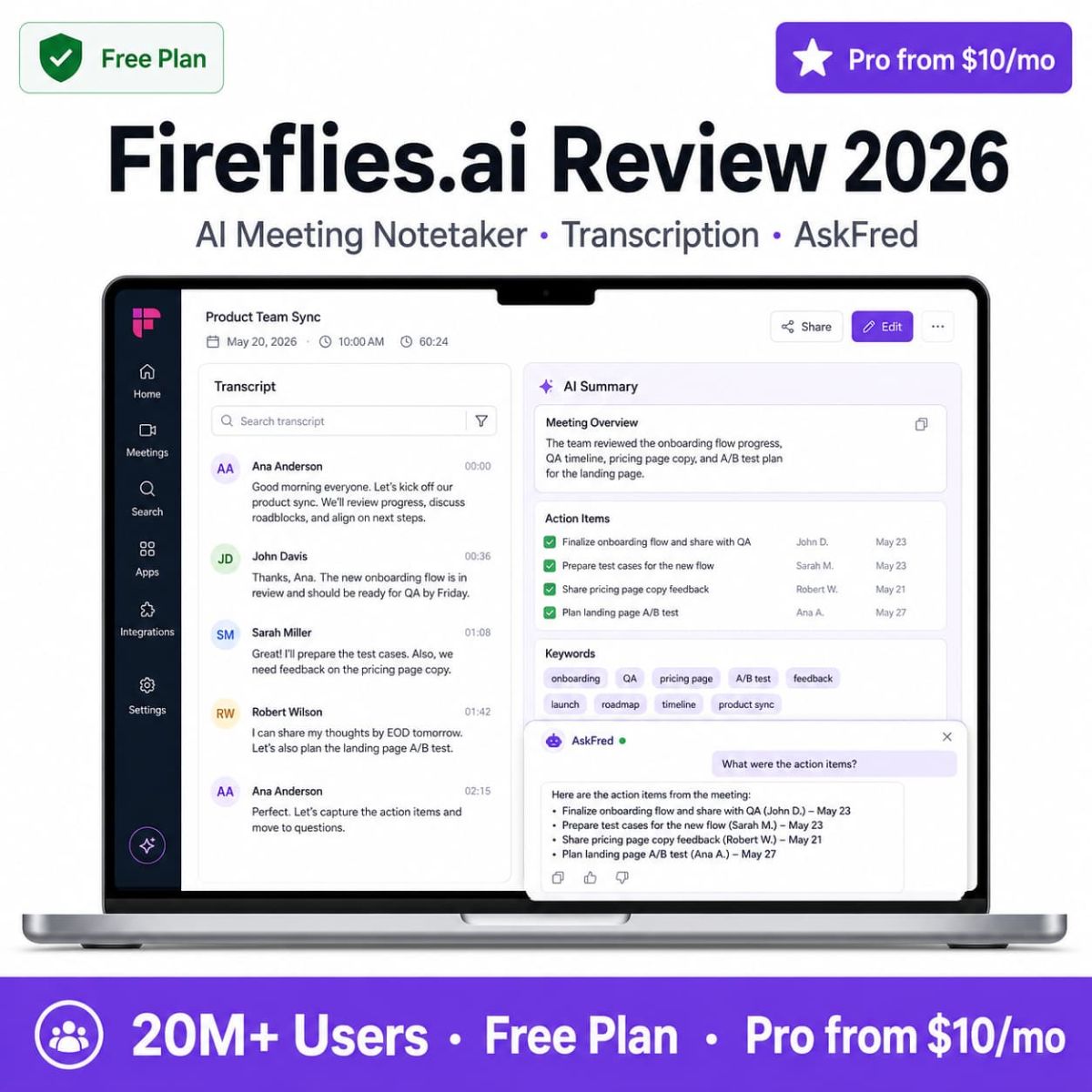
Meetings still eat half your calendar? Read the Fireflies.ai review for AI meeting notes, transcripts, summaries, and action-item workflow.
Read Fireflies ReviewWho Should Use FlowSavvy?
FlowSavvy is built for people who need help turning flexible tasks into a realistic calendar. The right plan depends on workload size, planning horizon, repeating tasks, and whether you need priority levels, task dependencies, and more scheduling profiles.
Light Planner
Best fit: You need basic auto-scheduling, calendar sync, simple task planning, and a free way to test the workflow first.
Busy Solo Professional
Best fit: You have flexible tasks, recurring routines, deadlines, priority levels, dependencies, and a heavier workload that needs longer planning range.
Team or Client Workflow
Best fit: FlowSavvy may help individual planning, but compare broader workflow tools if you need CRM, projects, client portals, approvals, or team operations.
Why Auto-Scheduling Matters in 2026
Manual planning looks productive until it becomes the work. Every time a meeting moves, a task takes longer than expected, or a deadline changes, the calendar needs repair. Do that enough times and planning becomes a hobby nobody asked for.
| Manual calendar workflow | With FlowSavvy | Why it matters |
|---|---|---|
| Manually drag time blocks around when plans change. | Automatically reschedule flexible tasks when the day changes. | Reduces calendar repair time and planning fatigue. |
| Guess whether your task list realistically fits the week. | Use calendar-based scheduling to see what fits and what may miss deadlines. | Makes workload capacity more visible. |
| Rebuild time blocks manually after missing tasks. | Use recalculation and auto-rescheduling to rebuild the schedule faster. | Helps keep the plan useful after disruptions. |
| Keep work, personal time, and habits in separate mental piles. | Use scheduling hours, task lists, recurring tasks, and calendar sync in one workflow. | Creates a cleaner planning system across life categories. |
| Depend on motivation to decide what to do next. | Let the calendar show the next task based on deadlines, availability, and schedule logic. | Reduces decision fatigue, assuming tasks are clear enough to schedule. |
FlowSavvy Pricing 2026
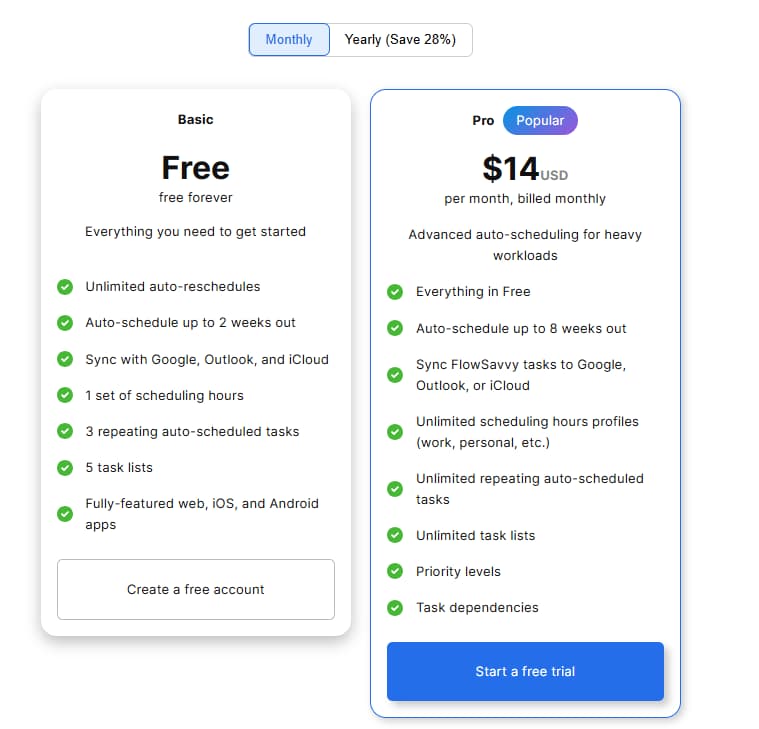
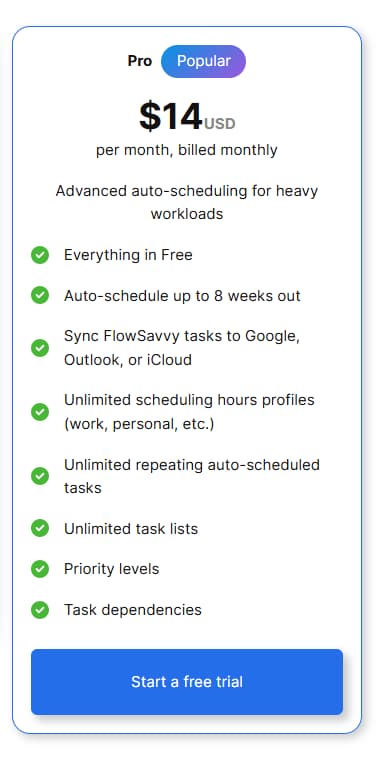
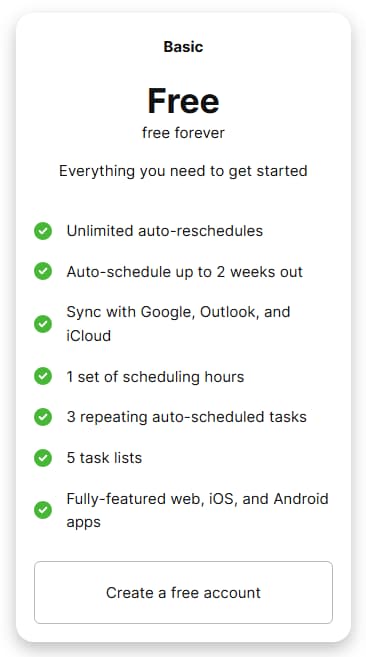
FlowSavvy currently offers a Free plan and one paid Pro plan. The Free plan is free forever and includes core auto-scheduling features. The Pro plan is shown at $14/month billed monthly or $10/month billed yearly. The pricing page also shows yearly billing as saving 28%.
| Plan | Price shown | Best for | Important included notes | Best action |
|---|---|---|---|---|
| Free | Free forever | Getting started with basic auto-scheduling, calendar sync, and simple task planning. | Unlimited auto-reschedules, auto-schedule up to 2 weeks out, sync with Google, Outlook, and iCloud, 1 set of scheduling hours, 3 repeating auto-scheduled tasks, 5 task lists, web/iOS/Android apps. | Start free |
| Pro | $14/month billed monthly $10/month billed yearly |
Heavy workloads, longer auto-scheduling range, more scheduling profiles, priorities, dependencies, and unlimited repeating tasks. | Everything in Free, auto-schedule up to 8 weeks out, sync FlowSavvy tasks to Google/Outlook/iCloud, unlimited scheduling hours profiles, unlimited repeating auto-scheduled tasks, unlimited task lists, priority levels, and task dependencies. | Try Pro |
Pricing, billing terms, plan limits, feature availability, free trial rules, and app store details may change. Always confirm current pricing on the official FlowSavvy website before subscribing.
Which FlowSavvy Plan Should You Pick?
Choose by workload size and scheduling needs, not by buying Pro because productivity guilt whispered at 11:47 p.m. Very common. Not a strategy.
Pro Yearly
Best for heavy solo users who need 8-week auto-scheduling, unlimited lists, unlimited scheduling hours profiles, priority levels, and task dependencies.
Use this if you are new to auto-scheduling and want to test whether FlowSavvy fits your calendar workflow before paying.
Use this if you need Pro features but want a flexible test before committing to yearly billing.
Use this if FlowSavvy fits your daily workflow and you want the lower monthly-equivalent price shown on yearly billing.
Key Features That Matter in Real Planning Work
FlowSavvy matters when your task list needs to become a real schedule. The value is not that it stores tasks. A sticky note can do that, poorly but bravely. The value is that FlowSavvy tries to place tasks into calendar time and adjust when reality ruins the plan, as it enjoys doing.
AI Auto-Scheduling
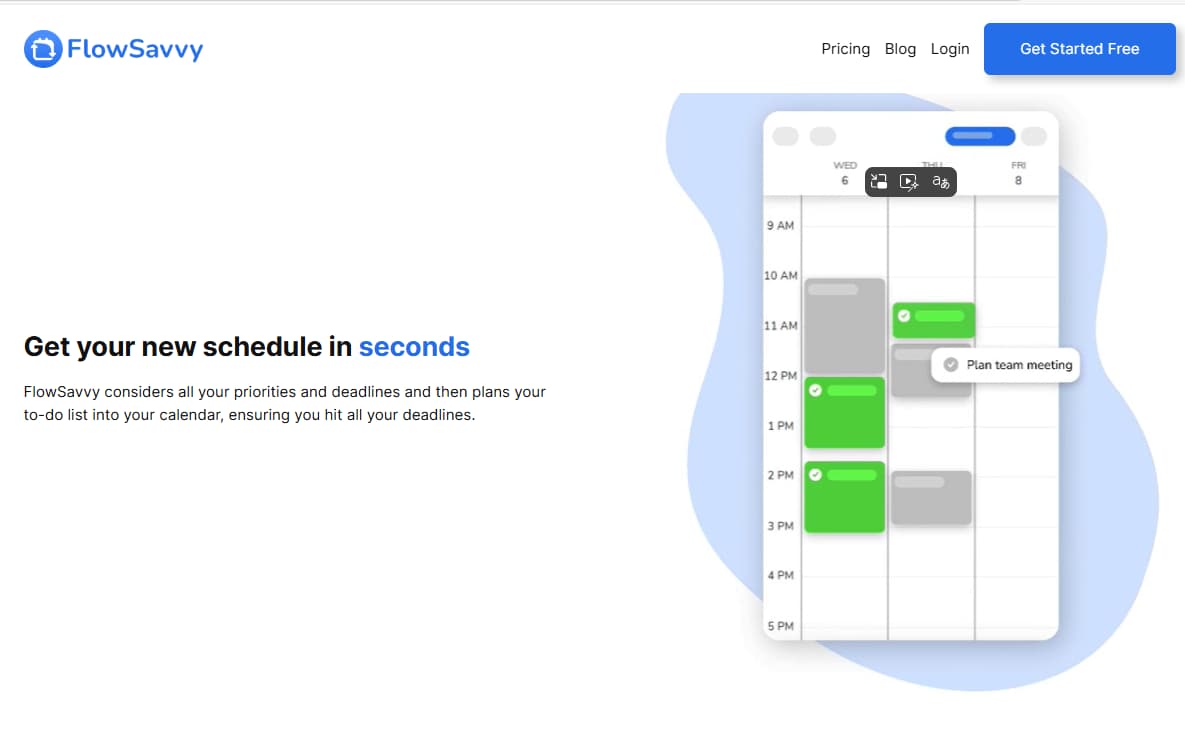
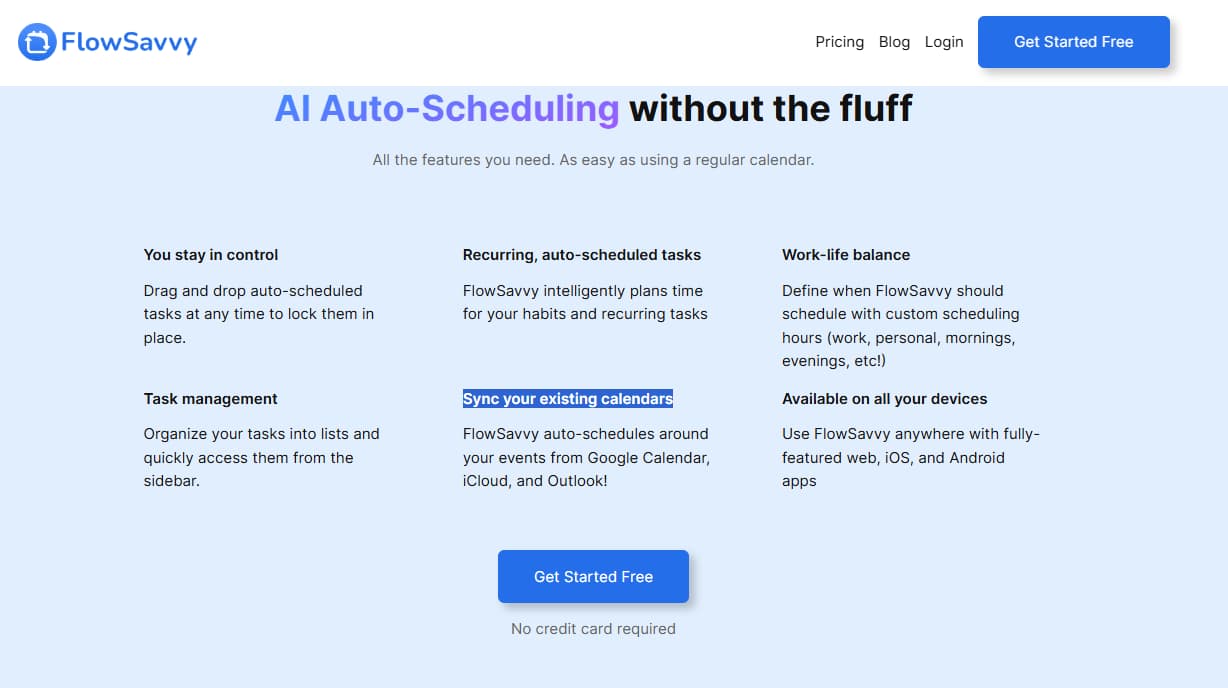
Add tasks with durations and deadlines, then FlowSavvy places them into open calendar time based on availability.
Automatic Rescheduling
When a meeting runs long or a task gets missed, FlowSavvy can reschedule flexible work instead of leaving the plan broken.
Google, Outlook & iCloud Sync
FlowSavvy syncs with major calendars so it can schedule tasks around existing meetings, classes, appointments, and blocked time.
Scheduling Hours
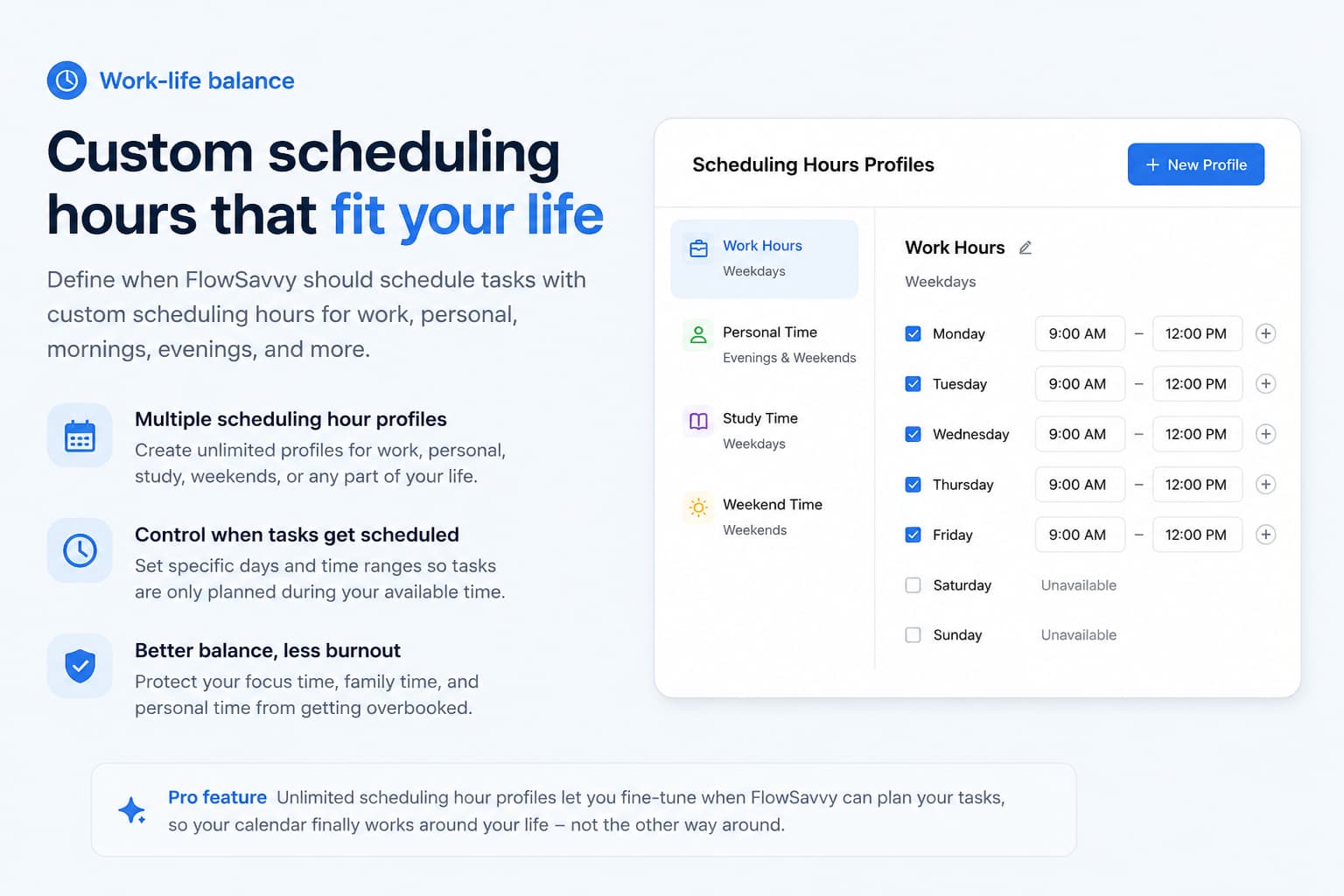
Define when tasks are allowed to be scheduled. Pro unlocks unlimited scheduling hour profiles for work, study, personal time, or deep work.
Priorities & Dependencies
Pro adds priority levels, task dependencies, unlimited repeating auto-scheduled tasks, and unlimited task lists.
Web, iOS & Android Apps
Use FlowSavvy across devices so you can capture, review, and adjust the schedule from desktop or mobile.
How to Use FlowSavvy Without Scheduling Chaos More Efficiently
Use FlowSavvy to make time visible, not to pretend impossible workloads are suddenly possible. The safest workflow is to break tasks into real durations, add honest deadlines, define scheduling hours, sync your real calendar, and review what the schedule reveals.
Best Way to Test FlowSavvy Before Paying
Start with one real week. Add fixed events, 10 to 20 actual tasks, realistic durations, and due dates. Let FlowSavvy schedule the week, then check whether the plan feels usable or whether your task list was actually a disguised fantasy novel.
FlowSavvy vs Alternatives
FlowSavvy competes with Motion, Reclaim, Akiflow, Sunsama, Morgen, and other calendar productivity tools. The right alternative depends on whether you need focused auto-scheduling, heavier project planning, calendar protection, or manual daily planning.
| Tool | Best for | Core focus | Calendar sync | Planning style | Where it may fall short |
|---|---|---|---|---|---|
| FlowSavvy | Solo users who want simple AI auto-scheduling | Auto-scheduling flexible tasks into calendar time | Google, Outlook, iCloud | Automatic time blocking | Not a full team project management platform |
| Motion | Users wanting broader productivity and project planning | Auto-scheduling plus broader workflow | Calendar-based scheduling | More complex productivity system | May be heavier and more expensive than focused users need |
| Reclaim | Calendar protection and focus-time workflows | Habits, focus time, scheduling defense | Calendar-based scheduling | Calendar defense | May be less task-heavy depending on workflow |
| Akiflow | Task capture and daily planning | Consolidating tasks and calendar | Strong calendar workflows | Manual daily planning with productivity structure | Requires more active planning habit |
| Sunsama / Morgen | Daily planning and calendar productivity | Planning, task consolidation, calendar workflows | Strong calendar workflows | More manual planning | Less focused on simple auto-scheduling than FlowSavvy |
Which Tool Should You Choose?
Choose FlowSavvy when you want affordable, focused AI auto-scheduling without a heavy team platform. Choose a broader tool when you need project management, team workflows, or a more manual daily planning ritual.
What Users Are Saying About FlowSavvy
FlowSavvy has public review signals across the Apple App Store, Google Play, Product Hunt, Capterra, and productivity communities. These sources are useful because they show how users discuss auto-scheduling, calendar sync, rescheduling, task planning, mobile apps, support, and daily workflow beyond FlowSavvy’s own website.
App Store / Google Play
Useful for checking mobile reliability, reminders, schedule visibility, recurring tasks, and daily app workflow.
Product Hunt
Useful for early-adopter feedback around simple auto-scheduling, founder positioning, and how users compare it with heavier tools.
Capterra / Communities
Useful for comparing FlowSavvy with Motion, Reclaim, and daily planners, plus workflow-specific complaints before upgrading.
Pros & Cons
-
You want an easy free starting point: FlowSavvy gives you a free forever plan, so you can test the workflow before paying.
-
You want tasks scheduled into real calendar time: It auto-schedules work into open time instead of leaving everything trapped inside a static to-do list.
-
Your plans change often: Automatic rescheduling helps rebuild the day when meetings move or tasks get missed.
-
You rely on Google, Outlook, or iCloud: Calendar sync is built in, and the web, iOS, and Android apps support cross-device use.
-
You have heavier scheduling needs: Pro unlocks 8-week planning, priorities, dependencies, unlimited task lists, and unlimited repeating auto-scheduled tasks.
-
You want simpler pricing than many productivity tools: The plan structure is straightforward compared with heavier all-in-one apps.
-
You need everything on the free plan: Free still limits scheduling hours profiles, repeating auto-scheduled tasks, and task lists.
-
You don't actually need heavier scheduling features: Pro only makes sense if longer planning range, priorities, and dependencies matter in your real workflow.
-
You need a team platform, CRM, or client portal: FlowSavvy is built for individual planning, not full business operations.
-
You expect software to decide priorities for you: You still need to define tasks, durations, deadlines, and what actually matters.
-
Your calendar is already overloaded: Auto-scheduling can organize work, but it cannot create more real availability than you actually have.
-
You never verify current terms: Pricing, trial rules, and feature availability can change, so final details should still be checked before subscribing.
Is FlowSavvy Worth It?
FlowSavvy is worth testing if you already live inside your calendar and want your to-do list to become a realistic schedule. Its strongest value is not that it writes tasks for you. The value is the scheduling layer: placing work into available time, rebuilding the plan when things change, and showing whether your workload actually fits.
For light users, Free may be enough. For active users with recurring tasks, separate scheduling profiles, longer planning horizons, priorities, dependencies, and multiple task lists, Pro becomes easier to justify.
The blunt answer: FlowSavvy is not a motivation machine. It is a scheduling tool. If your tasks are clear, deadlines are real, and your calendar reflects your actual availability, FlowSavvy can reduce planning friction. If your tasks are vague, oversized, and emotionally haunted, it will simply schedule the chaos with admirable punctuality.

Related Scheduling Review
Need to schedule and publish social content too? Read the Vista Social review for social media publishing, analytics, and engagement workflow.
Read Vista Social ReviewFlowSavvy FAQ
What is FlowSavvy used for?
FlowSavvy is used for AI calendar planning, auto-scheduling tasks, rescheduling work when plans change, syncing with existing calendars, managing task lists, and building time-blocked schedules from a to-do list.
How much does FlowSavvy cost?
FlowSavvy currently shows a Free plan and a Pro plan. Pro is shown at $14/month billed monthly or $10/month billed yearly. Pricing may change, so users should confirm current pricing before subscribing.
Does FlowSavvy have a free plan?
Yes. FlowSavvy shows a Free plan that is free forever. It includes unlimited auto-reschedules, auto-scheduling up to 2 weeks out, calendar sync, 1 set of scheduling hours, 3 repeating auto-scheduled tasks, 5 task lists, and web/iOS/Android apps.
Does FlowSavvy have a free trial?
FlowSavvy's pricing page shows a Pro free trial option. Users should confirm current trial terms directly on the official FlowSavvy website before upgrading.
Which FlowSavvy plan is best?
Free is best for light users testing auto-scheduling. Pro is best for heavier workloads because it adds auto-scheduling up to 8 weeks out, unlimited scheduling hours profiles, unlimited repeating auto-scheduled tasks, unlimited task lists, priority levels, and task dependencies.
Does FlowSavvy work with Google Calendar?
Yes. FlowSavvy supports Google Calendar. It also supports Outlook and iCloud calendar sync according to its official pricing and feature pages.
Is FlowSavvy better than Motion?
FlowSavvy is usually better for users who want a focused and affordable auto-scheduling app for individual planning. Motion may be better for users who want a broader productivity and project management system.
Is FlowSavvy worth it?
FlowSavvy is worth evaluating if you want to reduce manual calendar planning and auto-schedule tasks around real availability. It is less useful if you do not use calendar-based planning or if you need full team project management.
Final Verdict: Is FlowSavvy Worth Trying?
FlowSavvy is a strong option for people who want a focused AI calendar that turns tasks into a realistic time-blocked schedule. It is especially useful for individual professionals, students, freelancers, creators, and busy operators who already rely on calendar planning but do not want to manually rebuild time blocks every time the day changes.
The Free plan is good enough for testing the core workflow. Pro makes more sense when you need heavier scheduling power: 8-week auto-scheduling, unlimited scheduling hours profiles, unlimited repeating auto-scheduled tasks, unlimited task lists, priority levels, task dependencies, and task sync to external calendars.
Our editorial score is 4.5/5. FlowSavvy earns that score because it solves a practical solo productivity problem clearly: turning tasks into calendar time. It loses points because it cannot fix bad priorities, vague tasks, or impossible workloads. If there is not enough time, the schedule will eventually reveal it, which is rude but useful.