Dynamic Mockups Review 2026: Pricing, AI Mockups, API, Shopify Workflow & Buyer Verdict
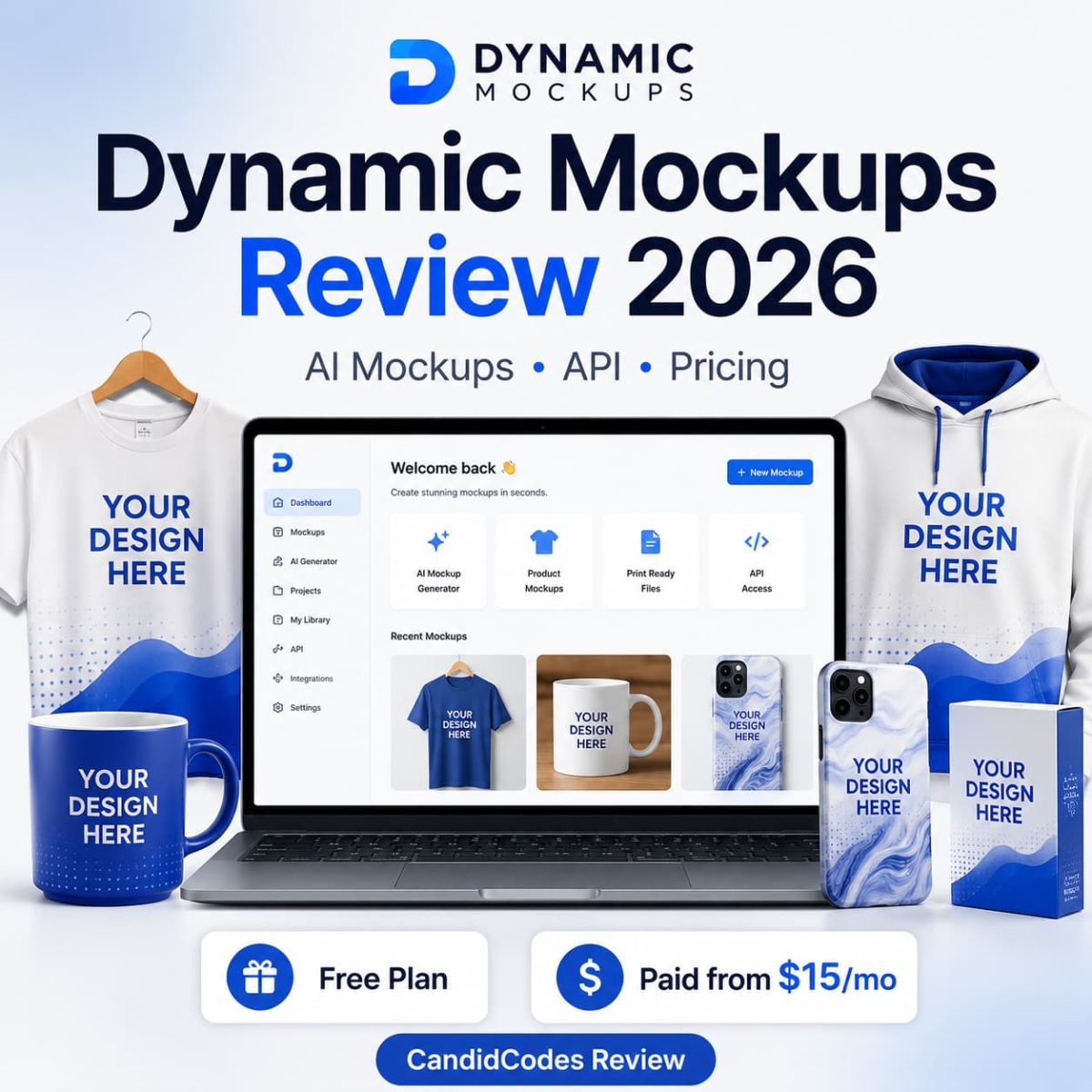
Dynamic Mockups is a product mockup generation platform for ecommerce sellers, POD brands, Shopify stores, agencies, marketplaces, and developers who need to generate product visuals at scale without opening Photoshop for every listing like civilization has learned nothing.
Why Trust This Dynamic Mockups Review?
We reviewed Dynamic Mockups as a product visual workflow tool, not as a magic image generator that makes every ecommerce store look premium by divine intervention. The key question is whether it reduces enough manual mockup creation, Photoshop work, catalog image production, and API rendering friction to justify Pro for active ecommerce and POD sellers.
Free, Pro monthly, Pro yearly, and Enterprise are separated clearly, with a note that pricing, credits, API terms, and Enterprise scope can change.
The Dynamic Mockups affiliate link is kept exactly as provided: https://dynamicmockups.com?fpr=03111983.
The review focuses on real jobs: bulk mockups, PSD templates, AI scenes, ecommerce integrations, API rendering, and embedded product editor use cases.
No guaranteed sales, no fake conversion claims, no promise that AI mockups replace quality control. Product trust still needs human eyeballs, tragically.
30-Second Verdict
Dynamic Mockups is best for POD sellers, Shopify stores, Etsy sellers, ecommerce brands, agencies, marketplaces, and developers that create product visuals repeatedly and need faster mockup production across products, templates, colors, print areas, and sales channels.
The strongest reason to try Dynamic Mockups is workflow scale. The Free plan lets users test quality with 50 credits, while Pro adds unlimited batch export, unlimited catalogs, unlimited saved templates, clean API exports, all integrations, embedded product editor access, and credit top-ups.
The main limitation is output control. Dynamic Mockups can save time, but final quality still depends on design assets, templates, product category, AI scene realism, print placement, and brand standards. A fast ugly mockup is still ugly, just more efficiently generated.
What Is Dynamic Mockups?
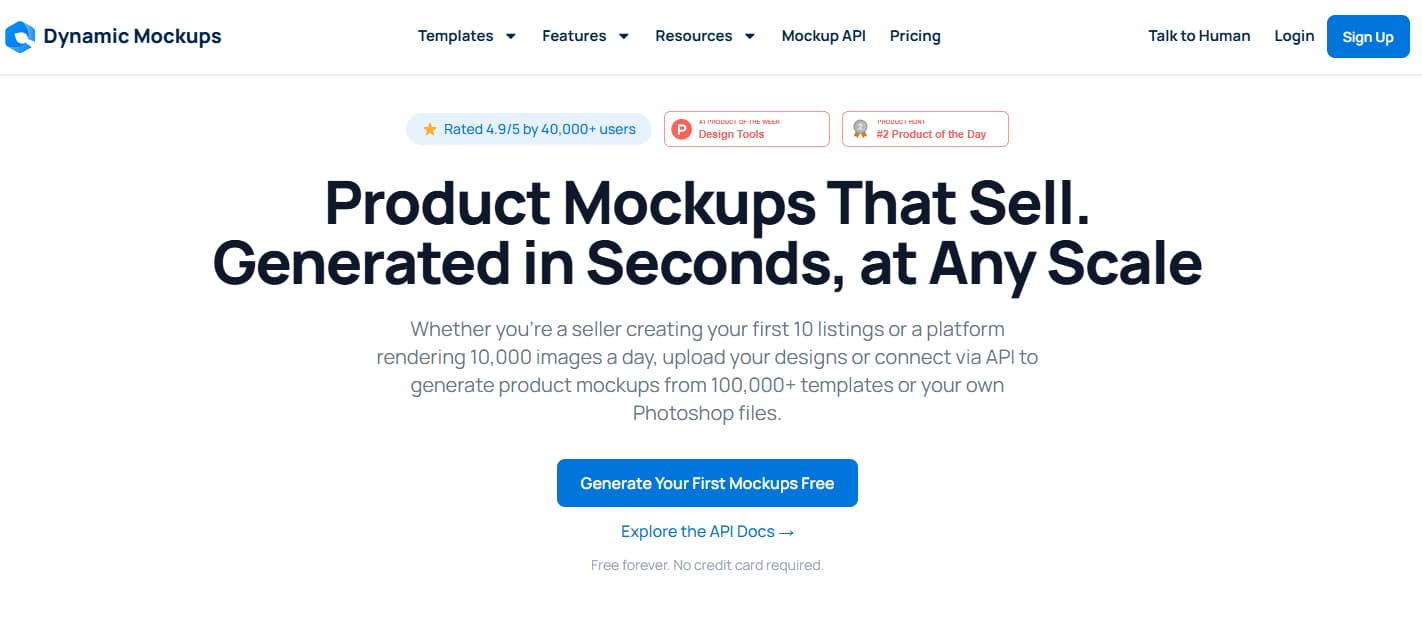
Dynamic Mockups is a product mockup generation platform for ecommerce, print-on-demand, creative agencies, marketplaces, and developers. It helps users generate product visuals from templates, design uploads, custom Photoshop files, AI mockups, store integrations, and API workflows.
The tool is built for both sellers who need faster product listing visuals and product teams that want mockup generation inside apps, platforms, or marketplace workflows. In plain English: Dynamic Mockups helps sellers turn designs into product images faster when speed, scale, and repeatability matter.
Related Read
Need product sourcing and dropshipping automation alongside better visuals? Read the AppScenic review for ecommerce automation, supplier workflow, and store operations.
Read AppScenic ReviewWho Should Use Dynamic Mockups?
Dynamic Mockups is best for users who repeatedly create product visuals. The more products, colors, variants, templates, and sales channels you manage, the more the workflow matters. One mockup is a task. A catalog is a tiny content factory with a grudge.
Beginner Seller
Best fit: You want to test the mockup library, AI library, basic exports, saved templates, and small catalog workflow.
Active POD or Ecommerce Seller
Best fit: You need unlimited batch export, unlimited catalogs, saved templates, clean exports, full integrations, and repeatable listing visuals.
Platform, Agency or Developer
Best fit: You need API rendering, embedded product editor, custom productizer workflows, white-label options, or high-volume catalog automation.
Why Product Mockup Automation Matters in 2026
Ecommerce visual production breaks at scale. One product image is easy. A product catalog with multiple colors, sizes, designs, variants, platforms, and marketing formats is where manual design work starts eating the calendar like it pays rent.
| Manual mockup workflow | With Dynamic Mockups | Why it matters |
|---|---|---|
| Open Photoshop or a template tool for each design. | Generate mockups from templates, uploads, or custom PSD files. | Reduces repetitive design work for product launches. |
| Create product variants manually. | Use batch workflows across products, colors, and templates. | Helps sellers scale listings without exporting every image by hand. |
| Upload visuals to store channels one by one. | Use store integrations and automation tools for faster listing workflow. | Useful for Shopify, Etsy, WooCommerce, and POD workflows. |
| Ask developers to build a custom mockup process. | Use API rendering, embedded editor, or custom productizer workflows. | Supports marketplace, configurator, and platform-scale use cases. |
| Publish images without checking realism. | Review templates, print placement, AI scenes, and export quality before use. | Automation should protect trust, not mass-produce questionable visuals. |
Dynamic Mockups Pricing 2026
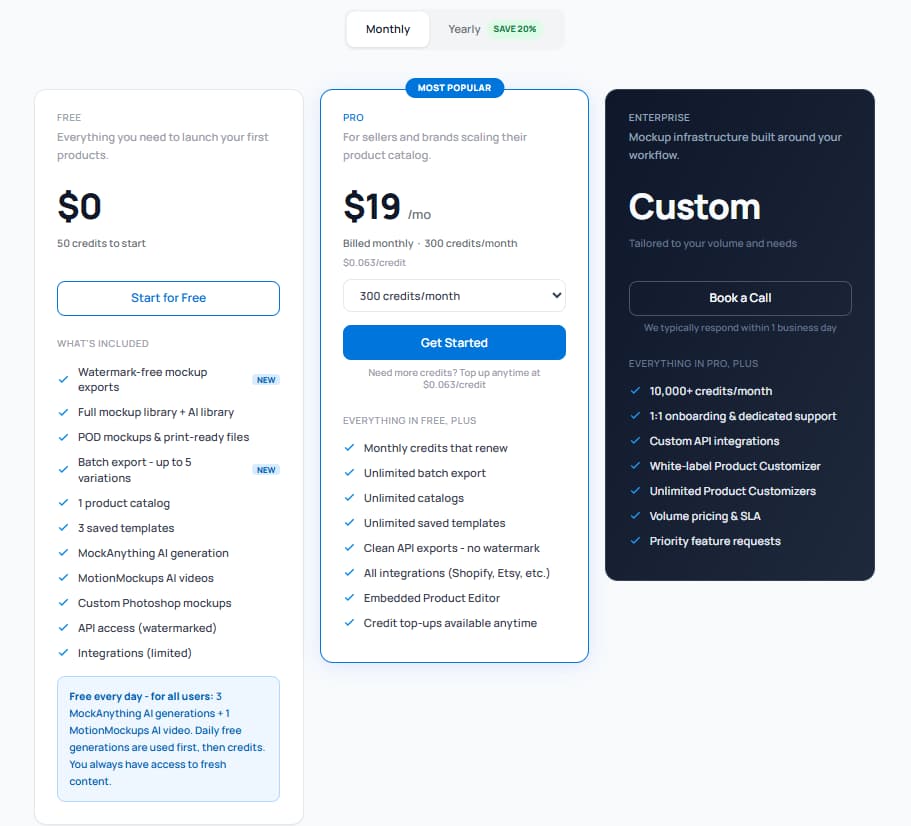
The pricing screenshots reviewed in the original CandidCodes draft show three plan paths: Free, Pro, and Enterprise. Monthly pricing shows Free at $0, Pro at $19/month, and Enterprise as Custom. Yearly pricing shows Free at $0, Pro at $15/month billed annually with 3,600 credits/year, and Enterprise as Custom.
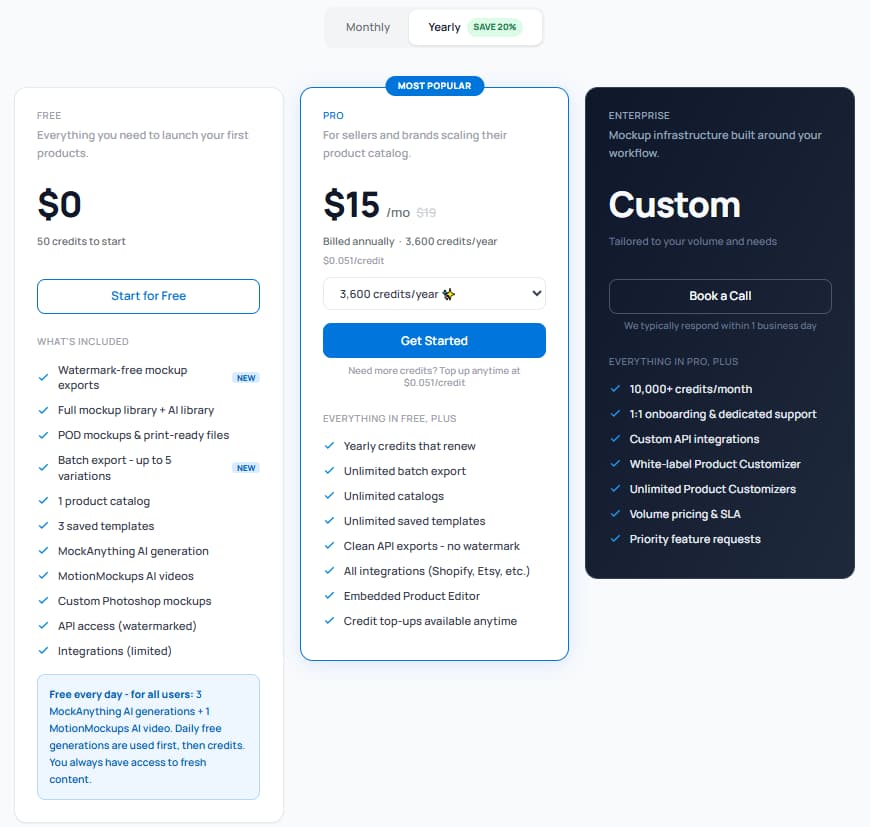
| Plan | Monthly price | Yearly price shown | Best for | Important included notes | Best action |
|---|---|---|---|---|---|
| Free | $0 | $0 | New sellers testing mockup quality and small product workflows. | 50 credits to start, watermark-free mockup exports, full mockup library and AI library, POD mockups and print-ready files, batch export up to 5 variations, 1 product catalog, 3 saved templates, MockAnything AI generation, MotionMockups AI videos, custom Photoshop mockups, watermarked API access, and limited integrations. | Start free |
| Pro | $19/month | $15/month billed annually | Active sellers and brands scaling product catalogs. | Monthly or yearly credits, unlimited batch export, unlimited catalogs, unlimited saved templates, clean API exports with no watermark, all integrations, embedded product editor, and credit top-ups. | Try Pro workflow |
| Enterprise | Custom | Custom | Platforms, marketplaces, agencies, and high-volume teams. | 10,000+ credits/month, 1:1 onboarding and dedicated support, custom API integrations, white-label product customizer, unlimited product customizers, volume pricing and SLA, and priority feature requests. | Contact sales |
Pricing, credits, add-ons, integrations, API limits, output rules, and Enterprise terms may change. Always confirm current details on the official Dynamic Mockups pricing page before subscribing.
Which Dynamic Mockups Plan Should You Pick?
Choose by mockup volume and production workflow, not by how excited you feel after seeing one pretty product image. Vibes are not a billing strategy.
Pro Yearly
Best for active sellers and brands that create product visuals every month and need unlimited batch export, unlimited catalogs, clean API exports, all integrations, and embedded product editor access.
Use this if you are testing Dynamic Mockups for the first time, launching only a few products, or checking whether the templates, AI library, export formats, and output quality fit your brand.
Use this if you need Pro features but want to test credit usage, product categories, integrations, and export workflow before committing long term.
Use this if product mockup generation is part of your ongoing listing process and the yearly pricing shown in the reviewed screenshot is still available.
Use this if you are building a marketplace, custom app, high-volume catalog workflow, white-label product customizer, or API rendering system.
Key Features That Matter in Real Work
Dynamic Mockups matters when mockup creation becomes a repeatable business workflow, not a one-time design chore. The tool is strongest when product visuals need to move from design assets to listing-ready images faster, while still leaving room for quality checks.
Bulk Mockup Generation
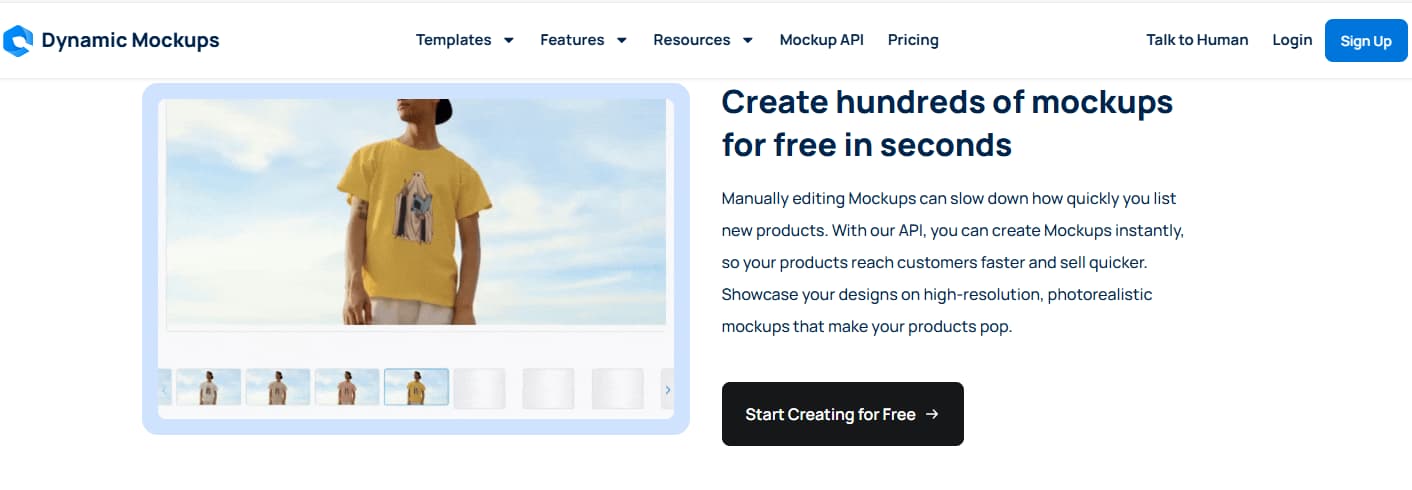
Generate many product mockups from one design across templates, colors, and sizes. Useful when a store needs many listing visuals quickly.
Custom Photoshop Templates
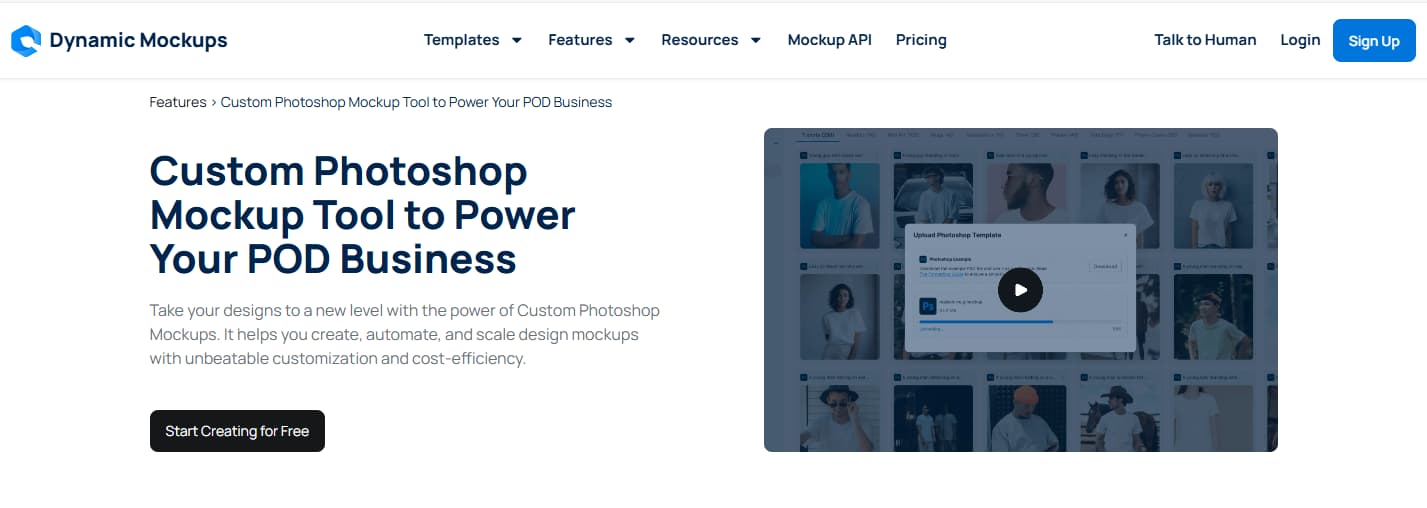
Upload PSD files with smart objects and reuse custom templates so brand visuals do not look like every generic mockup library on the planet.
AI Mockups & Video Generation
Use AI lifestyle scenes and video mockup workflows for product pages, ads, and social content, while still checking realism before publishing.
Store Integrations
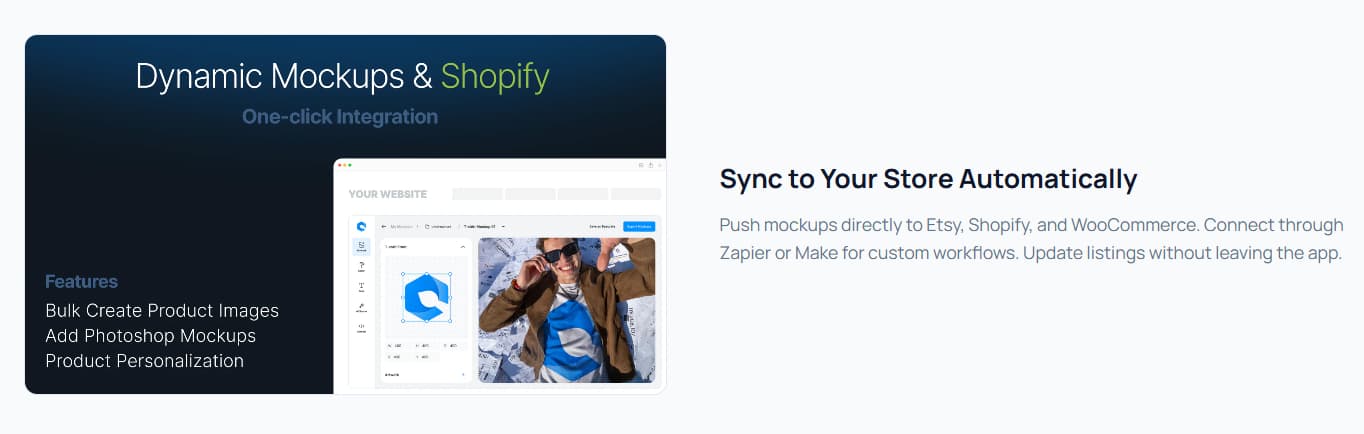
Supports ecommerce workflows involving Shopify, Etsy, WooCommerce, Zapier, Make, and related automation paths.
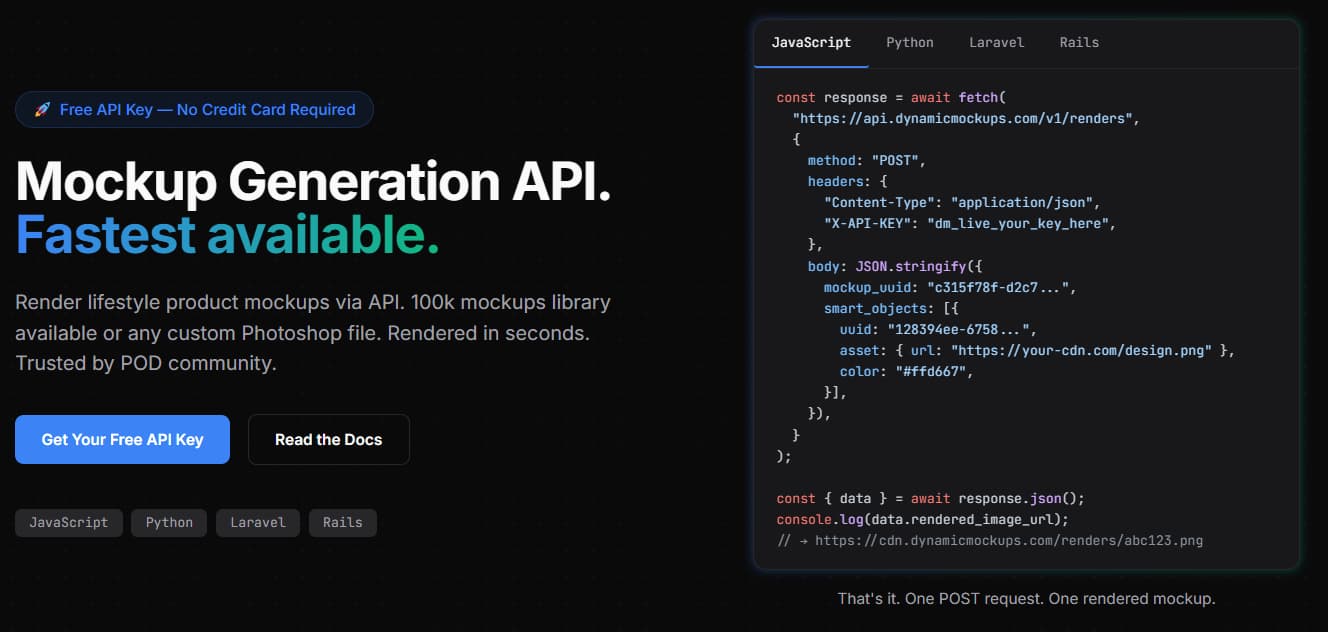
Mockup Generator API
Useful for platforms, marketplaces, agencies, and developers who need product image rendering inside custom applications.
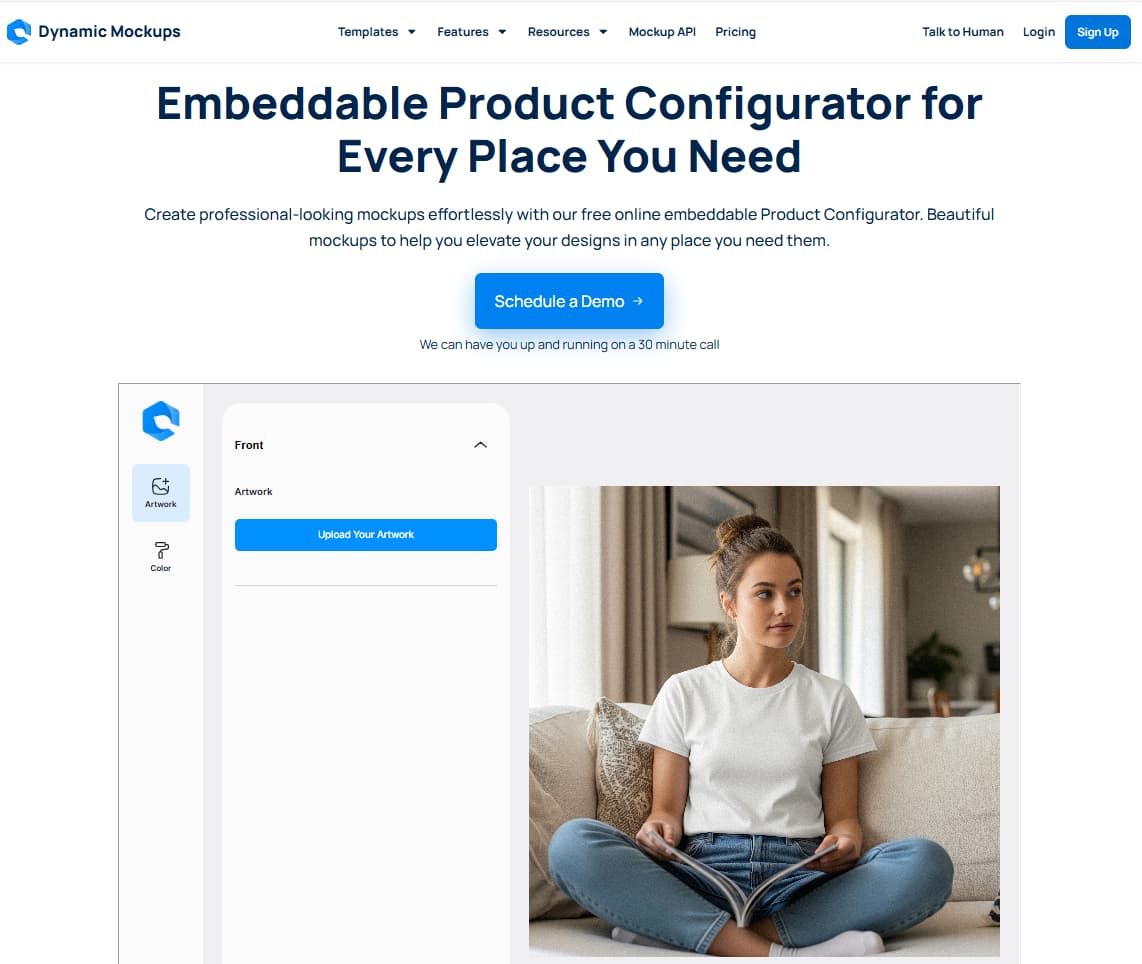
Embedded Product Editor
Supports personalization, product preview, and configurator workflows for custom merchandise, gifts, POD products, and marketplaces.

How to Use Dynamic Mockups Without Damaging Product Trust
Use Dynamic Mockups to speed up production, not to publish every generated image blindly. Product visuals influence trust, returns, ad performance, and customer expectations. A mockup that looks unrealistic can hurt the product even if the design itself is good.
Best Way to Test Dynamic Mockups Before Paying
Bring one real product design, one real product category, and one real listing workflow. Generate outputs, inspect quality, check print placement, compare against your brand style, then decide whether Pro saves enough time.
Dynamic Mockups vs Alternatives
Dynamic Mockups competes with mockup generators, design tools, ecommerce product image tools, AI image tools, and developer-focused rendering APIs. The right alternative depends on whether you need fast mockups, a full design suite, product photography, API rendering, or store-integrated product personalization.
| Tool | Best fit | Mockup workflow | API / automation | Design breadth | Where it may fall short |
|---|---|---|---|---|---|
| Dynamic Mockups | Bulk ecommerce mockups and API workflows | Strong for scale, PSD templates, AI mockups, integrations, and embedded editor workflows | Strong API and platform story | Focused on product visuals | Not a general all-purpose design suite |
| Placeit | Large general mockup library | Good for simple mockups and templates | Less platform/API-focused | Broad creative library | Less specialized for API, PSD, and bulk catalog automation |
| Canva | General design and marketing graphics | Useful for basic mockups and visual content | Not the main use case | Very broad | Less focused on product mockup automation and rendering workflows |
| Smartmockups | Simple browser-based mockups | Useful for straightforward mockup creation | Less central | Mockup-focused | Dynamic Mockups has a stronger scale and API story |
| AI image tools | AI-generated scenes and creative visuals | Good for creative concepts | Depends on tool | Broad creative generation | Less focused on ecommerce templates, exports, integrations, and product API rendering |
Which Tool Should You Choose?
Choose Dynamic Mockups when product mockup production is the bottleneck. Choose a broader design tool when you need general creative assets. Choose real photography when exact product realism matters more than speed.
What Users Are Saying About Dynamic Mockups
Dynamic Mockups has public review signals across Product Hunt, Trustpilot, AppSumo, Shopify App Store, and software directories. The signals are mixed enough that buyers should not rely on a single rating. Test the product with your own design assets before choosing a paid plan. Yes, testing is boring. So are refunds.
Product Hunt
Useful for launch and early-user feedback around realistic mockups, API, and ecommerce use cases. Treat it as an early public signal rather than a broad market verdict.
Trustpilot
Useful for checking recent praise and complaints around output quality, support responsiveness, and customer experience.
AppSumo
Useful for deal-buyer comments, founder notes, and ecommerce/POD workflow feedback. Deal terms may differ from current subscription pricing.
Pros & Cons
-
You want a safe free test: The Free plan gives you 50 credits to start before paying.
-
You create product visuals repeatedly: Dynamic Mockups fits POD sellers, Shopify stores, Etsy sellers, agencies, and ecommerce brands creating many product visuals.
-
You need faster bulk mockup production: Bulk mockup generation can reduce repetitive manual export work.
-
You care about branded templates: Custom Photoshop template support helps brands avoid generic-looking mockup libraries.
-
You want AI scenes and videos for creative testing: AI mockups and video generation can support lifestyle scenes and social content.
-
You need the serious Pro workflow: Pro includes unlimited batch export, unlimited catalogs, unlimited saved templates, clean API exports, all integrations, and embedded product editor access.
-
You build platform or API workflows: API use cases are useful for marketplaces, product configurators, platforms, and high-volume catalog automation.
-
You will not test output quality first: Public feedback is mixed, especially on Trustpilot, so users should test output quality before relying on the tool.
-
You expect every AI scene to look premium: AI-generated scenes or models may not always look premium enough for professional ecommerce use.
-
You do not understand your credit usage: Credit-based pricing requires users to understand usage volume before upgrading.
-
You only create occasional mockups: Monthly Pro pricing can feel unnecessary for users who only create occasional mockups.
-
You need public enterprise pricing: Enterprise pricing is custom, so high-volume teams need a sales conversation.
-
Your templates or product category are weak: Template fit, product category, and design quality heavily affect final output.
-
You need exact studio-photo realism: It is not a replacement for controlled studio photography when exact realism or product detail accuracy is critical.
Is Dynamic Mockups Worth It?
Dynamic Mockups is worth testing if you repeatedly create product visuals for POD products, ecommerce listings, custom products, agency clients, or marketplace workflows. Its value is strongest when mockup creation is a recurring bottleneck.
The Free plan is useful for checking quality and workflow fit. Pro makes more sense when you need unlimited batch export, clean API exports, all integrations, unlimited catalogs, saved templates, and embedded product editor workflow. Enterprise is more relevant for platforms and teams that need custom rendering infrastructure.
The blunt answer: Dynamic Mockups is not worth paying for if you only need one or two casual images. It becomes interesting when product visuals are part of your revenue workflow and manual mockup production is slowing you down. That is the difference between buying a tool and buying back hours of your life, which apparently humans keep losing inside Photoshop layers.
Related AI Creative Review
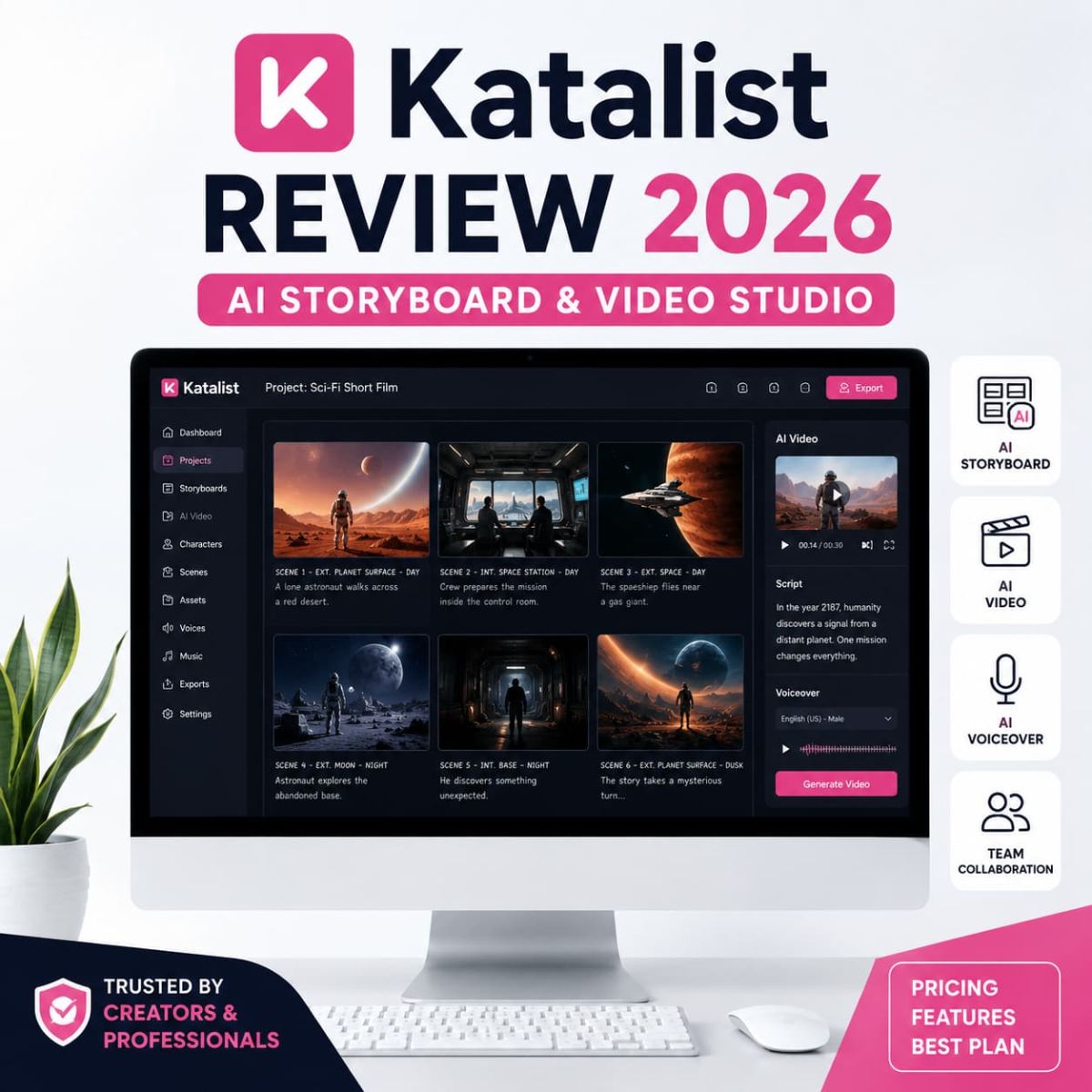
Need AI creative assets and visual storytelling beyond static mockups? Read the Katalist review for another creative workflow angle.
Read Katalist ReviewDynamic Mockups FAQ
What is Dynamic Mockups used for?
Dynamic Mockups is used to create product mockups for ecommerce, print-on-demand products, custom merchandise, Shopify stores, Etsy listings, product configurators, and API-based mockup generation workflows.
How much does Dynamic Mockups cost?
The pricing screenshots reviewed for this article show Free at $0, Pro at $19/month on monthly billing, Pro at $15/month on yearly billing, and Enterprise as custom. Pricing and credits may change, so confirm current details before subscribing.
Does Dynamic Mockups have a free plan?
Yes. The pricing page shows a Free plan with 50 credits to start, watermark-free mockup exports, library access, POD mockups, batch export up to 5 variations, and limited integrations.
Which Dynamic Mockups plan is best?
Pro is the best plan for most active sellers because it includes unlimited batch export, unlimited catalogs, unlimited saved templates, clean API exports without watermark, all integrations, embedded product editor, and credit top-ups.
Does Dynamic Mockups support Shopify?
Yes. Dynamic Mockups has a Shopify App Store listing and official pages discussing Shopify and ecommerce workflow. Shopify users should still test how mockups sync, how exports appear, and whether the output fits their product pages.
Does Dynamic Mockups have an API?
Yes. Dynamic Mockups offers a mockup generator API for rendering product mockups through developer workflows. The API is relevant for marketplaces, agencies, product customization tools, and high-volume catalog workflows.
Can Dynamic Mockups use custom Photoshop templates?
Yes. Dynamic Mockups supports custom Photoshop mockup files with smart objects, which is useful for brands that want their mockups to look more unique instead of relying only on public template libraries.
Is Dynamic Mockups worth it?
Dynamic Mockups is worth testing if you regularly create product mockups for ecommerce, POD, Shopify, Etsy, agencies, or marketplaces. It is less useful if you only need one or two occasional mockups or require exact studio photography quality for every product.
Final Verdict: Is Dynamic Mockups Worth Trying?
Dynamic Mockups is a strong product visual automation tool for ecommerce sellers, POD brands, agencies, marketplaces, and developers that need to produce mockups at scale. Its best value is not a single mockup. Its value is repeatable production: bulk generation, custom Photoshop templates, AI mockups, ecommerce integrations, embedded product editor workflow, and API rendering.
For most casual users, the Free plan is the right first step. For active sellers and brands, Pro is the plan to evaluate because it includes the practical features that make Dynamic Mockups useful as a recurring workflow tool. Enterprise is better for platforms, high-volume teams, marketplaces, and teams needing custom API infrastructure or white-label product customization.
Our editorial score is 4.1/5. Dynamic Mockups earns that score because it solves a specific production problem clearly: product mockup generation at scale. It loses points because public feedback is mixed and output quality still depends heavily on assets, templates, AI realism, and human review. The machine helps. It does not become your taste, standards, or eyesight. Rude, but true.