Katalist Review 2026: Pricing, AI Storyboards, Video Studio & Buyer Verdict
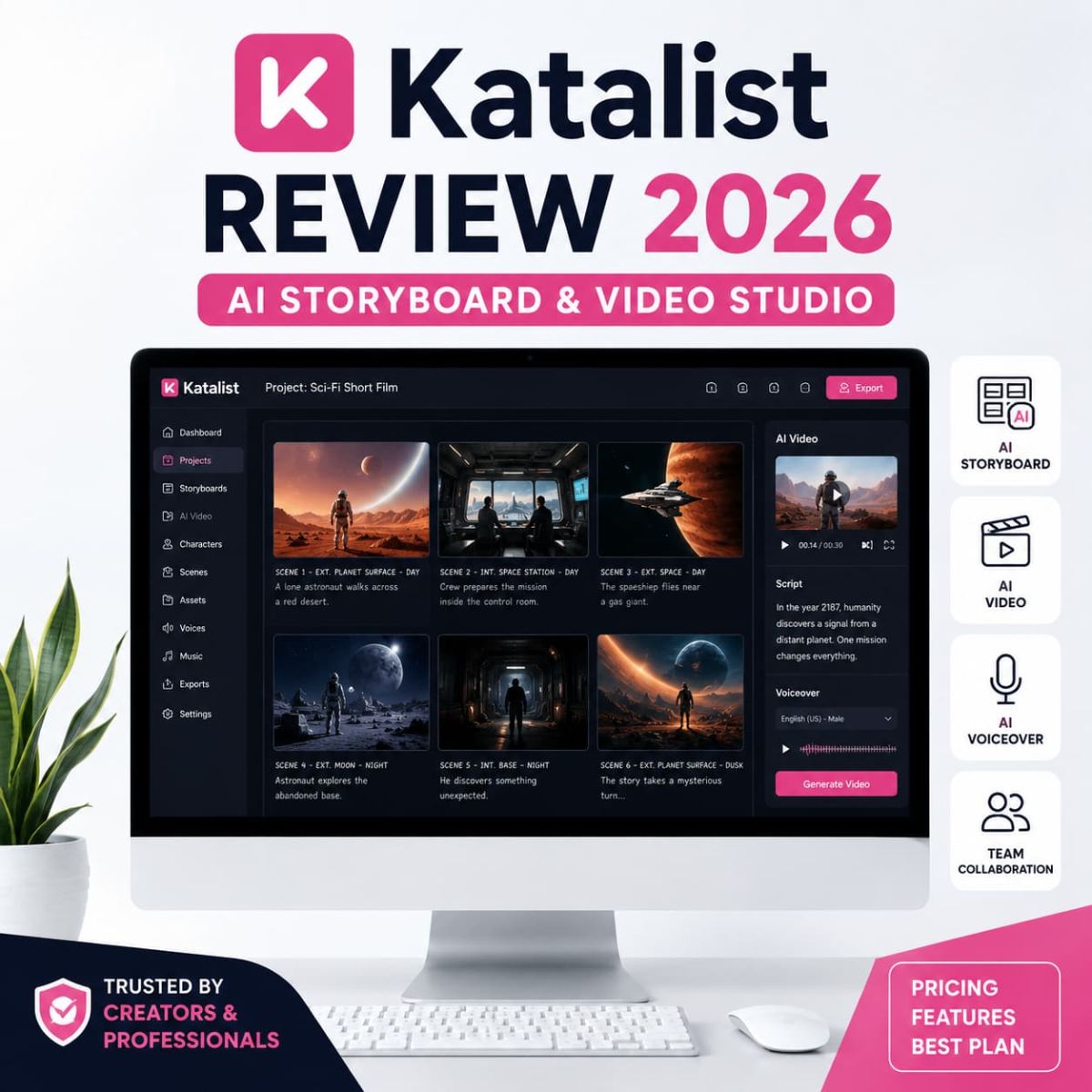
Katalist is an AI storytelling and visual pre-production platform for creators, filmmakers, agencies, educators, and video teams that need to turn ideas, scripts, and scenes into storyboards, consistent characters, visual direction, and early AI-assisted video drafts without explaining an entire production plan using one Google Doc and nervous optimism.
Why Trust This Katalist Review?
We reviewed Katalist as a visual storytelling and AI pre-production tool, not as a magic cinema button. The key question is whether it reduces friction between script, storyboard, visual direction, character consistency, and early video production enough to justify a paid plan for creators and teams.
Essential, Pro, Unlimited, and Enterprise are separated clearly with a note that pricing, trial terms, credits, models, and exports may change.
The Katalist affiliate link is kept exactly as provided: https://katalist.ai?fpr=03111983.
The review focuses on actual creative workflow: scripts, storyboards, consistent characters, video credits, AI voiceover, exports, and collaboration.
No viral-video promises, no revenue claims, no perfect-output fantasy. Creative direction still requires taste, revision, and humans with functioning eyes.
30-Second Verdict
Katalist is best for creators, filmmakers, agencies, educators, YouTube teams, and video teams that need to turn ideas and scripts into visual storyboards before full production.
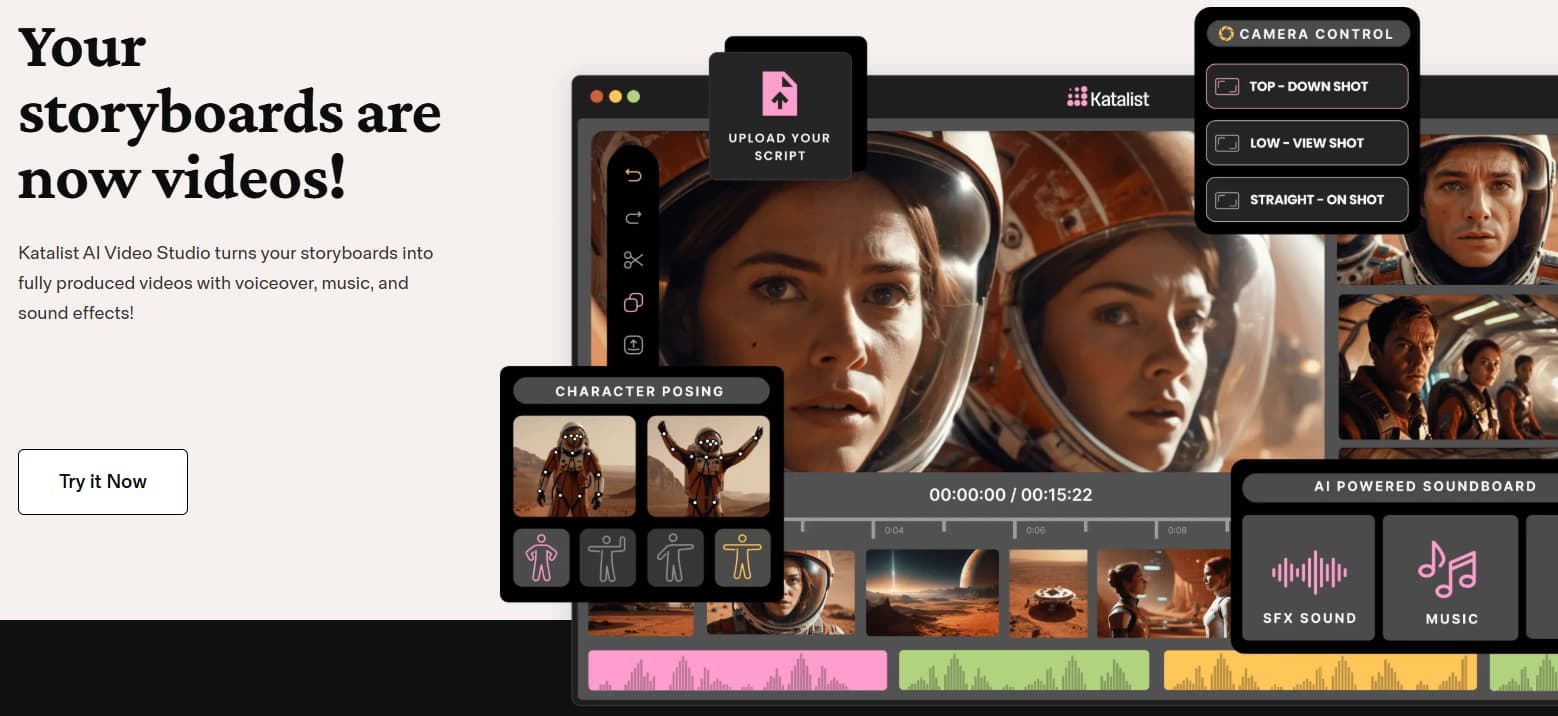
The strongest reason to try Katalist is the storyboard-first workflow. It helps users visualize scripts, keep characters more consistent, plan scenes, shape camera direction, and move toward video drafts with AI voiceover, music, sound effects, and export workflows.
The main limitation is creative control. AI-generated scenes still need prompt direction, review, revision, and taste. Katalist can help move from idea to visual direction faster, but it will not replace pacing, editing judgment, or the terrifying human burden of knowing when a scene looks bad.
What Is Katalist?
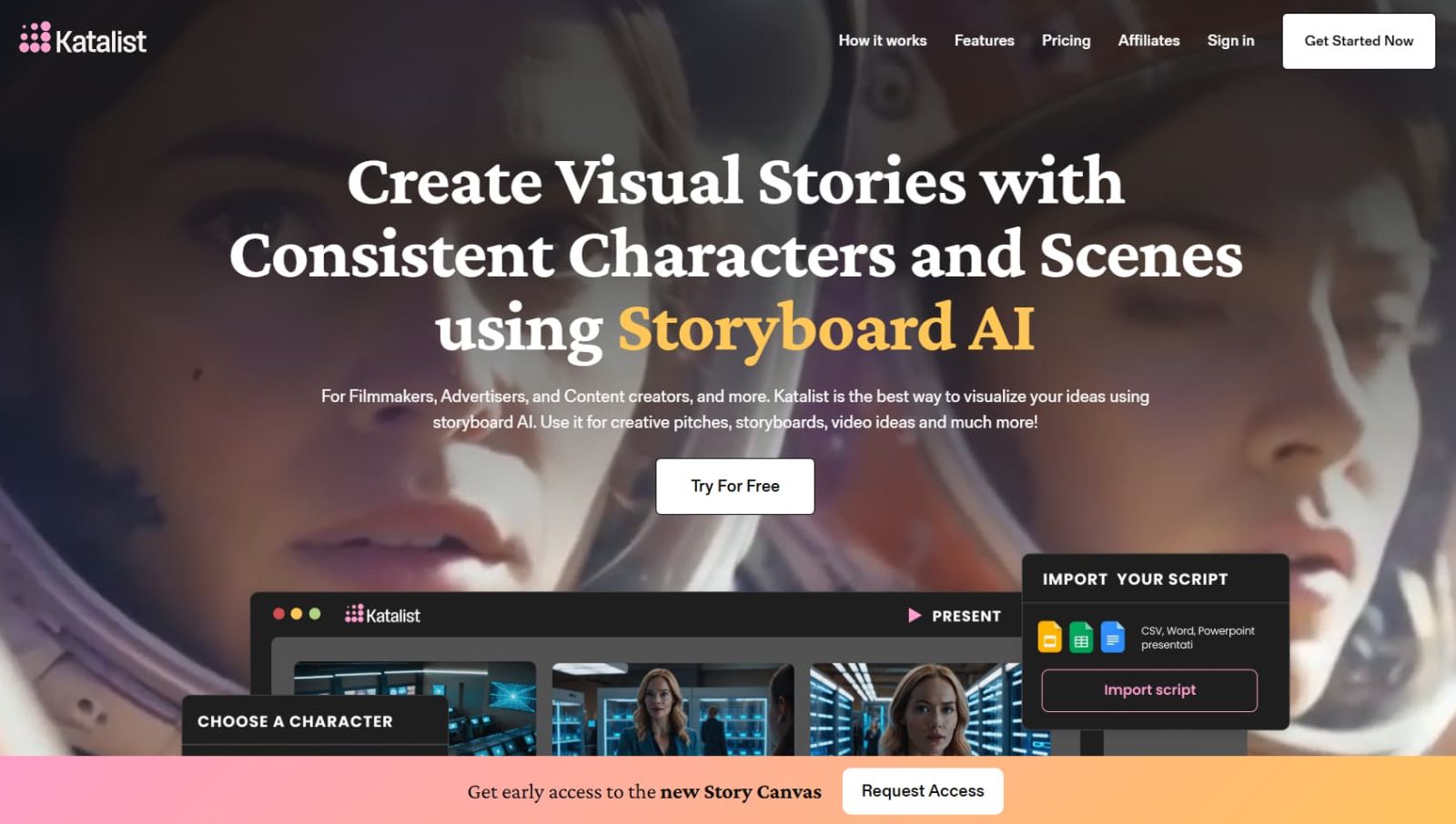
Katalist is an AI storytelling and visual production platform that helps users turn ideas, scripts, and scenes into visual storyboards and AI-assisted videos. Instead of starting from a blank board, creators can describe a story, import a script, generate scenes, refine character direction, adjust visual style, and move toward a more production-ready draft.
The platform is positioned for filmmakers, advertisers, content creators, educators, YouTube teams, and creative agencies that need to move from script to visual direction quickly. In plain English: Katalist helps creators turn scripts and rough ideas into visual storyboards instead of trying to explain a whole movie from a paragraph and hope.

Related Read
Need AI video ads instead of storyboard-first creative planning? Read the Arcads AI review for a more direct video-ad generation workflow.
Read Arcads AI ReviewWho Should Use Katalist?
Katalist is strongest when your work depends on visual storytelling, scene planning, and pre-production clarity. The right plan depends on how often you create, how many projects you handle, and whether you need collaboration or heavier video credits.
Solo Creator
Best fit: You create scripts, YouTube ideas, educational content, short films, or story-driven visuals and need a faster way to make the idea visible.
Filmmaker or Agency
Best fit: You need to visualize pitches, explain scene direction, keep characters consistent, and give clients something concrete to review.
Creative Team
Best fit: You manage multiple projects, need collaboration, export options, more frames, more credits, and a repeatable pre-production workflow.
Why AI Storyboarding Matters in 2026
AI video tools are everywhere now, but a generated clip is not the same as a usable creative workflow. Serious content still needs structure: script, character, scene direction, camera angle, pacing, visual style, and continuity. Without that layer, creators often generate random pretty frames that look impressive and solve absolutely nothing. Very modern. Very exhausting.
| Manual storyboard workflow | With Katalist | Why it matters |
|---|---|---|
| Ideas stay trapped in notes, scripts, moodboards, and scattered references. | Scripts and rough ideas can be translated into visual storyboard scenes. | Helps collaborators and clients react to something visible earlier. |
| Characters shift appearance from one generated image to the next. | Consistent character workflows help keep visual identity more stable. | Improves continuity across storyboard frames. |
| Scene direction is hard to explain to clients, editors, or teammates. | Storyboard frames, camera direction, exports, and collaboration make feedback easier. | Reduces vague feedback loops and creative confusion. |
| Creators jump between writing, image, video, audio, and export tools. | Katalist brings AI script assistance, storyboards, image/video credits, voiceover, and exports into one workflow. | Helps compress pre-production into a more manageable system. |
| Teams pitch concepts with paragraphs and panic. | Storyboards make the visual direction easier to approve or reject. | Useful for agencies, pitches, and client review cycles. |
Katalist Pricing 2026
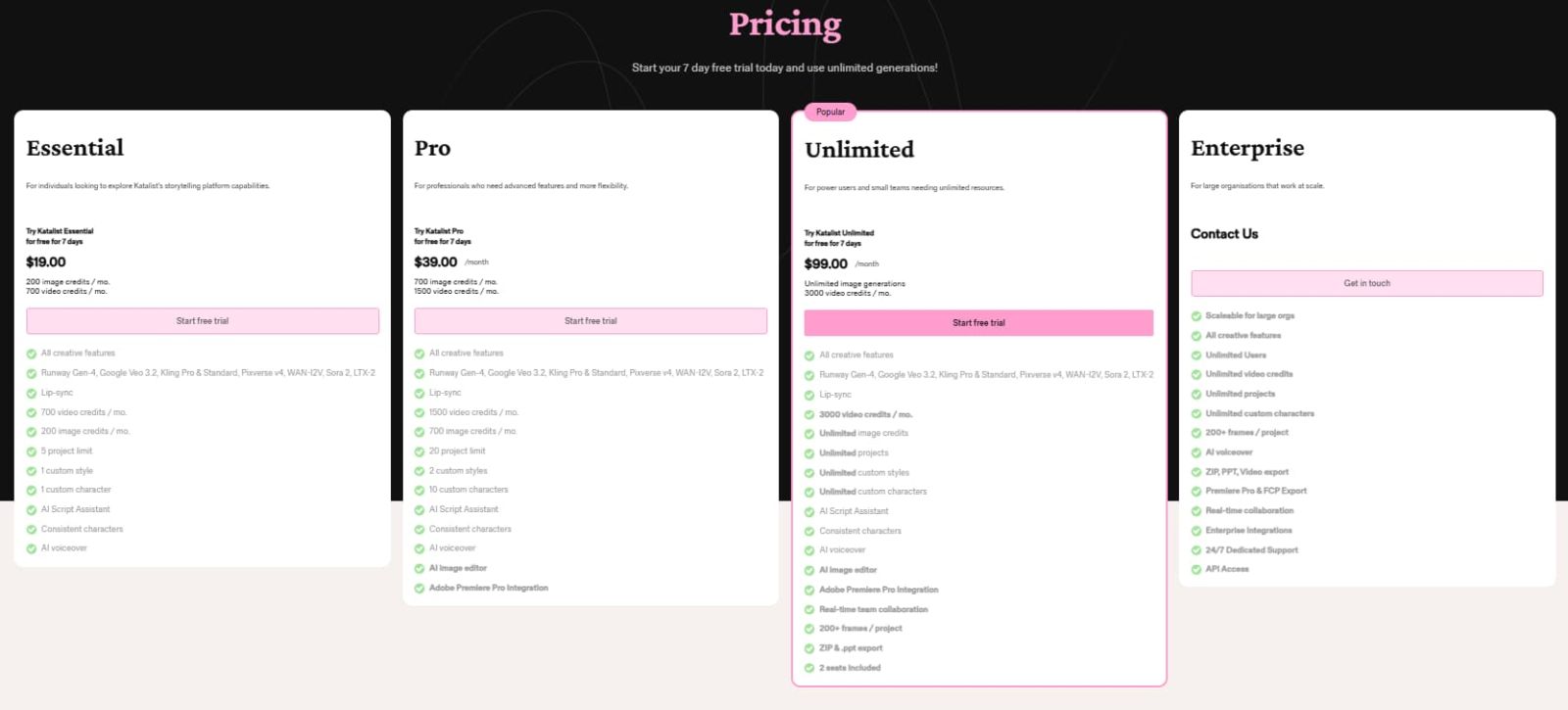
Katalist’s pricing screenshot reviewed for this article shows four plan paths: Essential, Pro, Unlimited, and Enterprise. The screenshot shows a 7-day free trial message on self-serve paid plans, plus image credits, video credits, project limits, custom styles, custom characters, AI Script Assistant, consistent characters, AI voiceover, AI image editor, collaboration, export options, and enterprise support features depending on plan.
| Plan | Price shown | Best for | Important included notes | Best action |
|---|---|---|---|---|
| Essential | $19/month | Individuals testing Katalist’s storyboard and storytelling workflow. | 200 image credits/month, 700 video credits/month, 5 project limit, 1 custom style, 1 custom character, AI Script Assistant, consistent characters, AI voiceover, all creative features, and listed video model access. 7-day free trial shown. | Start trial |
| Pro | $39/month | Working creators and professionals who need more credits, projects, custom characters, and production integrations. | 700 image credits/month, 1500 video credits/month, 20 project limit, 2 custom styles, 10 custom characters, AI image editor, Adobe Premiere Pro integration, AI Script Assistant, consistent characters, AI voiceover, and listed video model access. 7-day free trial shown. | Try Pro |
| Unlimited | $99/month | Power users, small teams, and agencies that need higher storyboard volume and collaboration. | Unlimited image generations, 3000 video credits/month, unlimited projects, unlimited custom styles, unlimited custom characters, AI image editor, Adobe Premiere Pro integration, real-time collaboration, 200+ frames/project, ZIP and PPT export, and 2 seats included. 7-day free trial shown. | Try Unlimited |
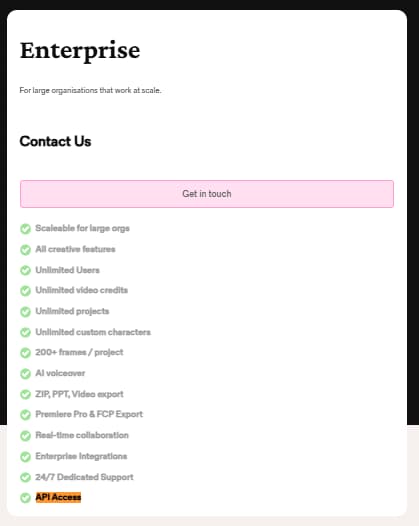
| Enterprise | Contact sales | Large organizations that need scale, enterprise integrations, dedicated support, and API access. | All creative features, unlimited users, unlimited video credits, unlimited projects, unlimited custom characters, 200+ frames/project, AI voiceover, ZIP/PPT/video export, Premiere Pro and FCP export, real-time collaboration, enterprise integrations, 24/7 dedicated support, and API access. | Contact sales |
Katalist pricing, trial terms, credit limits, AI model access, video credits, export options, and Enterprise features may change. Always confirm current details on the official Katalist website before subscribing. Do not treat any review article, including this one, like a sacred stone tablet brought down from Mount SaaS.
Which Katalist Plan Should You Pick?
Pick based on creative volume, credits, collaboration, and export needs. Not based on the ancient human ritual of buying a tool because the demo looked cool at 1 a.m.
Pro
Best for serious solo creators because it raises credits and project limits, adds more custom characters, includes AI image editor, and supports Adobe Premiere Pro integration.
Use this if you are testing Katalist for the first time, working solo, and mainly need a smaller storyboard workflow for one or two real projects.
Use this if you are a serious solo creator, filmmaker, educator, or agency operator who needs more credits, more projects, more custom characters, AI image editor, and Adobe Premiere Pro integration.
Use this if you create frequently, work with a small team, need real-time collaboration, want unlimited image generations, and expect storyboard-heavy projects.
Use this if your organization needs unlimited users, unlimited video credits, enterprise integrations, API access, dedicated support, and production export paths.
Key Features That Matter in Real Creative Work
Katalist matters when the bottleneck is not the idea, but turning the idea into visible scenes that can be reviewed, revised, exported, and moved toward production. Fancy AI images are cute. A coherent storyboard is useful. Civilization occasionally makes progress.
AI Storyboard Generator
Turns ideas, scripts, and scenes into visual storyboard frames for pacing, character placement, shot direction, and sequence flow.
AI Video Studio
Moves storyboards toward video drafts with voiceover, music, sound effects, and creative direction.
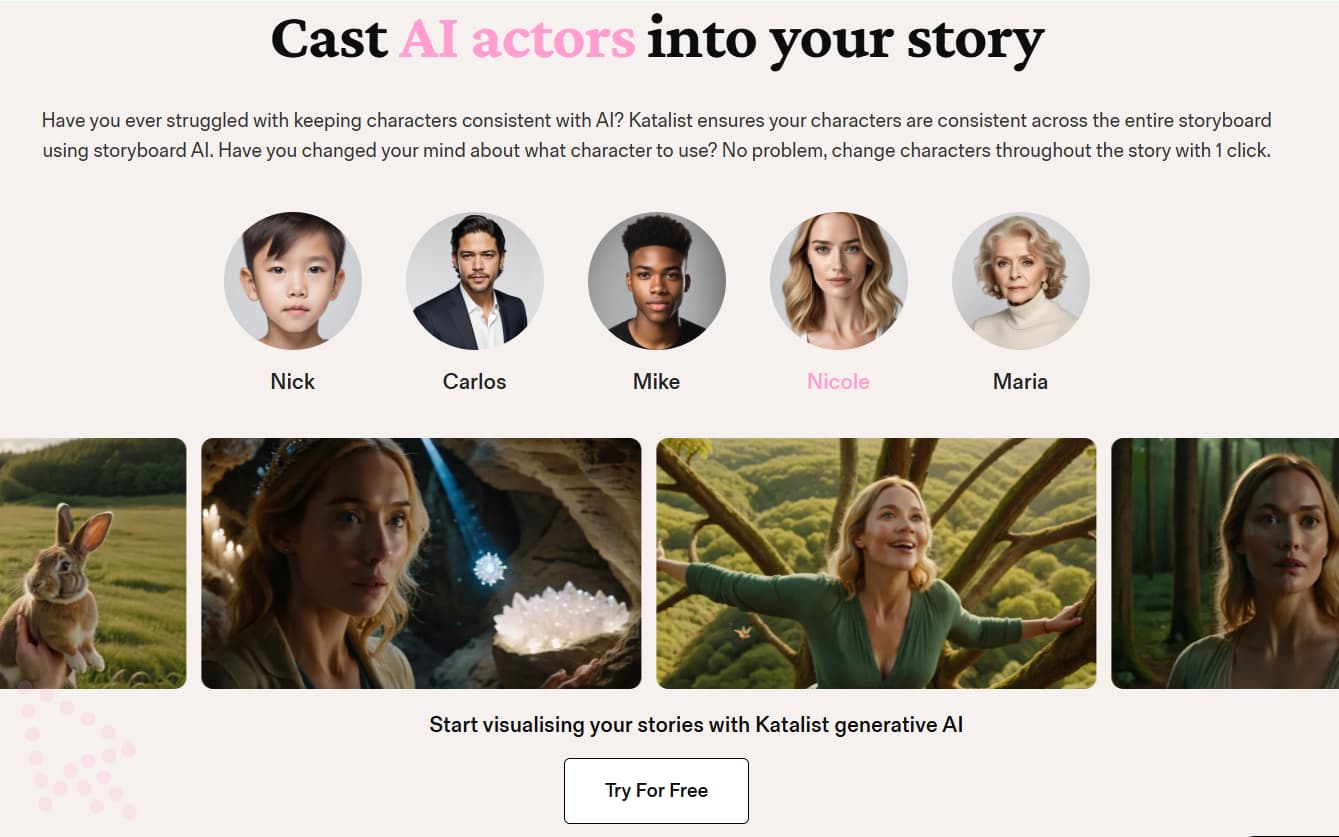
Consistent Characters
Helps keep characters visually recognizable across multiple scenes and frames, reducing classic AI character drift chaos.
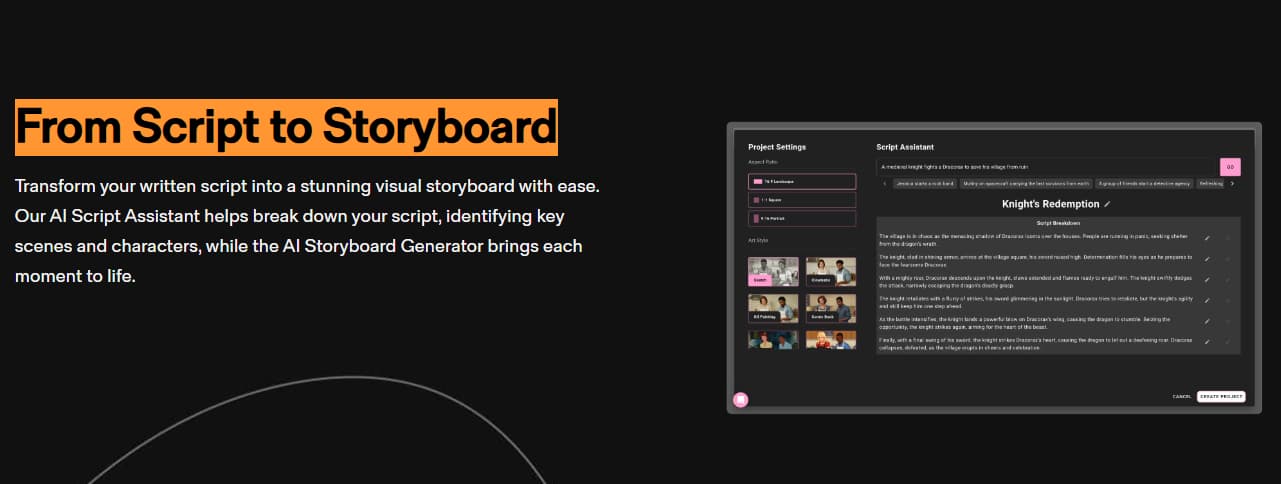
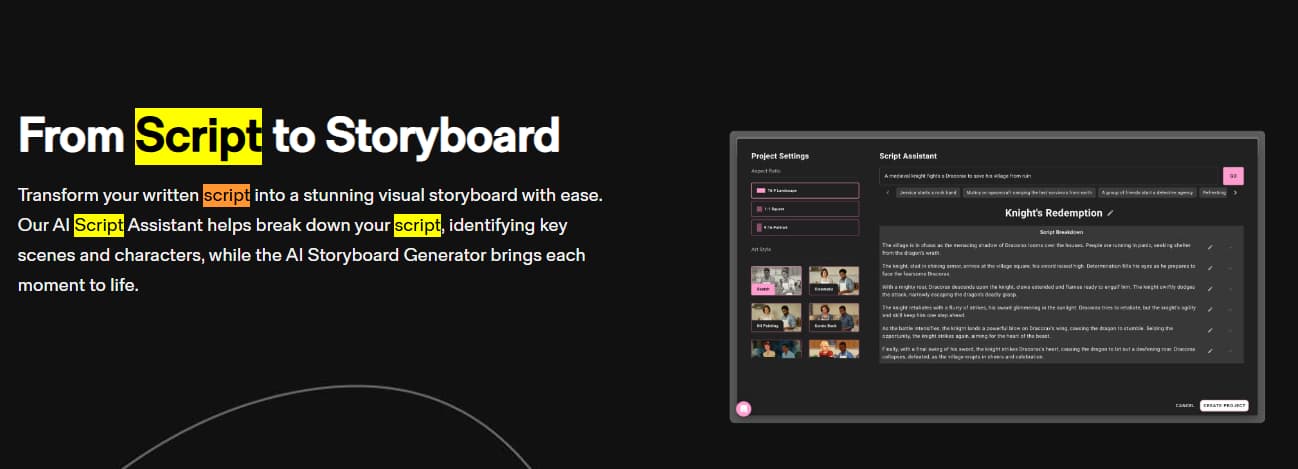
Script-to-Storyboard Workflow
Transforms scripts and written material into visual sequences for planning, teaching, pitching, and content production.
Creative Control
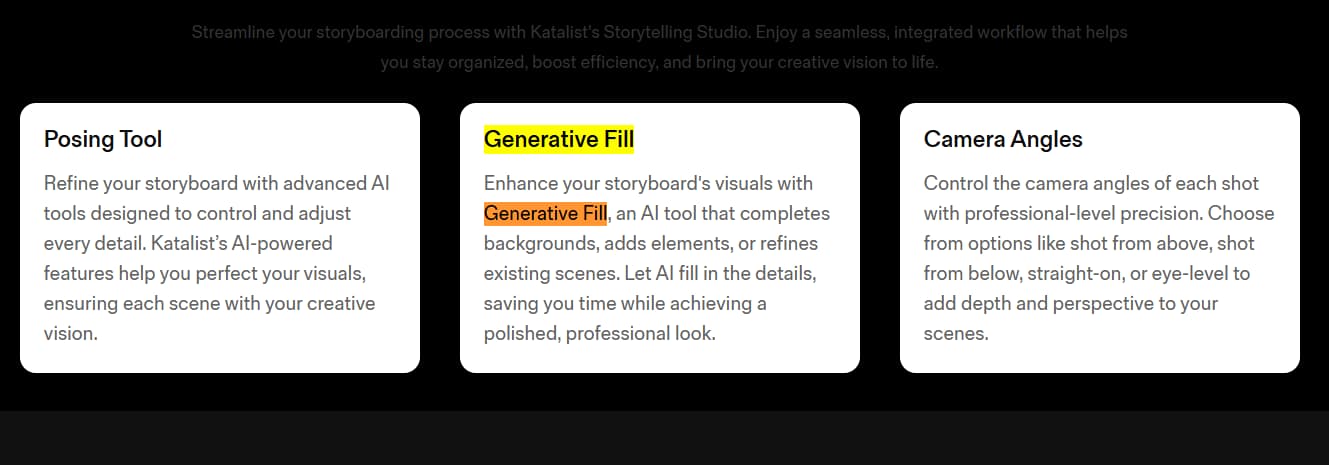
Supports posing, Generative Fill, camera direction, and scene adjustments so storyboards have direction, not just random images.
Export & Collaboration
Higher plans support real-time collaboration, ZIP/PPT export, Adobe Premiere Pro workflows, and enterprise production paths.
How to Use Katalist Without Wasting Credits or Creative Trust
Use Katalist to create visual direction, not to outsource taste. The safest workflow is to bring a real script, generate storyboards, check character consistency, revise weak scenes, review credit use, and export only after the visual sequence actually makes sense.
Best Way to Test Katalist Before Paying Long-Term
Do not open it with a blank mind. Bring one real script, one video idea, or one client concept. Generate a storyboard, test character consistency, check image and video credits, review export options, and see whether the workflow saves enough time to justify the monthly price.
Katalist vs Alternatives
Katalist sits between AI storyboarding, AI video ideation, and creator pre-production. These alternatives may be better depending on whether you want cinematic generation, template-based social video, avatar explainers, or traditional storyboard planning.
| Tool | Best for | Workflow focus | Creative planning | Output style | Where it may fall short |
|---|---|---|---|---|---|
| Katalist | AI storyboards and visual pre-production | Script → storyboard → scene → video draft | Strong storyboard focus | Visual storyboards and early video drafts | Not a full traditional editing suite |
| Runway | Advanced AI video generation | Prompt, image, and video generation | Generation-first | Cinematic AI clips | Less focused on storyboard-first planning |
| InVideo AI | Fast social videos and marketing clips | Prompt to social-ready video | Template and marketing-first | Quick video content | Less useful for scene-by-scene pre-production |
| Synthesia | AI avatar explainers and training videos | Script to avatar presentation | Avatar-first | Training, onboarding, explainer videos | Not built around visual storyboards |
| Arcads AI | AI video ads and UGC-style ad workflow | Ad creative generation | Ad-first | Performance creative and video ads | Less focused on storyboarding and pre-production planning |
Which Tool Should You Choose?
Choose Katalist when your first problem is visualizing a story before production. Choose a generation-first or ad-first tool when you mostly need final clips or ad creatives faster.
What Users Are Saying About Katalist
Katalist has public review signals across Product Hunt, AppSumo, G2, and Trustpilot. These sources are useful because they show how users discuss storyboard quality, character consistency, ease of use, credits, support, product evolution, and limitations beyond Katalist’s own website.
Product Hunt
Useful for early creator sentiment around storyboarding, ease of use, character consistency, and product direction.
AppSumo
Useful for historical buyer feedback around credits, feature changes, output quality, ease of use, and long-term expectations.
G2 / Trustpilot
Useful as supporting signals, but visible review volume may be limited. Always compare current buyer sentiment and current pricing separately.
Pros & Cons
-
You need script-to-storyboard planning: Katalist is a strong fit when you need to turn ideas, scripts, and scenes into visual pre-production boards.
-
You create story-driven video content: It is useful for filmmakers, agencies, YouTube creators, educators, and creative teams that need visual direction before production.
-
You want to test before paying long-term: The pricing screenshot reviewed shows a 7-day free trial across paid self-serve plans.
-
You want a lower entry plan: Essential starts at $19/month in the screenshot reviewed for this article.
-
You need a stronger creator plan: Pro adds more credits, more projects, more custom characters, AI image editor, and Adobe Premiere Pro integration.
-
You work with a team or agency: Unlimited includes unlimited image generations, unlimited projects, collaboration, 200+ frames/project, and 2 seats included.
-
You need enterprise-scale creative workflow: Enterprise includes unlimited users, unlimited video credits, enterprise integrations, dedicated support, and API access.
-
You want more than one-off image generation: Katalist supports a broader creative workflow from script to storyboard, scene planning, export, and early video direction.
-
You generate video heavily every day: Credit-based video generation can become a practical limit for high-volume creators.
-
You expect perfect AI visuals without revision: AI outputs may still need prompt tuning, scene review, and manual creative direction.
-
You need a very large public review footprint: Public review signals are useful, but still limited compared with larger SaaS categories.
-
You want to replace professional editing software: Katalist supports pre-production and early drafts, but it is not a full replacement for editing software or human creative direction.
-
You dislike learning creative controls: Beginners may need time to understand scene direction, credits, exports, model behavior, and consistency workflows.
-
You never verify current plan details: Pricing and credit limits can change, so users should confirm the latest terms before subscribing.
Is Katalist Worth It?
Katalist is worth testing if your workflow needs more than a basic text-to-video tool. Its strongest use case is visual planning: turning scripts into storyboard frames, keeping characters more consistent, testing camera direction, shaping scenes, and giving clients or collaborators something concrete to review before production.
For casual users, Essential is enough to test the workflow. For serious solo creators, Pro is the more practical starting plan because it gives more credits, more projects, more custom characters, AI image editor, and Adobe Premiere Pro integration. For teams or agencies, Unlimited becomes more compelling because of unlimited images, collaboration, 200+ frames/project, and 2 included seats.
The blunt answer: Katalist is not a magic cinema button. It will not replace taste, scripting, pacing, editing judgment, or creative direction. But if your bottleneck is turning ideas into visual sequences quickly, it is worth testing through the trial.
Related Creator Workflow Review
Planning YouTube content? Pair visual storytelling with niche research before producing videos. Read the NexLev review for YouTube niche finder and creator workflow.
Read NexLev ReviewKatalist FAQ
What is Katalist used for?
Katalist is used for AI storyboarding, visual storytelling, script-to-scene planning, consistent character generation, AI-assisted video workflows, voiceover, scene control, and creative pre-production for videos, films, ads, YouTube content, and educational projects.
How much does Katalist cost?
The pricing screenshot reviewed for this article shows Essential at $19/month, Pro at $39/month, Unlimited at $99/month, and Enterprise by contact. Pricing, credits, and plan details may change, so confirm current pricing before subscribing.
Does Katalist have a free trial?
Yes. The pricing screenshot shows a 7-day free trial message for Essential, Pro, and Unlimited plans. Trial terms can change, so verify the latest details on Katalist before starting.
Which Katalist plan is best?
Pro is likely the best middle plan for serious solo creators because it includes 700 image credits/month, 1500 video credits/month, 20 projects, 10 custom characters, AI image editor, and Adobe Premiere Pro integration.
Can Katalist turn scripts into storyboards?
Yes. Katalist is built around turning scripts, ideas, and scenes into visual storyboards. It is especially useful when you need to translate written concepts into visual direction before full production.
Does Katalist include AI voiceover?
Yes. The pricing screenshot shows AI voiceover included across Essential, Pro, Unlimited, and Enterprise plan paths. Availability may change by plan, so confirm current details before subscribing.
Is Katalist good for beginners?
Katalist can be useful for beginners who already have a script or idea and want help visualizing it. However, beginners should expect to learn scene direction, character consistency, credits, exports, and how to review AI-generated visuals.
Is Katalist worth it?
Katalist is worth testing if you need AI storyboards, consistent character visuals, script-to-scene planning, and pre-production support. It is less ideal if you only need simple stock-video templates or expect perfect AI output without revision.
Final Verdict: Is Katalist Worth Trying?
Katalist is a strong option for creators who need visual storytelling support before full production. It combines AI storyboarding, consistent characters, script-to-scene workflows, AI voiceover, scene direction, image/video credits, and export options in one creative platform.
The strongest Katalist plan for most serious solo creators is likely Pro because it raises credits and project limits, adds more custom characters, includes AI image editor, and supports Adobe Premiere Pro integration. Essential is better for first testing. Unlimited makes more sense for small teams and agencies that need collaboration and higher visual volume. Enterprise is for larger organizations with deeper support and integration needs.
Our editorial score is 4.2/5. Katalist earns that score because it solves a clear creative workflow problem: turning ideas and scripts into visual storyboards faster. It loses points because AI output still needs revision, credit usage can matter, and the tool does not replace actual creative judgment. Humanity, somehow, remains required.