Tagembed Review 2026: Pricing, Social Proof Widgets, Shoppable UGC & Buyer Verdict
Tagembed is a no-code social media aggregator and review widget platform for websites that want to embed social feeds, customer reviews, shoppable UGC, and social proof without rebuilding every content block by hand. Useful, assuming the content being embedded is not digital tumbleweed.
How We Reviewed Tagembed
We reviewed Tagembed from the buyer’s side: pricing clarity, widget limits, update frequency, moderation, shoppable UGC access, Shopify and WordPress usefulness, and whether the platform deserves a place in a real website trust workflow.
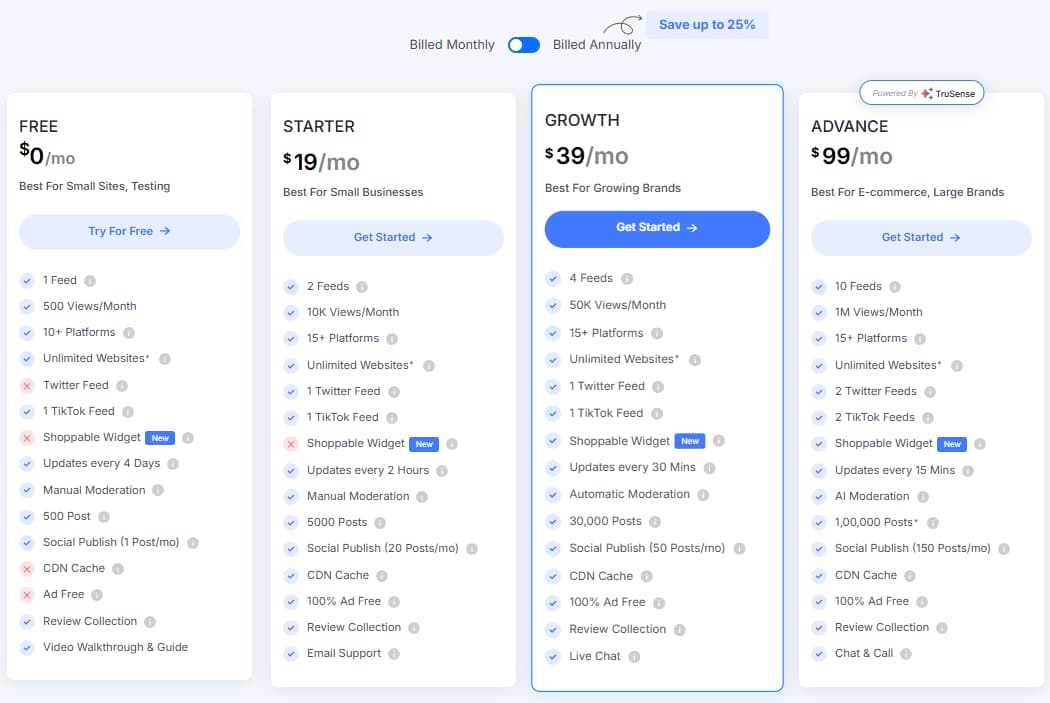
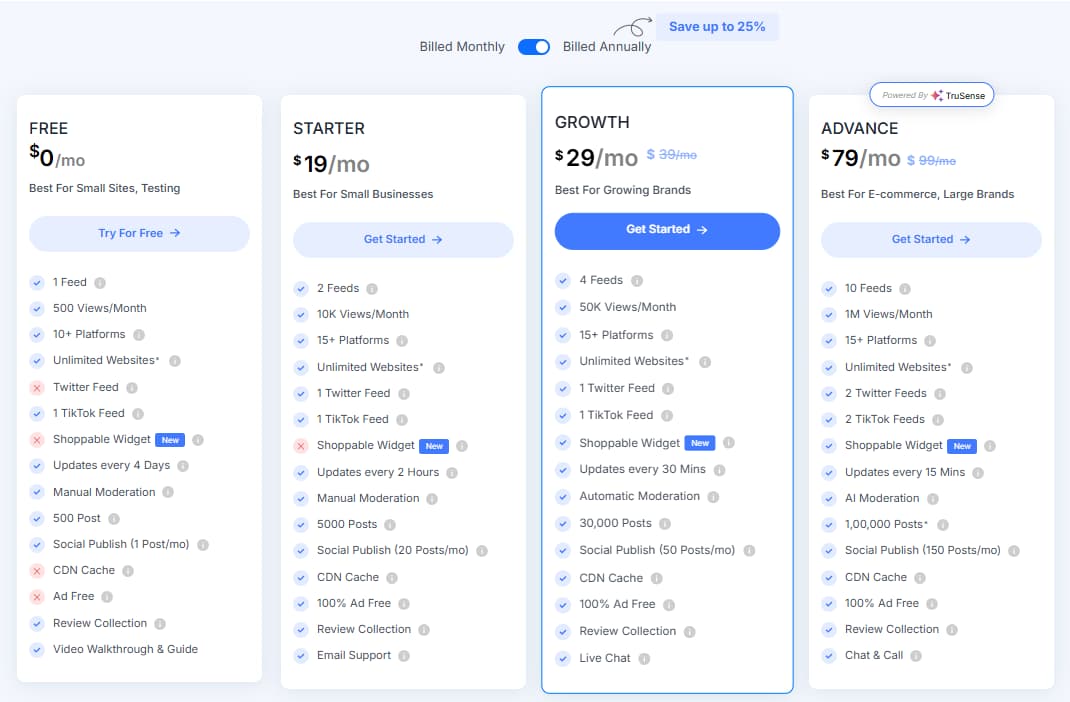
Monthly and annual plan prices were rebuilt from the screenshots: Free, Starter, Growth, and Advance with the annual savings shown.
This review does not invent discount codes. The main conversion path is the Tagembed affiliate link and the visible free plan / annual savings angle.
The focus is on real website jobs: social feeds, review widgets, shoppable galleries, moderation, customization, and no-code embeds.
No guaranteed conversion claims, no guaranteed ranking promises, no magical social proof fantasy. Widgets help only when the content and placement are right.
30-Second Verdict
Tagembed is best for websites, ecommerce stores, agencies, creators, and small brands that already have useful social posts, customer reviews, UGC, or social proof worth showing on their website.
The strongest reason to try Tagembed is workflow speed. It helps collect content from multiple platforms, moderate it, customize the widget, embed it on website pages, and keep social proof more current than a static screenshot pasted in 2021 and left there to fossilize.
The main caution is simple: Tagembed does not create trust by itself. It only displays content. If the embedded feed is irrelevant, unmoderated, slow, or visually noisy, the widget can hurt the page instead of helping it.

What Is Tagembed?
Tagembed is a no-code social media aggregator and website widget platform. It helps users collect social media posts, reviews, user-generated content, and platform feeds from multiple sources, then display that content through customizable website widgets.
In plain English: Tagembed helps websites turn existing social posts and reviews into embedded proof, fresh content, and interactive website sections. It is not a substitute for having good content, real reviews, or a trusted product. It is a display and workflow layer for content that already matters.
A website without fresh social proof can feel strangely lifeless. The brand may be active on Instagram, TikTok, YouTube, Google Reviews, Facebook, or LinkedIn, but the website still looks like it was frozen after launch day and abandoned by its own marketing team. Very peaceful. Terrible for conversion.


Need contests and referral-style social campaigns instead?
Read our Sociamonials review if you need giveaways, contests, social campaigns, and referral workflows rather than website embed widgets.
Read Sociamonials ReviewWho Should Use Tagembed?
Tagembed is best for websites that already have social content, UGC, reviews, or social proof worth displaying. The right plan depends on feed count, monthly views, update frequency, moderation needs, support needs, and whether shoppable widgets matter.
Best For
- Websites that need fresh social content embedded on key pages.
- Ecommerce brands using Instagram, TikTok, YouTube, and reviews for buying confidence.
- Agencies managing social widgets or review widgets for multiple clients.
- Shopify, WordPress, Wix, Webflow, Squarespace, and HTML site owners who want no-code widget deployment.
Not Ideal For
- Users who only need a full social media scheduling suite.
- Brands planning to embed unmoderated feeds on high-intent sales pages.
- Websites that cannot tolerate third-party widget testing for speed, layout, and mobile behavior.
- Teams expecting widgets alone to create reviews, traffic, trust, sales, and probably world peace.
Why Social Proof Widget Workflow Matters in 2026
Social proof only helps when it is visible, relevant, current, and controlled. A brand can have strong posts on TikTok, Instagram, YouTube, or Google Reviews, but if the website never shows them, that trust signal stays trapped inside the app graveyard where attention goes to be monetized by someone else.
| Manual Website Social Proof Workflow | With Tagembed | Why It Matters |
|---|---|---|
| Copy screenshots of posts manually | Collect feeds and reviews from supported social and review platforms | Reduces repetitive content updates and keeps proof closer to the source. |
| Update website sections whenever social channels change | Use auto-update frequency based on plan limits | Freshness matters, especially on homepages, product pages, and review pages. |
| Publish unfiltered feeds and hope nothing awkward appears | Use manual, automatic, or AI moderation depending on plan | Moderation protects trust. Leaving feeds completely open is bravery, but the stupid kind. |
| Ask developers to rebuild widgets for every site platform | Embed widgets into Shopify, WordPress, Wix, Webflow, Squarespace, HTML, and more | No-code deployment helps small teams move faster. |
| Guess whether embedded content is helping | Use analytics and reporting to monitor widget behavior | Teams can test whether social proof supports the page goal or just decorates it. |
Latest Tagembed Pricing 2026
The pricing screenshots used for this update show four plan paths: Free, Starter, Growth, and Advance. Monthly pricing shows Free at $0/month, Starter at $19/month, Growth at $39/month, and Advance at $99/month. Annual pricing shows Free at $0/month, Starter at $19/month, Growth at $29/month, and Advance at $79/month, with a visible save up to 25% message.
| Plan | Monthly price shown | Annual price shown | Best for | Core limits shown | Moderation / updates | Best action |
|---|---|---|---|---|---|---|
| Free | $0/mo | $0/mo | Small sites and first-time users testing one feed | 1 feed, 500 views/month, 10+ platforms, unlimited websites, 1 TikTok feed, 500 posts, social publish 1 post/month | Updates every 4 days, manual moderation | Try for free |
| Starter | $19/mo | $19/mo | Small businesses needing more views and cleaner widgets | 2 feeds, 10K views/month, 15+ platforms, unlimited websites, 1 Twitter feed, 1 TikTok feed, 5,000 posts, social publish 20 posts/month, CDN cache, 100% ad free, review collection | Updates every 2 hours, manual moderation, email support | Get started |
| Growth | $39/mo | $29/mo shown annually | Growing brands and ecommerce sites needing shoppable UGC | 4 feeds, 50K views/month, 15+ platforms, unlimited websites, 1 Twitter feed, 1 TikTok feed, shoppable widget, 30,000 posts, social publish 50 posts/month, CDN cache, 100% ad free, review collection | Updates every 30 minutes, automatic moderation, live chat | Test Growth |
| Advance | $99/mo | $79/mo shown annually | Ecommerce and large brands with higher volume needs | 10 feeds, 1M views/month, 15+ platforms, unlimited websites, 2 Twitter feeds, 2 TikTok feeds, shoppable widget, 100,000 posts, social publish 150 posts/month, CDN cache, 100% ad free, review collection | Updates every 15 minutes, AI moderation, chat and call support | Compare Advance |
Important pricing note: Pricing, plan limits, feed limits, platform access, update frequency, moderation features, annual savings, and support terms may change. Confirm current details on the final Tagembed pricing or checkout page before subscribing, because SaaS pricing pages enjoy changing shape like a bored lizard.
Which Tagembed Plan Should You Choose?
Pick the plan by feed count, traffic volume, update speed, moderation needs, and whether shoppable UGC matters. The plan name is less important than whether the widget will survive your real website traffic.
Growth Annual
Best for active brands that need shoppable widgets, automatic moderation, 50K views/month, 30-minute updates, more posts, social publishing volume, review collection, and live chat.
Use this if you are testing one simple feed, have a small site, and want to check how Tagembed behaves before paying.
Use this if you need 2 feeds, 10K views/month, faster updates, CDN cache, ad-free widgets, review collection, and email support.
Use this if your website social proof is part of a serious conversion workflow and you need shoppable UGC, automatic moderation, and stronger limits.
Use this if your ecommerce site or agency needs 1M views/month, 10 feeds, 15-minute updates, AI moderation, and chat plus call support.
Key Features That Matter in Real Website Work
Tagembed should be judged by whether it improves a website workflow: collecting proof, filtering proof, displaying proof, and updating proof without turning your CMS into a junk drawer.
Social media feed aggregation
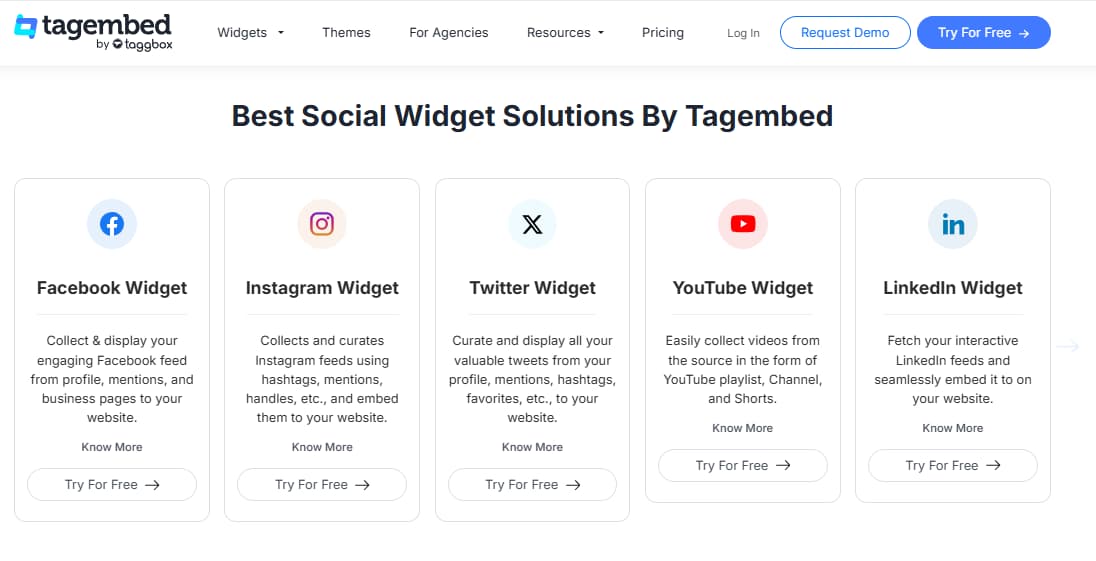
Tagembed can collect and display content from multiple networks such as Instagram, Facebook, Twitter/X, LinkedIn, YouTube, TikTok, Google Reviews, TripAdvisor, and more. This is the core use case: turn scattered platform content into a website widget.
Review widgets and customer proof
Review widget workflows help websites display customer feedback near homepages, service pages, product pages, and landing pages where trust signals actually matter.
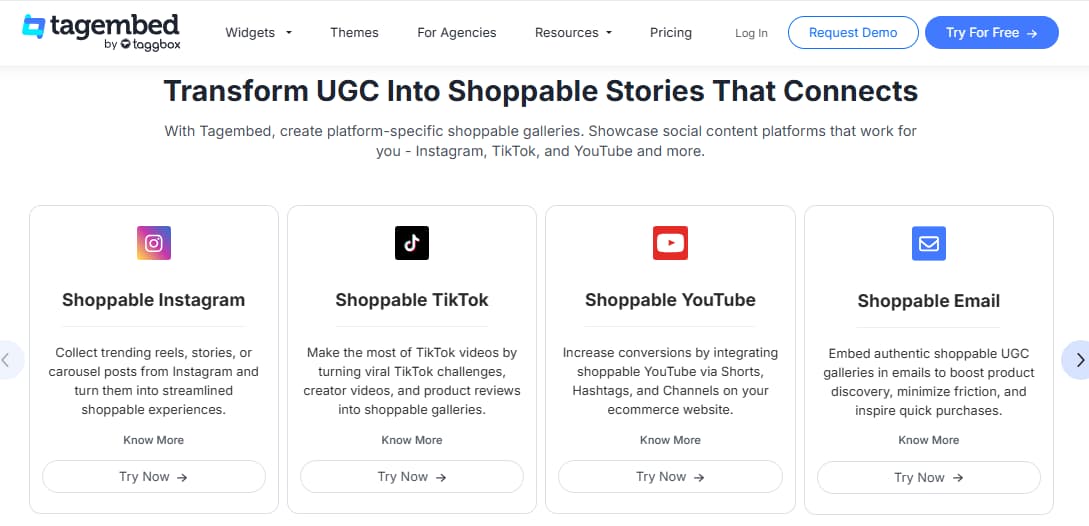
Shoppable UGC galleries
Shoppable UGC can help ecommerce brands connect real social content with product discovery. Based on the supplied pricing screenshots, shoppable widget access appears from Growth and Advance.
Moderation and customization
Manual, automatic, or AI moderation helps control what appears on the page. Themes, layouts, banners, CTA options, styling, and custom CSS help the widget look intentional rather than stapled onto the site by panic.
Shopify, WordPress, and website builders
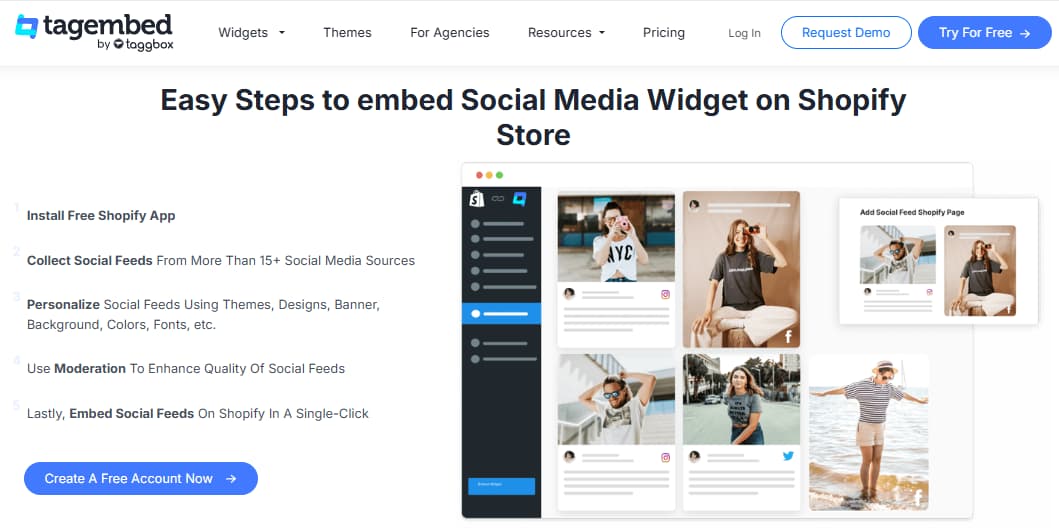
Tagembed is useful for no-code or low-code deployment across Shopify, WordPress, Wix, Webflow, Squarespace, HTML, BigCommerce, and similar website systems.
Analytics and update controls
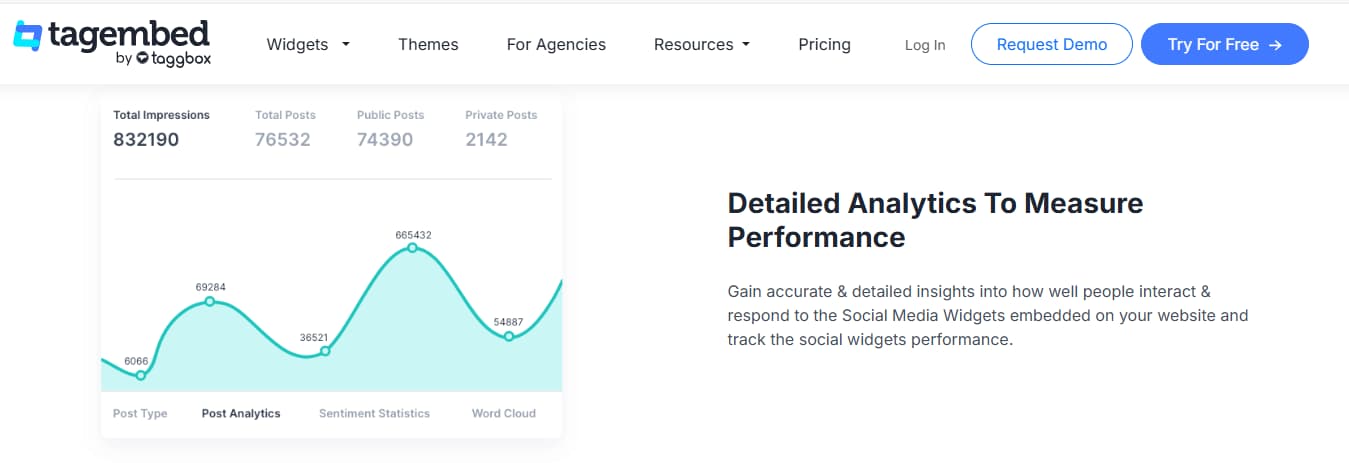
Analytics and update frequency matter once widgets go live. Teams should check active users, visitors, post clicks, sentiment-style reporting, and whether widget placement supports the page goal.
How to Use Tagembed Without Damaging Website Trust
Use Tagembed to support trust, not to flood pages with random social content. A widget should make the page more convincing, not more chaotic. The safest workflow is to embed focused social proof near a relevant decision point and moderate it before publishing.
Start with one real page
Test a homepage, product page, reviews page, or landing page first. Do not install widgets everywhere and call it strategy. That is just digital confetti.
Moderate before publishing
Remove irrelevant content, old posts, low-quality media, and anything that distracts from the page goal.
Check mobile and speed
Embedded widgets must be tested on mobile, with real loading behavior, layout spacing, and page interaction checked before they support paid traffic or sales pages.

Tagembed vs Alternatives
Tagembed competes with social media aggregators, review widgets, UGC platforms, Shopify social proof apps, WordPress social feed plugins, and website widget tools. The right alternative depends on whether you need social feeds, shoppable UGC, reviews, WordPress-only feeds, Shopify apps, or campaign management.
| Tool | Best use case | How it compares | Best decision |
|---|---|---|---|
| Tagembed | Social feeds, reviews, shoppable UGC, and no-code website widgets | Best fit when you want a broad social proof widget system across social feeds, review widgets, shoppable UGC, and multiple website builders. | Choose Tagembed when website display and moderation are the main job. |
| EmbedSocial | Review and social media embeds | Worth comparing if reviews and embeddable social proof are the main priority. Check current pricing, platform coverage, and moderation before choosing. | Compare if review display is your central use case. |
| Smash Balloon | WordPress social feeds | A stronger fit for WordPress-first users who mainly need plugin-based social feeds. Tagembed is broader across review widgets, shoppable UGC, and multiple builders. | Choose Smash Balloon for WordPress-focused social feeds. |
| SociableKIT | Many embeddable social widgets | Useful for comparing widget variety and embed options. Tagembed may be more appealing when review widgets and shoppable UGC are central. | Compare if you need many simple widget types. |
| Sociamonials | Social campaigns, contests, giveaways, and referrals | Better for contests, giveaways, referral campaigns, and social publishing workflows. Tagembed is more focused on website widgets and social proof display. | Choose Sociamonials for campaign mechanics, not just embeds. |
Which Tool Should You Choose?
Choose based on the job, not on whichever landing page yells the loudest. Tagembed wins when the job is website social proof display across feeds, reviews, UGC, and shoppable widgets.
Public Review Signals Worth Checking
Tagembed has public review and marketplace signals across G2, Shopify App Store, and WordPress.org. These sources are useful, but they should not replace your own test on a real website page. Recent ratings, review counts, and user sentiment can change, because apparently software buyers keep having new opinions. Inconvenient, but useful.
G2
Useful for checking software buyer feedback around setup, widget customization, integrations, support, and analytics.
Check G2 reviewsShopify App Store
Useful for ecommerce-specific feedback around social feeds, review display, product proof, store integrations, and app fit.
Check Shopify listingWordPress Plugin Directory
Useful for checking plugin positioning, updates, branding, premium plan notes, and WordPress social feed use cases.
Check WordPress pluginPros & Cons
-
You want a free starting point: Tagembed has a Free plan for testing one feed and limited views before paying.
-
You need social proof widgets: It supports social media feeds, review widgets, shoppable UGC, story widgets, and album-style website embeds.
-
Your site runs on common builders: Tagembed is useful for Shopify, WordPress, Wix, Webflow, Squarespace, HTML, and ecommerce websites.
-
You want shoppable UGC: Growth adds shoppable widget access, automatic moderation, 50K views/month, 30-minute updates, and live chat based on the supplied screenshot.
-
You manage higher-volume proof: Advance supports 1M views/month, 10 feeds, 15-minute updates, AI moderation, and chat plus call support.
-
You already have strong content: Tagembed is helpful when a website already has social posts or reviews worth showing near buying decisions.
-
You need serious scale on the free plan: Free limits are modest, so serious websites will likely need a paid plan.
-
You need shoppable widgets on a lower plan: Shoppable widget access appears limited to Growth and Advance in the supplied screenshots.
-
You cannot test page behavior: Embedded widgets require checking page speed, mobile layout, and design fit before going live.
-
You plan to show unmoderated feeds: Unfiltered content can hurt trust if irrelevant or low-quality posts appear.
-
You need full social media management: Tagembed is not a complete scheduling, inbox, or campaign automation platform.
-
Your content is weak: Widgets cannot create credibility if the brand has weak content, weak reviews, or poor product-market fit.
Best Way to Test Tagembed Before Paying
The best way to test Tagembed is not to install a widget on every page and declare the website converted by vibes. Pick one important page and one real content source.
1. Pick one page
Start with the homepage, product page, reviews page, landing page, or about page. Choose a page where social proof supports a real decision.
2. Add one relevant widget
Use one feed, review widget, or shoppable UGC section. More widgets do not automatically mean more trust. Sometimes it just means more scrolling.
3. Check real performance
Review loading behavior, mobile spacing, moderation, visual fit, click behavior, and whether the content supports the page objective.

Need ecommerce visuals and product mockups to pair with social proof?
Read our Dynamic Mockups review if your product pages need better product visuals before social proof widgets can do their job.
Read Dynamic Mockups ReviewFinal Verdict: Is Tagembed Worth It?
Tagembed is worth testing if your website needs social media feeds, customer reviews, social proof, shoppable UGC, or no-code widgets that can be placed on important website pages.
The Free plan is enough for a first test. Starter is practical for small businesses that want more views and cleaner widget limits. Growth is the strongest first paid plan for many active brands because it adds shoppable widgets, automatic moderation, stronger limits, faster updates, and live chat. Advance is more appropriate for high-traffic ecommerce brands or agencies that need AI moderation and much larger limits.
Tagembed is not a shortcut around building real trust. It is useful when you already have social posts, UGC, or reviews worth displaying. If your content is weak, a widget will only display that weakness more efficiently. Technology: making problems scalable since forever.
Tagembed FAQ
What is Tagembed used for?
Tagembed is used to collect, curate, moderate, customize, and embed social media feeds, review widgets, UGC galleries, shoppable social content, and social proof sections on websites.
How much does Tagembed cost?
The supplied pricing screenshots show Free at $0/month, Starter at $19/month, Growth at $39/month on monthly billing, Advance at $99/month on monthly billing, Growth at $29/month on annual billing, and Advance at $79/month on annual billing. Pricing may change, so confirm current details before subscribing.
Does Tagembed have a free plan?
Yes. The supplied pricing screenshot shows a Free plan with 1 feed, 500 views/month, 10+ platforms, unlimited websites, 1 TikTok feed, updates every 4 days, manual moderation, 500 posts, social publish 1 post/month, review collection, and video walkthrough and guide.
Which Tagembed plan is best?
Growth is the best first paid plan for most active brands because it adds shoppable widget access, automatic moderation, 50K views/month, 30-minute updates, 30,000 posts, social publishing, review collection, CDN cache, 100% ad-free widgets, and live chat.
Does Tagembed work with Shopify and WordPress?
Yes. Tagembed supports Shopify and WordPress workflows, along with website builders such as Wix, Webflow, Squarespace, HTML, Weebly, and BigCommerce. Test the widget on your actual theme before relying on it for key pages.
Does Tagembed support review widgets?
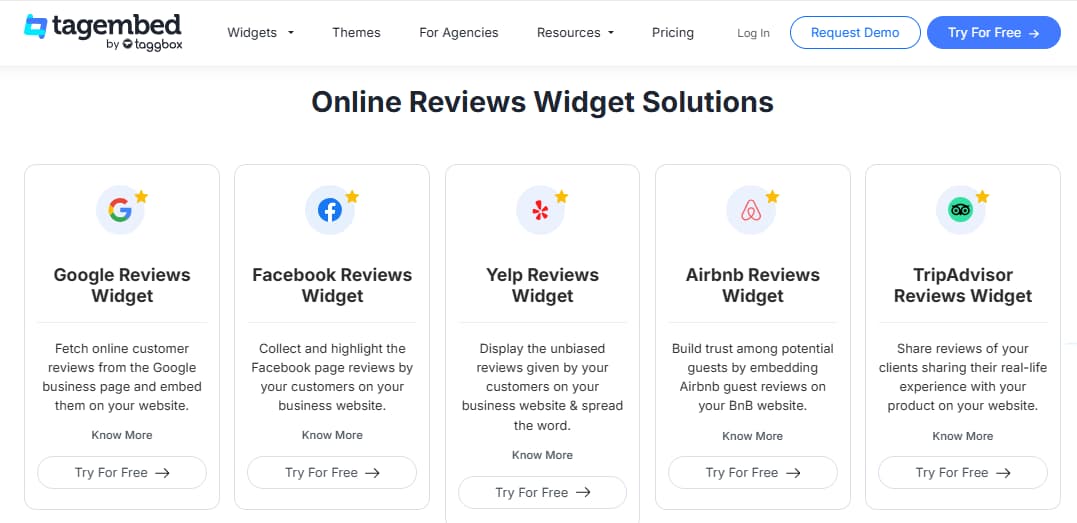
Yes. Tagembed supports review widget workflows for sources such as Google Reviews, Facebook Reviews, Yelp, Airbnb, TripAdvisor, Amazon, Etsy, AliExpress, and more.
Does Tagembed include shoppable widgets?
Yes, but based on the supplied pricing screenshots, shoppable widget access appears available from Growth and Advance rather than Free or Starter. Confirm current feature availability before subscribing.
Is Tagembed worth it?
Tagembed is worth testing if your website already has social media posts, customer reviews, UGC, or social proof worth displaying. It is less useful if you do not have relevant content or reviews to show.