ControlHippo Review 2026: Pricing, AI Omnichannel Inbox, WhatsApp API & Buyer Verdict
ControlHippo is an AI-powered omnichannel communication platform for sales and support teams that need to manage WhatsApp, Instagram, Facebook Messenger, Telegram, Gmail, SMS, website chat, CRM-connected messages, automation, reporting, and team handoffs without turning customer communication into a scavenger hunt.
Why Trust This ControlHippo Review?
We reviewed ControlHippo from the buyer’s side: pricing, AI Omnichannel Platform plans, WhatsApp API options, shared inbox workflows, CRM integrations, automation features, reporting, and team-fit risks. The goal is not to pretend AI fixes customer support by itself. Apparently customers still appreciate humans who know what they are doing.
AI Omnichannel Platform and WhatsApp API pricing are separated clearly instead of being mashed into one confusing plan table.
The ControlHippo affiliate link is kept exactly as provided: https://controlhippo.com?fp_ref=03111983.
The review focuses on real workflows: shared inbox, WhatsApp API, AI assistant, automation, CRM integrations, analytics, CSAT, and team handoffs.
No guaranteed leads, revenue, customer satisfaction, or perfect AI support. Messaging tools still need a real sales and support process.
30-Second Verdict
ControlHippo is best for sales and support teams that manage customer messages across WhatsApp, Instagram, Facebook Messenger, Telegram, Gmail, SMS, website chat, and CRM-connected workflows.
The strongest reason to try ControlHippo is inbox control. Bronze covers the practical shared inbox layer, while Silver is the more serious active-team pick because it adds workflow automation, broadcast messages, AI Chat Assistant, Unified Inbox, Data Export, Website Chat Button, CSAT Score, and Private Notes.
The main limitation is process dependency. ControlHippo can centralize conversations and reduce switching, but it still needs trained agents, clean CRM setup, tested automations, verified WhatsApp API terms, and sensible human review. AI is useful. It is not a customer support adult.
What Is ControlHippo?
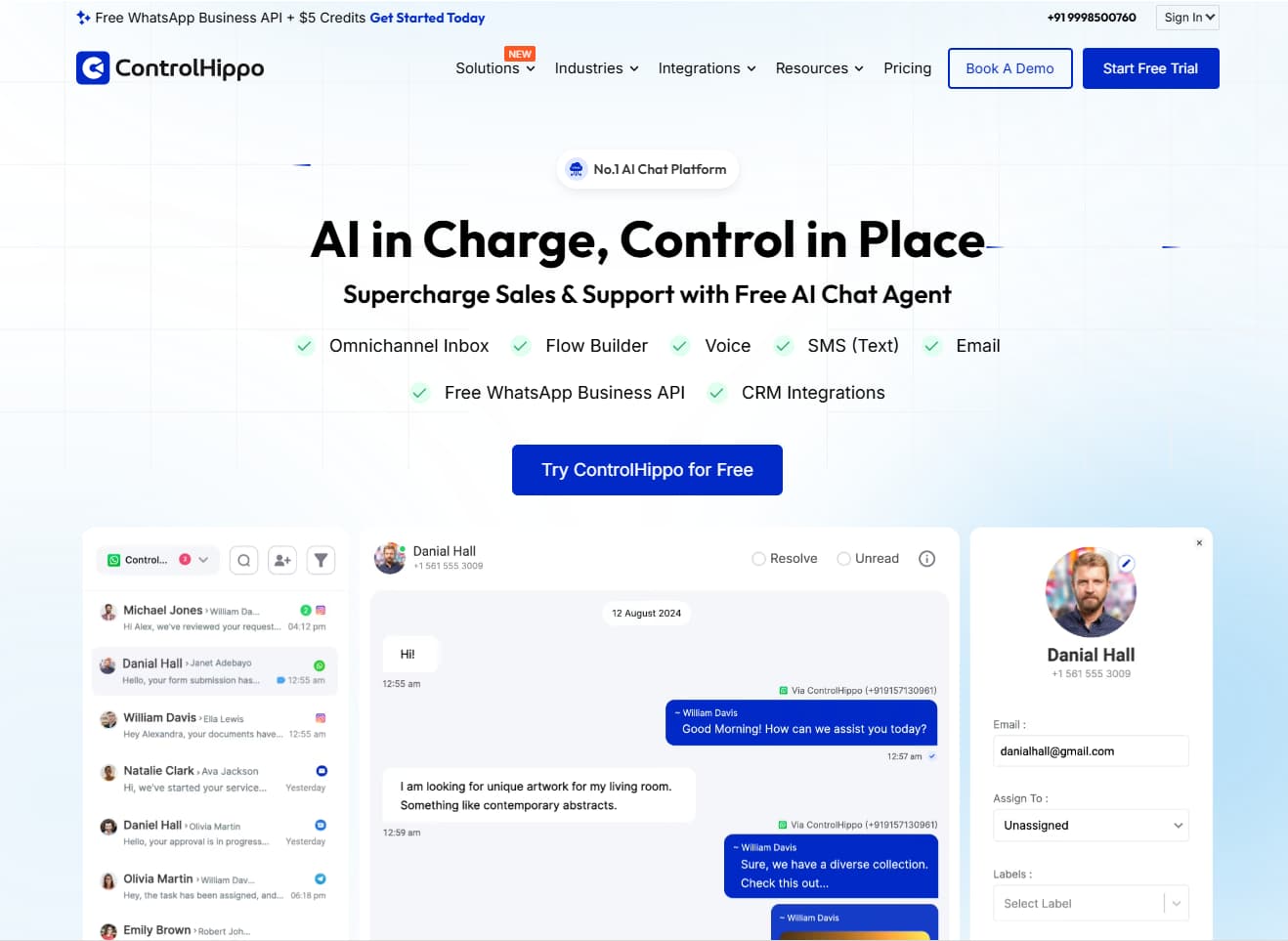
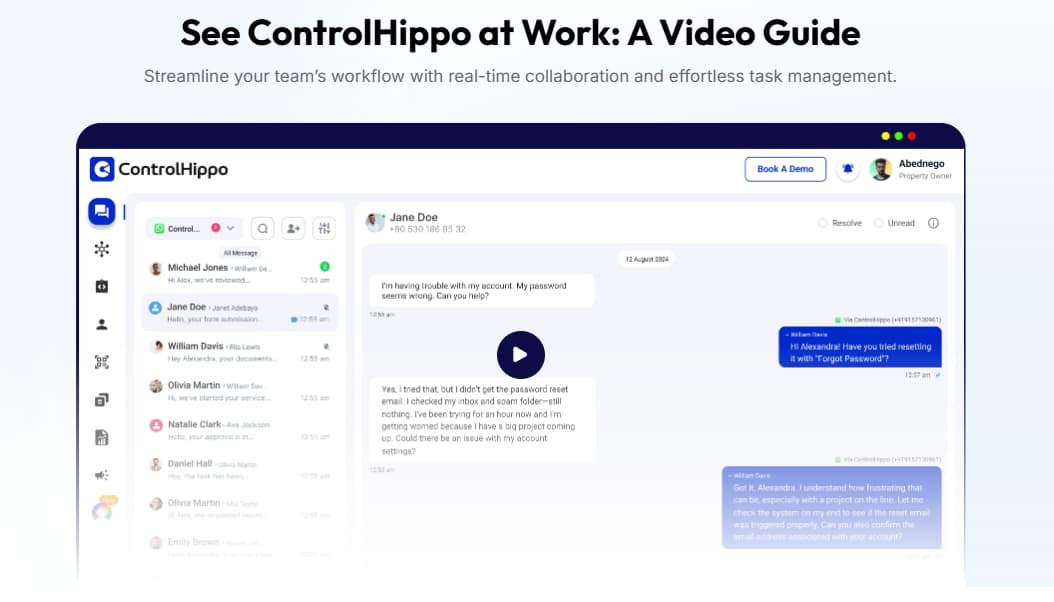
ControlHippo is an AI-powered omnichannel communication platform for sales and support teams. It helps businesses manage customer conversations across multiple messaging channels, connect those conversations with CRM workflows, and use AI or automation to reduce repetitive communication work.
In plain English: ControlHippo helps teams stop losing customer conversations across scattered apps and bring messages, assignments, automation, reporting, and CRM context into one workflow.
.jpg)
Related Read
Need a broader CRM and client workflow system beyond messaging? Read the SuiteDash review for CRM, client portal, and business management workflow.
Read SuiteDash ReviewWho Should Use ControlHippo?
ControlHippo is best for teams that already have real customer conversations coming in through multiple channels. The platform makes more sense when conversation volume, team handoffs, CRM updates, and response speed are becoming difficult to manage manually.
Small Sales or Support Team
Best fit: You need shared inbox basics, business hours, contact timeline, admin review, analytics, quick replies, and CRM-connected communication.
Growing Omnichannel Team
Best fit: You need workflow automation, AI Chat Assistant, Unified Inbox, Data Export, Website Chat Button, CSAT Score, and Private Notes.
Custom or Larger Business
Best fit: You need premium tools, phone support, advanced reporting, unlimited WhatsApp numbers, and a demo-led buying path.
Why AI Omnichannel Communication Matters in 2026
Customer communication is no longer one clean inbox. Buyers ask questions through whatever channel is convenient for them: WhatsApp, Instagram, Facebook Messenger, Telegram, Gmail, SMS, website chat, or CRM-linked follow-ups. Your team does not get to choose the mess. It only gets to manage it or lose money inside it.
| Manual communication workflow | With ControlHippo | Why it matters |
|---|---|---|
| Agents switch between WhatsApp, Instagram, Facebook, Gmail, CRM, and chat tools. | Teams manage multiple messaging channels inside one shared inbox workflow. | Reduces app-switching and missed context. |
| Conversation ownership is unclear when several agents touch the same customer. | Assignments, admin review, private notes, labels, and team visibility help reduce handoff confusion. | Improves accountability across sales and support teams. |
| Repeated questions are answered manually again and again. | Quick replies, automation, AnswerBot, AI assistant, and workflows can reduce repetitive work. | Saves time when used with human review. |
| CRM updates lag behind real customer conversations. | CRM and app integrations help connect conversations with sales and support systems. | Keeps customer context closer to the actual conversation. |
| Managers cannot easily see response quality, workload, or channel patterns. | Analytics, reports, CSAT score, admin chat review, and exports support operational visibility. | Helps teams improve process instead of guessing. |
ControlHippo Pricing 2026
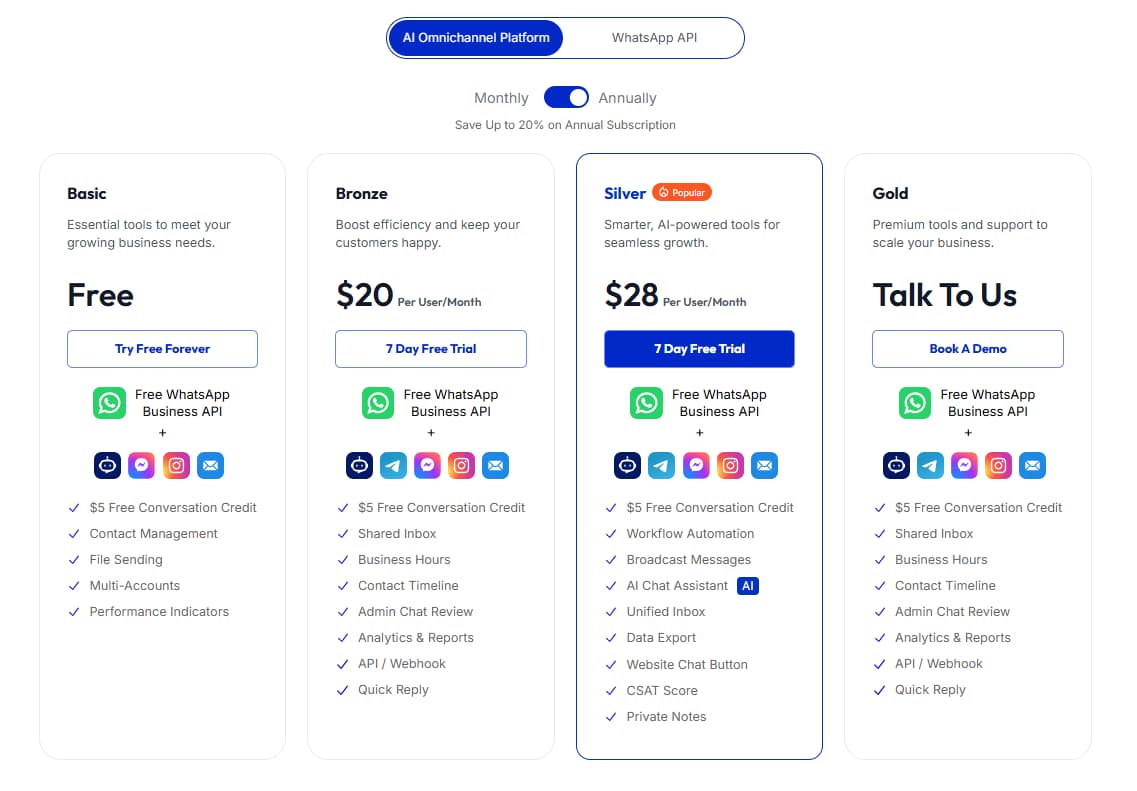
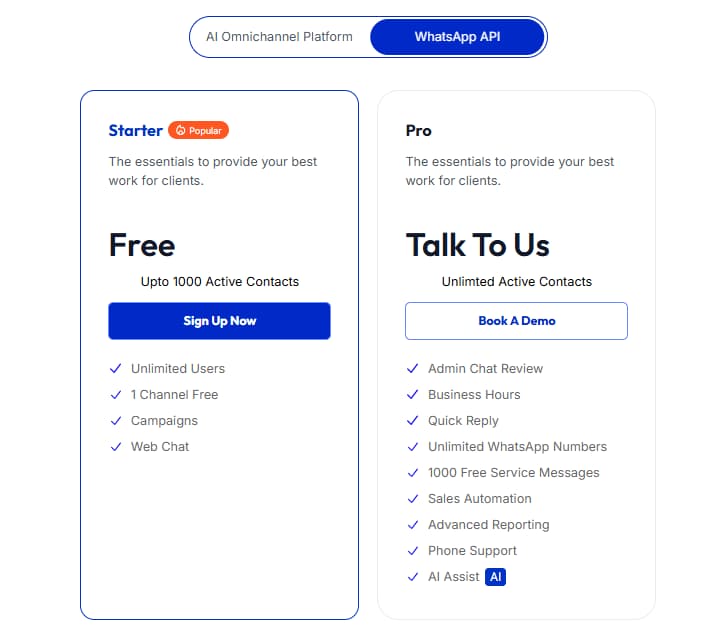
ControlHippo pricing is split into two main views: AI Omnichannel Platform and WhatsApp API. The reviewed pricing page shows AI Omnichannel Platform plans as Basic Free, Bronze at $20 per user/month, Silver at $28 per user/month, and Gold as Talk To Us. The WhatsApp API pricing view shows Starter Free and Pro as Talk To Us.
AI Omnichannel Platform Plans
| Plan | Price shown | Best for | Important included notes | Best action |
|---|---|---|---|---|
| Basic | Free | Small teams testing basic contact and communication workflows. | Free WhatsApp Business API, $5 free conversation credit, contact management, file sending, multi-accounts, performance indicators. | Start free |
| Bronze | $20 per user/month | Small sales and support teams that need shared inbox basics. | Free WhatsApp Business API, $5 free conversation credit, shared inbox, business hours, contact timeline, admin chat review, analytics and reports, API or webhook, quick reply. 7-day free trial shown. | Try Bronze |
| Silver | $28 per user/month | Growing teams needing automation, AI assistance, unified inbox, reporting, and workflow control. | Free WhatsApp Business API, $5 free conversation credit, workflow automation, broadcast messages, AI Chat Assistant, Unified Inbox, Data Export, Website Chat Button, CSAT Score, Private Notes. 7-day free trial shown. | Evaluate Silver |
| Gold | Talk To Us | Businesses that need premium tools, larger-scale setup, and a demo-led buying path. | Confirm current pricing, limits, support scope, reporting, integrations, premium tools, and contract terms before committing. | Request demo |
WhatsApp API Plans
| Plan | Price shown | Best for | Important included notes | Best action |
|---|---|---|---|---|
| Starter | Free | Testing WhatsApp API workflow. | Up to 1000 active contacts, unlimited users, one free channel, campaigns, and web chat. | Start WhatsApp API |
| Pro | Talk To Us | Teams that need more WhatsApp API scale and support. | Unlimited active contacts, unlimited WhatsApp numbers, 1000 free service messages, sales automation, advanced reporting, phone support, and AI Assist. | Talk to sales |
Pricing, annual discounts, trial terms, plan features, WhatsApp API limits, service messages, conversation credit, integrations, and AI feature availability may change. Always confirm current details directly on the official ControlHippo pricing page before subscribing.
Which ControlHippo Plan Should You Pick?
Pick based on message volume, team workflow, and automation needs. Hope is not a routing rule, despite what many support desks seem to believe.
Silver
Best for active teams because it adds workflow automation, broadcast messages, AI Chat Assistant, Unified Inbox, Data Export, Website Chat Button, CSAT Score, and Private Notes.
Use this if you are exploring ControlHippo for the first time, have low message volume, or want to test the interface and contact workflow before paying.
Use this if your team mainly needs shared inbox, business hours, contact timeline, admin chat review, analytics, API or webhook, and quick replies.
Use this if automation, AI assistance, unified inbox, data export, website chat, CSAT, private notes, and workflow control matter to your sales or support process.
Use this if you need custom support, higher limits, premium tools, advanced reporting, unlimited WhatsApp numbers, or a demo-led setup.
Key Features That Matter in Real Work
ControlHippo is useful when customer communication needs ownership, context, automation, and reporting. The point is not to collect every message in one shiny dashboard and call it a strategy. The point is to help the right person reply with the right context before the customer quietly gives up.
Omnichannel Shared Inbox
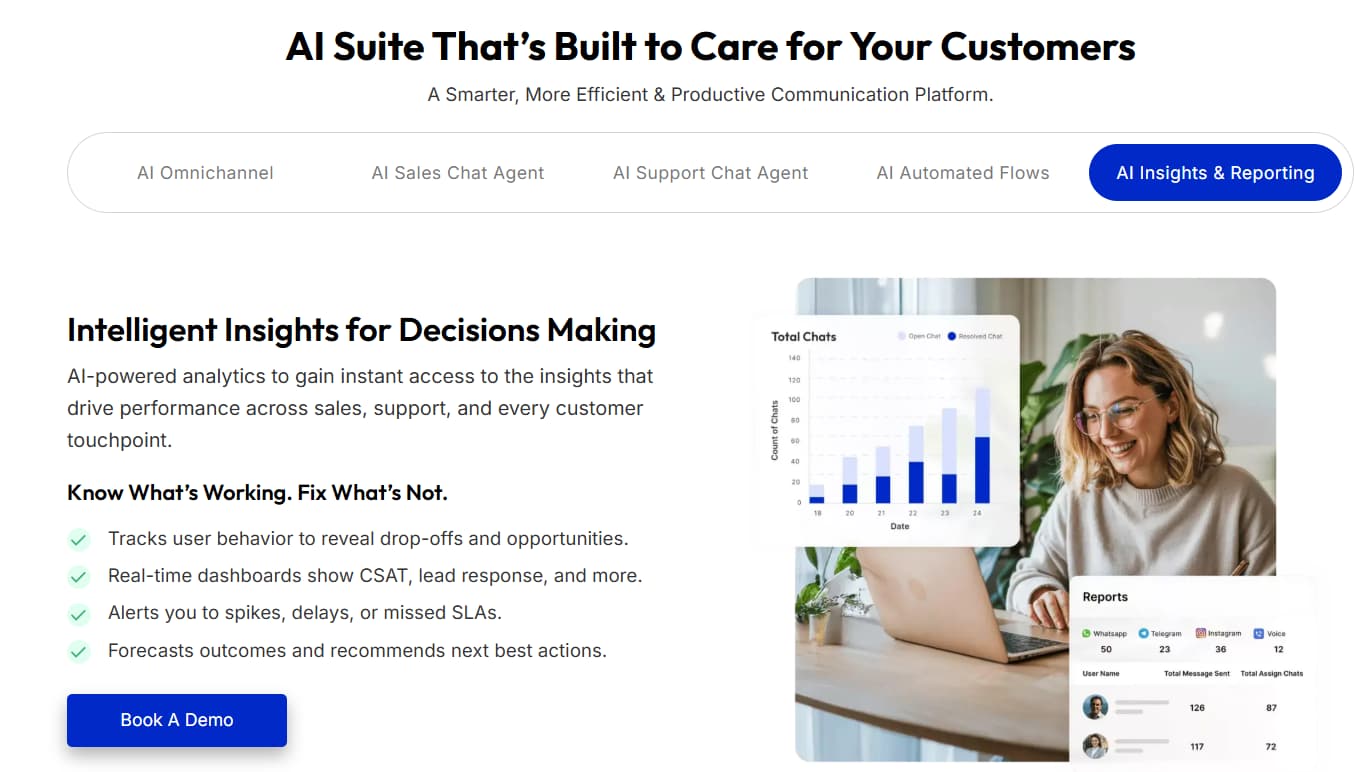
Manage conversations from WhatsApp, Instagram, Facebook Messenger, Telegram, Gmail, SMS, website chat, and CRM-connected channels in one team workflow.
AI Chat Assistant
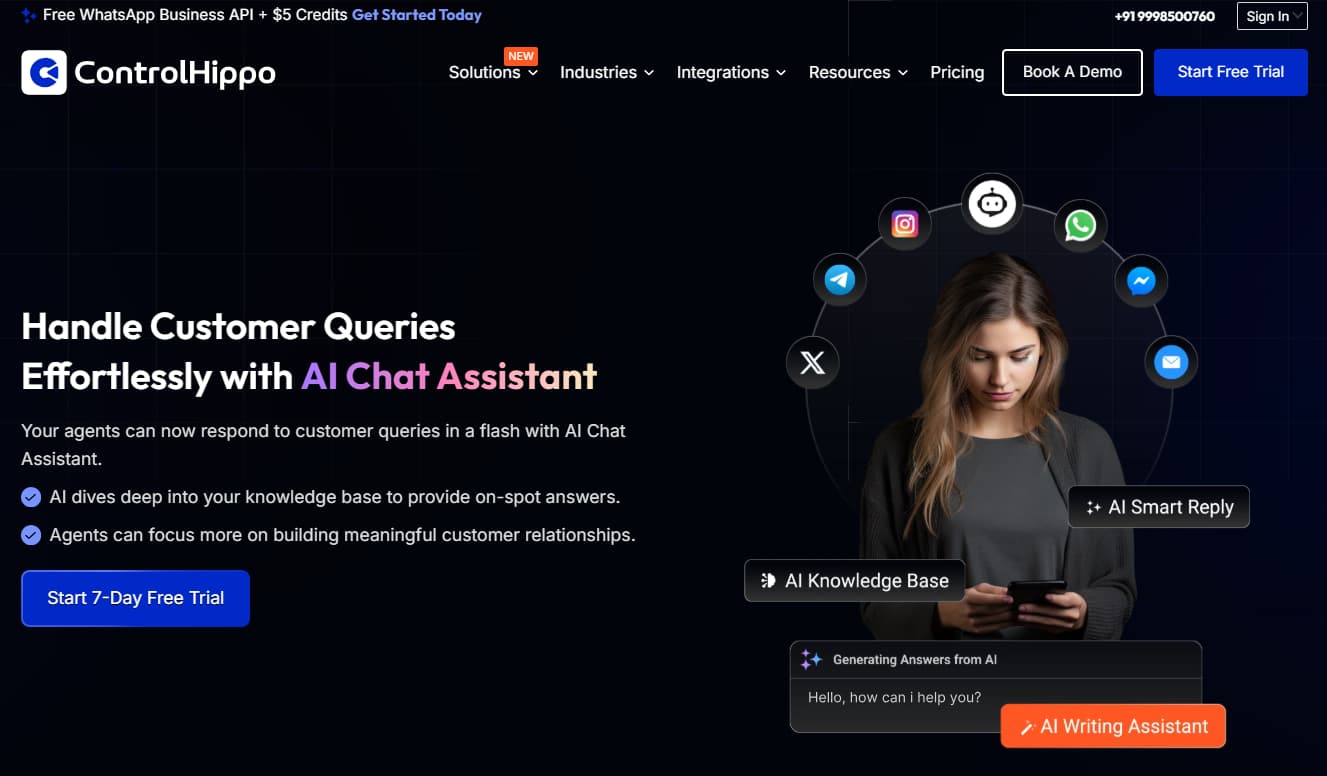
Helps agents draft or handle common replies faster, while humans still review tone, context, and accuracy before customer-facing messages go out.
Workflow Automation
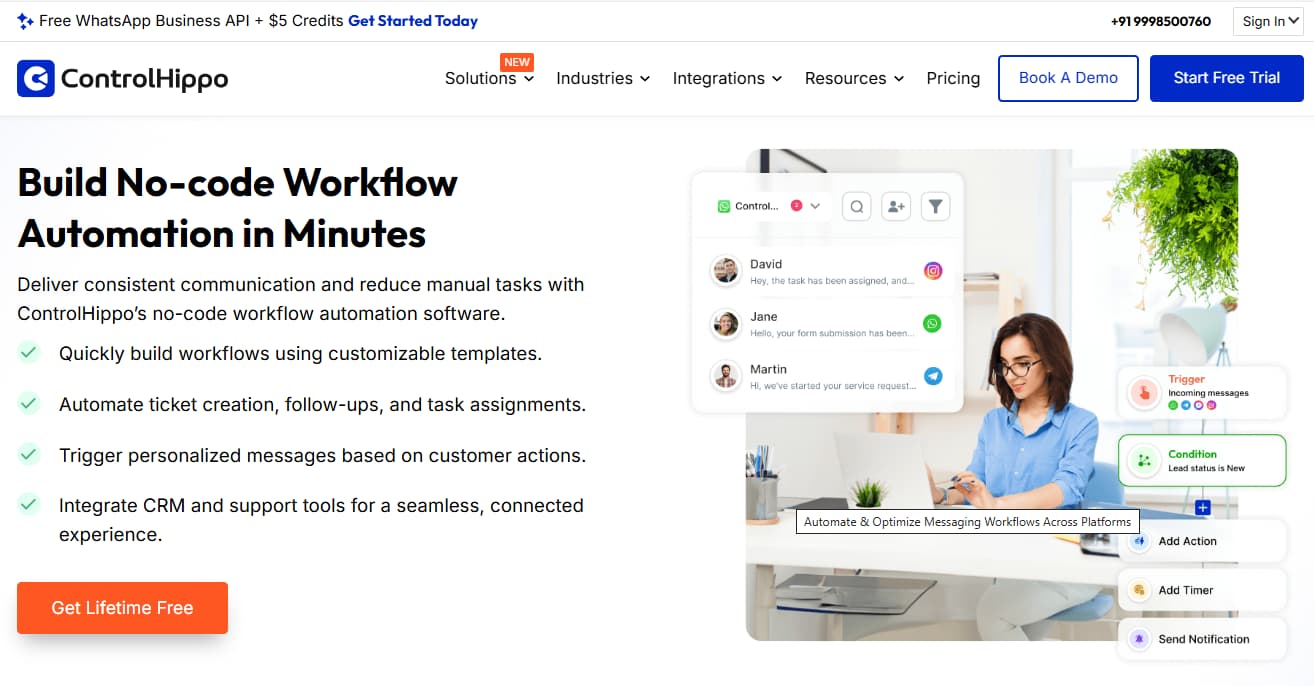
Supports routing, follow-ups, broadcast messages, repeated workflows, and customer journey steps when conversation volume grows.
CRM & App Integrations
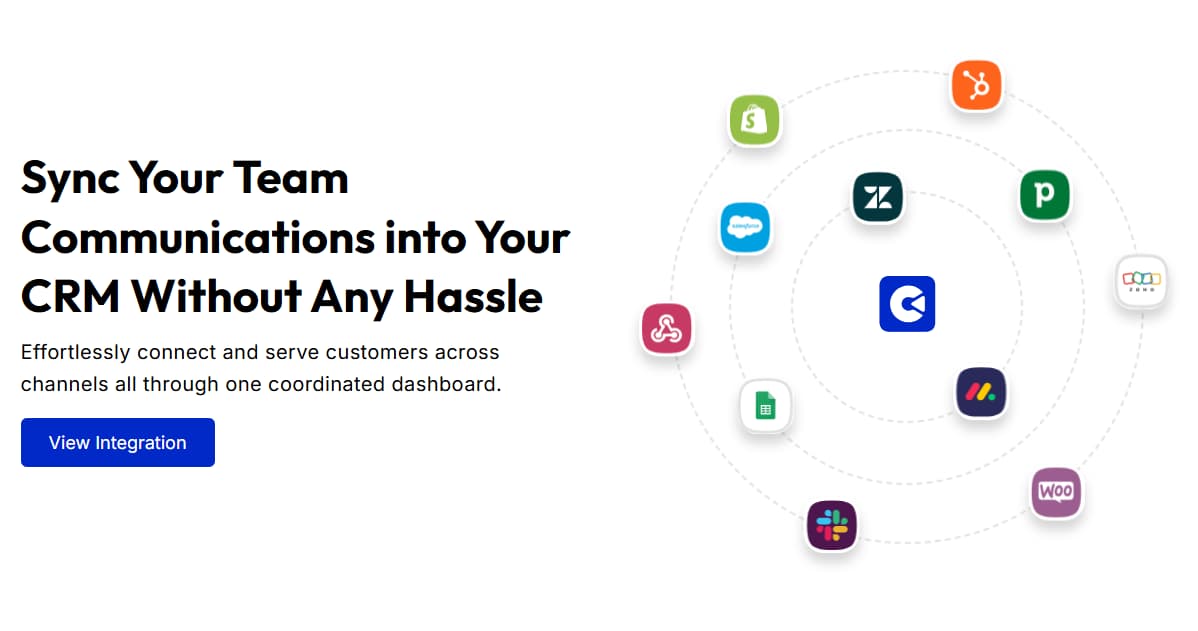
Connects with tools such as HubSpot, Pipedrive, Zoho, Slack, Monday, Bitrix24, Shopify, Zendesk, WooCommerce, Webhooks, and Google Sheets.
Analytics, Reports & CSAT
Helps managers evaluate response patterns, support quality, agent activity, and customer experience signals.
Mobile App & Chrome Extension
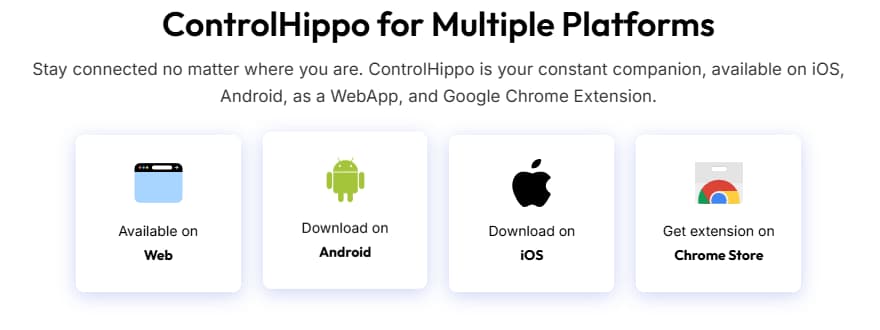
Supports cross-device access, but teams should test mobile reliability, notification behavior, and speed before depending on it fully.
How to Use ControlHippo Without Damaging Customer Experience
Use ControlHippo to organize conversations, not to make your team sound like an autoresponder factory. The safest workflow is to combine shared inbox visibility, human ownership, CRM context, automation rules, quick replies, and AI assistance with clear review standards.
Best Way to Test ControlHippo Before Paying
Start with your real customer channels. Connect WhatsApp, one social channel, and your CRM or reporting workflow first. Then test routing, quick replies, automations, AI suggestions, mobile notifications, and ownership rules before scaling.
ControlHippo vs Alternatives
ControlHippo competes with WhatsApp shared inbox tools, omnichannel customer communication platforms, help desk software, and customer support automation platforms. The right alternative depends on whether your team cares most about WhatsApp, broad omnichannel messaging, enterprise support operations, ecommerce chat, or CRM-connected sales conversations.
| Tool | Best fit | Channel focus | Automation / AI | Support model | Where it may fall short |
|---|---|---|---|---|---|
| ControlHippo | AI omnichannel inbox and WhatsApp workflow | Broad messaging with strong WhatsApp angle | AI assistant, automation, broadcast, reporting, CSAT | Shared inbox and team workflow | Larger buyers may need demo for Gold or WhatsApp API Pro pricing |
| Respond.io | Omnichannel conversation management | Broad enterprise messaging | Strong automation depending on plan | Conversation platform | Compare pricing, automation depth, and CRM requirements |
| WATI | WhatsApp Business API and WhatsApp support | WhatsApp-first | WhatsApp automation and templates | WhatsApp support workflow | Less ideal if broad omnichannel inbox is the main need |
| Trengo | Team inbox and customer communication | Multi-channel communication | Automation and collaboration tools | Shared inbox | Plan fit depends on channels and pricing |
| Freshdesk / Zendesk | Traditional support desk operations | Ticket-heavy support | Help desk automation | Ticketing and support ops | May feel heavier for messaging-first teams |
Which Tool Should You Choose?
Choose ControlHippo when your main problem is scattered messaging and team inbox workflow. Choose a traditional help desk when tickets and structured support operations matter more than conversational channels.
What Users Are Saying About ControlHippo
Public review signals for ControlHippo are useful but should be read carefully because review volume appears smaller than some larger customer support platforms. Ratings, review counts, and user sentiment can change over time, because apparently the internet refuses to stay frozen for our convenience.
G2
Useful for checking current user feedback around interface, centralized communication, workflows, team collaboration, and any mobile-app concerns.
Capterra
Useful for pricing context, customer support category positioning, recent reviews, and usability feedback from smaller software buyers.
HubSpot Marketplace
Useful if HubSpot is already part of your sales or support stack and you care about data integration with customer conversations.
Pros & Cons
-
You want a safe way to test first: ControlHippo has a free plan available for first-time testing before your team commits budget.
-
You prefer clear public pricing for core plans: Bronze and Silver pricing are shown on the official pricing page, which makes early comparison easier.
-
Your team is WhatsApp-heavy or multi-channel: ControlHippo fits sales teams, support teams, and businesses managing WhatsApp plus other customer channels.
-
You need shared inbox basics: Bronze includes shared inbox, business hours, contact timeline, admin chat review, analytics and reports, API or webhook, and quick reply.
-
You want automation and AI assistance: Silver adds workflow automation, broadcast messages, AI Chat Assistant, Unified Inbox, Data Export, Website Chat Button, CSAT Score, and Private Notes.
-
You want to test WhatsApp API first: The WhatsApp API Starter plan shows free access up to 1000 active contacts.
-
You care about CRM and app integrations: Listed integrations include HubSpot, Pipedrive, Zoho, Slack, Shopify, Zendesk, Webhooks, WooCommerce, and Google Sheets.
-
You need fully public enterprise pricing: Gold and WhatsApp API Pro require a demo or sales contact, so larger buyers must verify pricing directly.
-
You expect the free plan to handle advanced workflows: Free or Basic users may outgrow the plan quickly if they need automation, reporting, AI assistance, or broader integrations.
-
You want AI to run customer replies unsupervised: AI features still need human review before customer-facing messages are sent.
-
You rely heavily on large public review volume: Public review volume appears smaller than larger customer support platforms.
-
You will not verify commercial terms: Trial, billing, cancellation, WhatsApp API, and service message terms should be checked before adding payment details.
-
You need every advanced feature on lower plans: Some advanced workflow, reporting, and automation features are tied to higher plans.
-
You have no trained agents or clean process: ControlHippo is not a replacement for trained agents, clean CRM process, support scripts, or sales follow-up discipline.
Is ControlHippo Worth It?
ControlHippo is worth testing if your team manages customer conversations across multiple channels and already feels the pain of scattered messages, slow handoffs, duplicate replies, missing CRM context, and weak reporting.
Free and Basic paths are useful for first contact. Bronze becomes practical when the team needs a real shared inbox with business hours, contact timeline, admin review, analytics, API or webhook, and quick replies. Silver is the strongest plan to evaluate for active teams because automation, AI Chat Assistant, Unified Inbox, Data Export, Website Chat Button, CSAT Score, and Private Notes are the features that move ControlHippo beyond a simple inbox.
The blunt answer: ControlHippo is not worth paying for if you do not have real conversation volume or a team process. But if your team is losing time across WhatsApp, social DMs, email, CRM notes, and manual follow-ups, ControlHippo can be worth testing because it attacks the workflow mess directly.
Related B2B Sales Review
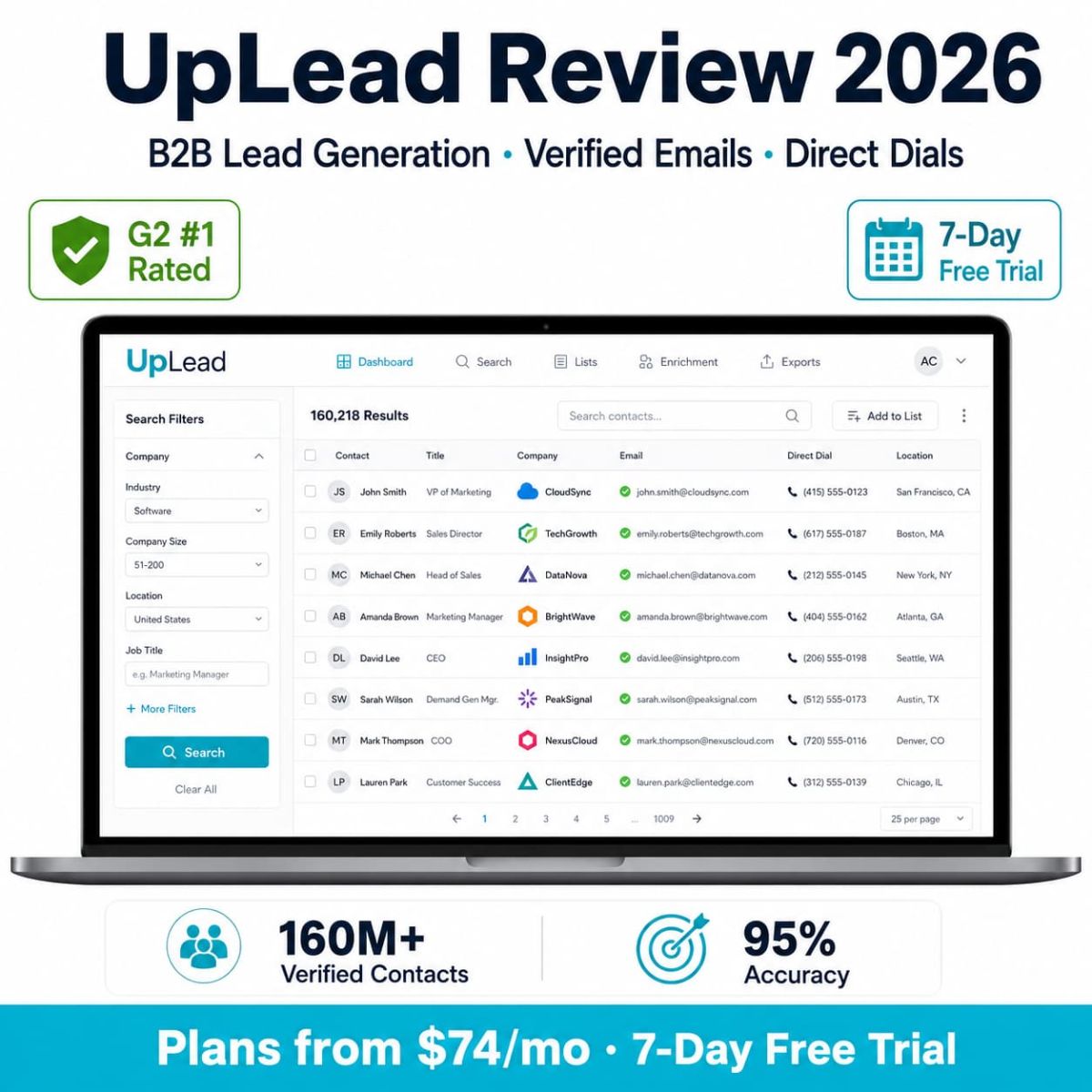
Need verified B2B leads before your team starts follow-up conversations? Read the UpLead review for prospecting, lead data, and sales workflow fit.
Read UpLead ReviewControlHippo FAQ
What is ControlHippo used for?
ControlHippo is used for managing customer conversations across multiple channels, including WhatsApp, Instagram, Facebook Messenger, Telegram, Gmail, SMS, website chat, and CRM-connected workflows. It supports shared inboxes, team assignments, automation, AI assistance, reporting, and integrations.
How much does ControlHippo cost in 2026?
ControlHippo AI Omnichannel Platform pricing shows Basic Free, Bronze at $20 per user/month, Silver at $28 per user/month, and Gold as Talk To Us. WhatsApp API pricing shows Starter Free and Pro as Talk To Us. Pricing may change, so confirm current details on the official website before subscribing.
Does ControlHippo have a free plan?
Yes. The pricing page shows Basic as Free for the AI Omnichannel Platform and Starter as Free for WhatsApp API with up to 1000 active contacts shown. Always verify current limits before relying on the free plan.
Which ControlHippo plan is best?
Silver is the best plan to evaluate for active sales and support teams because it adds workflow automation, broadcast messages, AI Chat Assistant, Unified Inbox, Data Export, Website Chat Button, CSAT Score, and Private Notes. Bronze is better for simpler shared inbox needs.
Does ControlHippo support WhatsApp API?
Yes. ControlHippo has a WhatsApp API pricing view with Starter Free and Pro Talk To Us. The pricing page also lists Free WhatsApp Business API in the AI Omnichannel plan cards. Confirm WhatsApp API setup, service messages, limits, and pricing directly before subscribing.
What integrations does ControlHippo support?
ControlHippo lists integrations such as HubSpot, Pipedrive, Zoho, Slack, Monday, Bitrix24, Shopify, Zendesk, WooCommerce, Webhooks, and Google Sheets. Some integrations may vary by plan, so check the current plan table before buying.
Is ControlHippo good for beginners?
ControlHippo can be beginner-friendly for small teams that want to test shared inbox and WhatsApp communication workflows. However, teams should start with a free or trial path, test real channels, and avoid paying for advanced automation until the workflow is clear.
Is ControlHippo worth it?
ControlHippo is worth testing if your team handles customer conversations across multiple channels and needs shared inbox, WhatsApp workflow, automation, CRM integrations, AI assistance, and reporting. It is less useful if you have low message volume or no clear sales or support process.
Final Verdict: Is ControlHippo Worth Trying?
ControlHippo is worth trying if your team is already dealing with scattered customer conversations across WhatsApp, social DMs, email, website chat, SMS, and CRM workflows. Its strongest value is helping teams centralize messages, assign ownership, reduce repetitive work, connect CRM context, and review communication performance.
Basic and Free paths are sensible for testing. Bronze is useful for shared inbox basics. Silver is the strongest plan to evaluate for active teams because it adds the automation, AI, unified inbox, data export, website chat, CSAT, and private-note features that make ControlHippo more than just another shared inbox.
Our editorial score is 4.4/5. ControlHippo earns that score because it solves a clear operational pain: customer conversations are scattered, and teams need better inbox workflow. It loses points because AI and automation still depend on human review, clean CRM setup, and tested support processes. The tool can organize the chaos. It cannot teach a bad process to become wise. Shame, really.