CheckoutJoy Review 2026: Pricing, Checkout Pages, Sales Tax, Affiliate System & Buyer Verdict
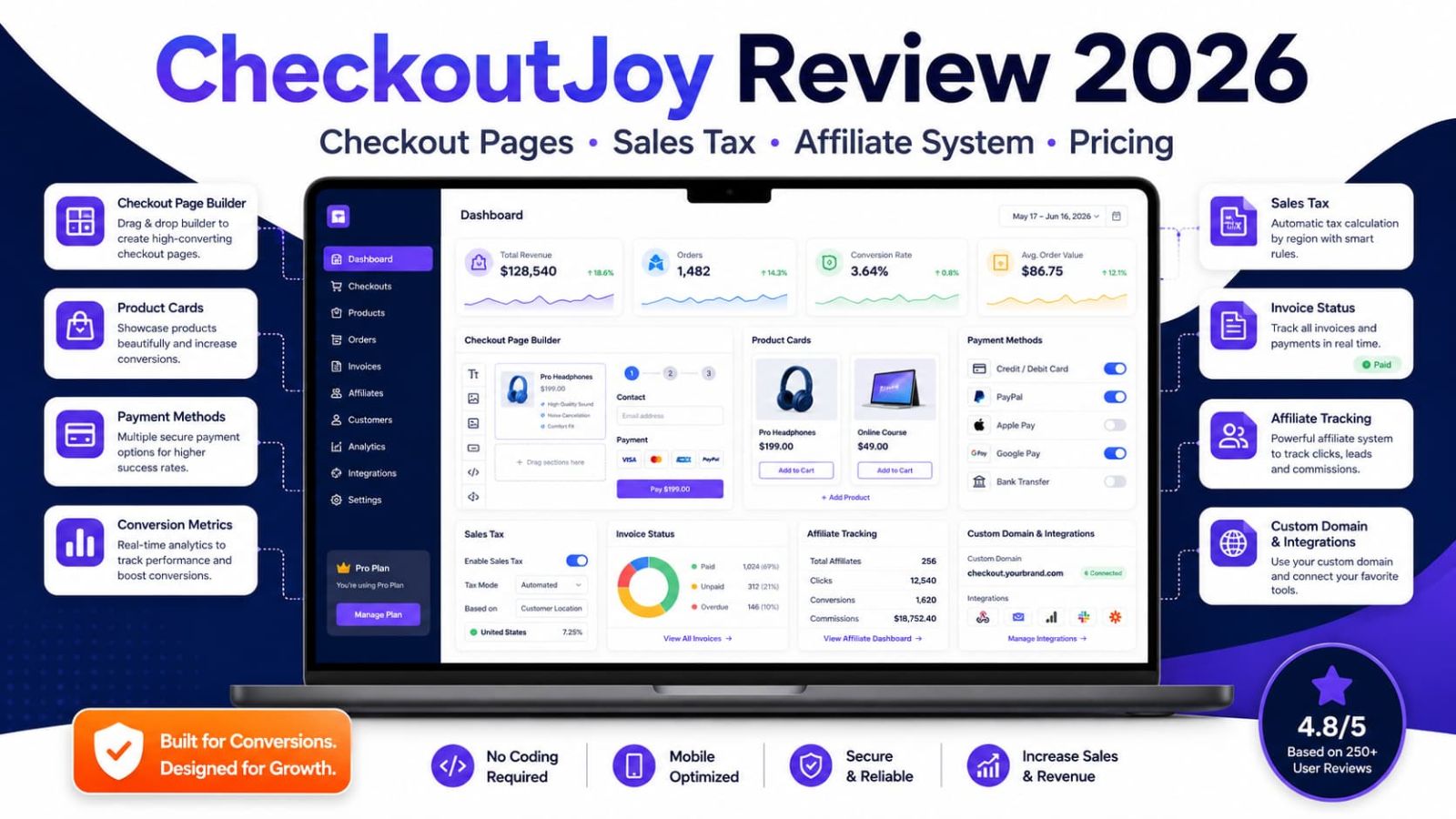
CheckoutJoy is for creators and digital sellers who need a cleaner checkout than a plain payment link. It covers checkout pages, integrations, taxes, invoices, custom domains, and affiliate tracking in one place.
Why Trust This CheckoutJoy Review?
We looked at CheckoutJoy like a buyer would: pricing, plan limits, checkout setup, tax and invoice support, integrations, affiliate features, and where it may be overkill. Checkout software can reduce friction. It cannot create demand from nothing.
Monthly and annual prices are separated. Essential, Pro, and Enterprise are easy to compare.
The CheckoutJoy affiliate link is kept exactly as provided: https://www.checkoutjoy.com?fpr=03111983.
The review focuses on actual selling work: checkout pages, integrations, tax, invoices, domains, and affiliates.
No sales promises. No tax fantasy. Just what the tool helps with and what you still need to check.
How We Checked CheckoutJoy
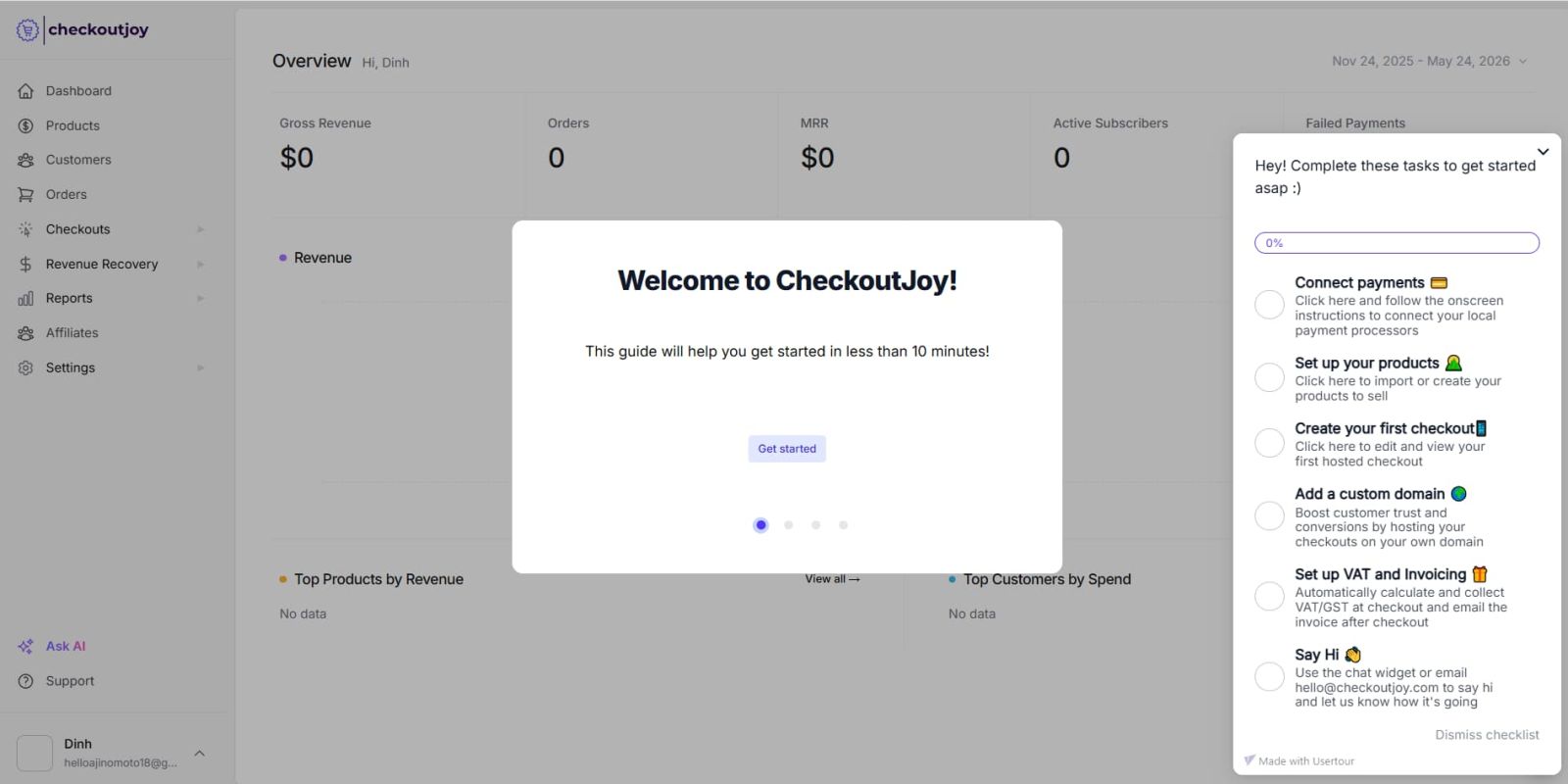
To add a real experience layer to this review, we did not stop at the pricing screenshots. We followed the CheckoutJoy trial path far enough to confirm the signup flow, account access, and live dashboard onboarding. This is still an onboarding and workflow review, not a long-term sales performance test, because the account was new and had no live orders, revenue, subscribers, or failed payments yet.
Step 1: Trial signup check
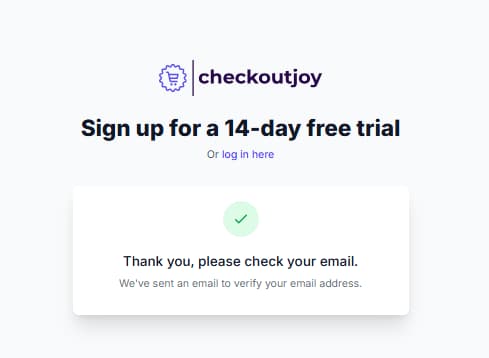
We started the 14-day free trial flow and reached the email verification step. This helped confirm that the free trial path was active at the time of review, not just a stale marketing line floating around the page like abandoned SaaS confetti.
Step 2: Account access check
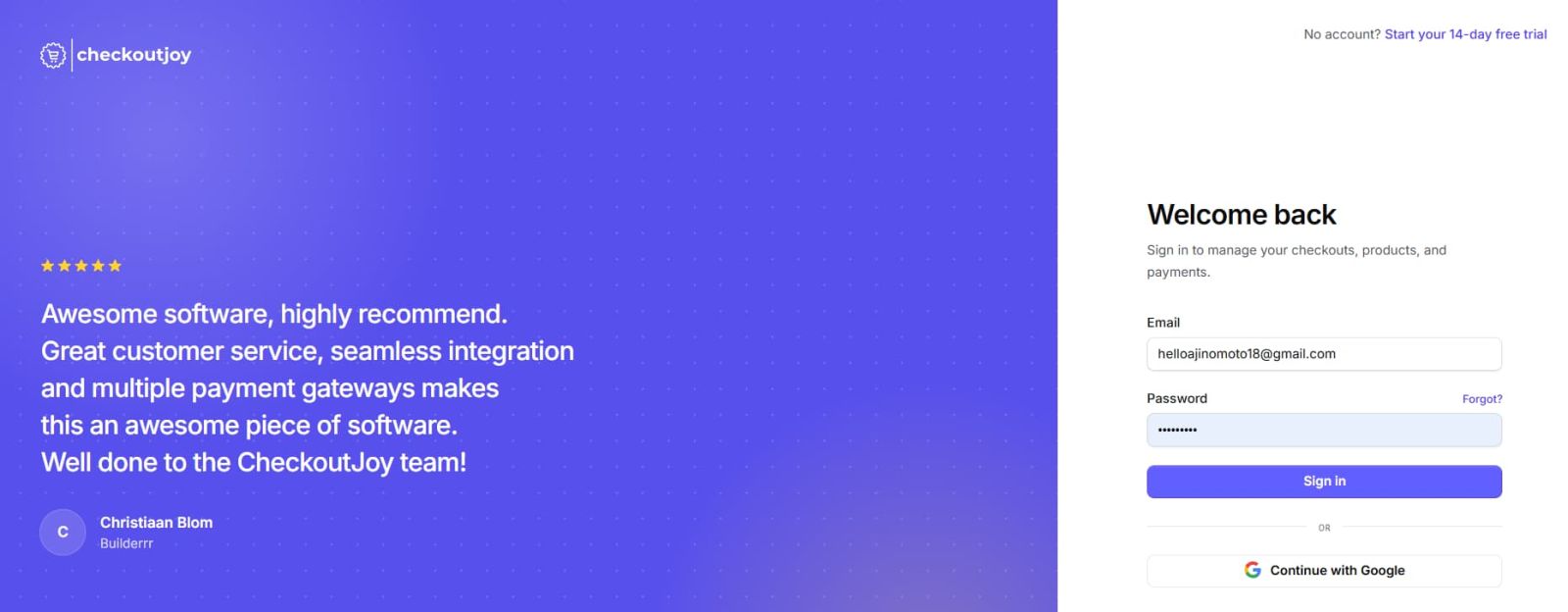
After the signup step, we reviewed the account login flow. CheckoutJoy presented standard email login and Google sign-in, and described the platform around managing checkouts, products, and payments.
Step 3: Dashboard onboarding check
We accessed the live dashboard onboarding screen. The checklist guided new users through connecting payments, setting up products, creating a first checkout, adding a custom domain, and configuring VAT and invoicing.
What This Test Proved and What It Did Not Prove
The onboarding screen supports the main buyer claim in this review: CheckoutJoy is built around a fuller checkout workflow, not only a simple payment-link experience. However, we did not run live transactions, collect real revenue, test failed payments, or complete long-term affiliate payout tracking in this review. Those steps should be tested before using CheckoutJoy as the main checkout system for paid traffic.
30-Second Verdict
CheckoutJoy fits course creators, coaches, digital product sellers, and small ecommerce teams that need more than a basic payment link.
Essential is fine for early sellers: unlimited checkouts, unlimited products, 1,000 transactions per month, product integrations, and Zapier. Pro is the cleaner pick once checkout becomes serious. It adds unlimited transactions, domains, taxes, invoices, affiliates, all integrations, live chat, and no CheckoutJoy branding.
The catch is simple. CheckoutJoy does not fix a weak offer, bad traffic, or careless tax setup. It improves the checkout layer. That is useful, but it is not magic in a purple button.
What Is CheckoutJoy?
CheckoutJoy helps online sellers build checkout pages and connect payments, products, invoices, taxes, affiliates, domains, and integrations.
It is useful if you sell through tools like Kajabi, Thinkific, Kartra, Calendly, WooCommerce, or Zapier. Plain English: CheckoutJoy gives sellers a more organized checkout layer.
.jpg)
Related CheckoutJoy Guide
Current trial notes, affiliate disclosure, and quick buyer links.
View Store Page →Who Should Use CheckoutJoy?
CheckoutJoy is best when the offer already exists. If you are still guessing what to sell, fix that first. Checkout tools do not validate imaginary products.
Online Course Creators
Best fit: You sell courses, coaching, memberships, or downloads and want a checkout that connects to your stack.
Growing Digital Product Sellers
Best fit: You need affiliates, custom domains, tax, invoices, and a checkout that looks more like your brand.
Agencies or Larger Businesses
Best fit: You need volume pricing, onboarding help, and a support agreement.
Why Checkout Workflow Matters in 2026
Checkout is where interest either turns into payment or disappears. If the page feels off, payment options are thin, or tax steps are messy, buyers leave. Then everyone blames ads. Classic human debugging.
| Manual checkout workflow | With CheckoutJoy | Why it matters |
|---|---|---|
| Use basic payment links with limited branding control. | Create checkout pages with more control over products, layout, and buying flow. | A cleaner checkout experience can reduce confusion at the final decision point. |
| Patch together platform integrations manually. | Use integrations for Kajabi, Thinkific, Kartra, Calendly, WooCommerce, and Zapier. | Useful when the checkout must connect with existing product and customer workflows. |
| Handle tax and invoice workflows with separate tools. | Use automatic sales tax and invoicing on Pro. | Important for sellers who need more organized post-purchase operations. |
| Use separate affiliate tracking software. | Use CheckoutJoy’s affiliate system on Pro. | Can simplify referral workflows when affiliate selling is part of growth. |
| Send buyers through checkout links that do not match the brand. | Use custom domains and remove CheckoutJoy branding on Pro. | Brand consistency matters most when the buyer is already close to paying. |
CheckoutJoy Pricing 2026
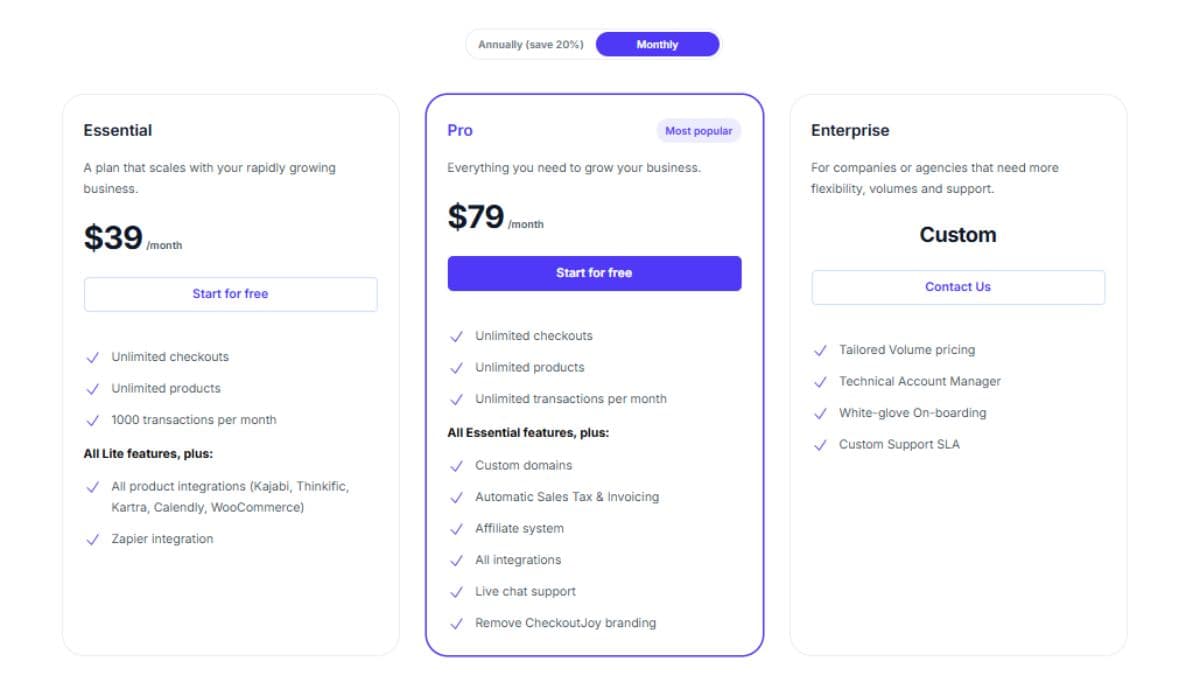
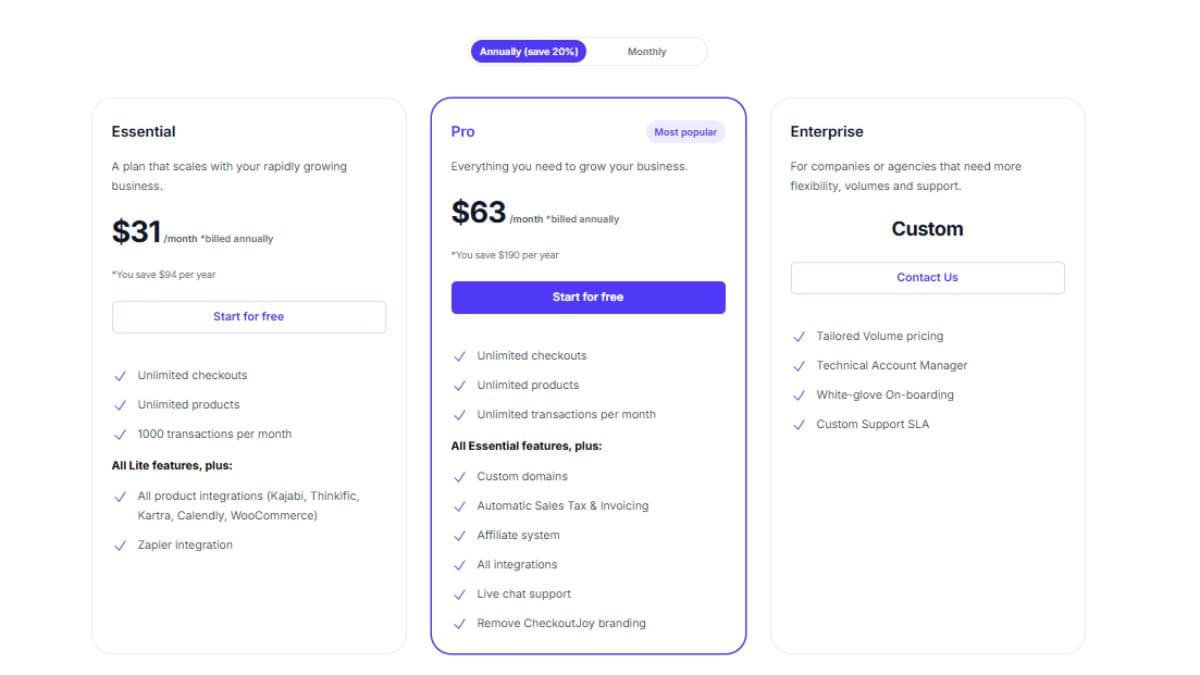
The pricing screenshots show a 14-day free trial. Monthly pricing shows Essential at $39/month, Pro at $79/month, and Enterprise as custom. Annual pricing shows Essential at $31/month and Pro at $63/month when billed annually.
| Plan | Monthly price | Annual price shown | Best for | Important included notes | Best action |
|---|---|---|---|---|---|
| Essential | $39/month | $31/month billed annually | Smaller sellers that need checkout pages and product integrations. | Unlimited checkouts, unlimited products, 1,000 transactions/month, all product integrations including Kajabi, Thinkific, Kartra, Calendly, WooCommerce, plus Zapier integration. | Start for free |
| Pro | $79/month | $63/month billed annually | Serious sellers who need branded checkout, tax, invoicing, affiliate tracking, and all integrations. | Everything in Essential plus unlimited transactions/month, custom domains, automatic sales tax and invoicing, affiliate system, all integrations, live chat support, and removal of CheckoutJoy branding. | Start for free |
| Enterprise | Custom | Custom | Companies or agencies that need more flexibility, volume pricing, and support. | Tailored volume pricing, Technical Account Manager, white-glove onboarding, and custom support SLA. | Contact sales |
Pricing and plan limits can change. Check the official pricing page before connecting a live checkout.
Which CheckoutJoy Plan Should You Pick?
Pick by checkout complexity. Optimism has never configured sales tax correctly.
Pro Annual
Best if checkout is already part of revenue: unlimited transactions, custom domains, tax, invoices, affiliates, live chat, and no CheckoutJoy branding.
Use this if you need checkout pages, products, 1,000 monthly transactions, product integrations, and Zapier. Skip it if you already need custom domains, affiliates, tax, or invoices.
Use this when checkout matters every week. Pro gives you unlimited transactions, domains, tax, invoices, affiliates, all integrations, live chat, and no CheckoutJoy branding.
Use this if you need volume pricing, onboarding help, and support terms in writing.
Key Features That Matter in Real Work
CheckoutJoy makes sense when checkout is more than a button. If payment, product access, tax, invoices, affiliates, and integrations all matter, a basic link starts to look cheap in the bad way.
Custom Checkout Pages
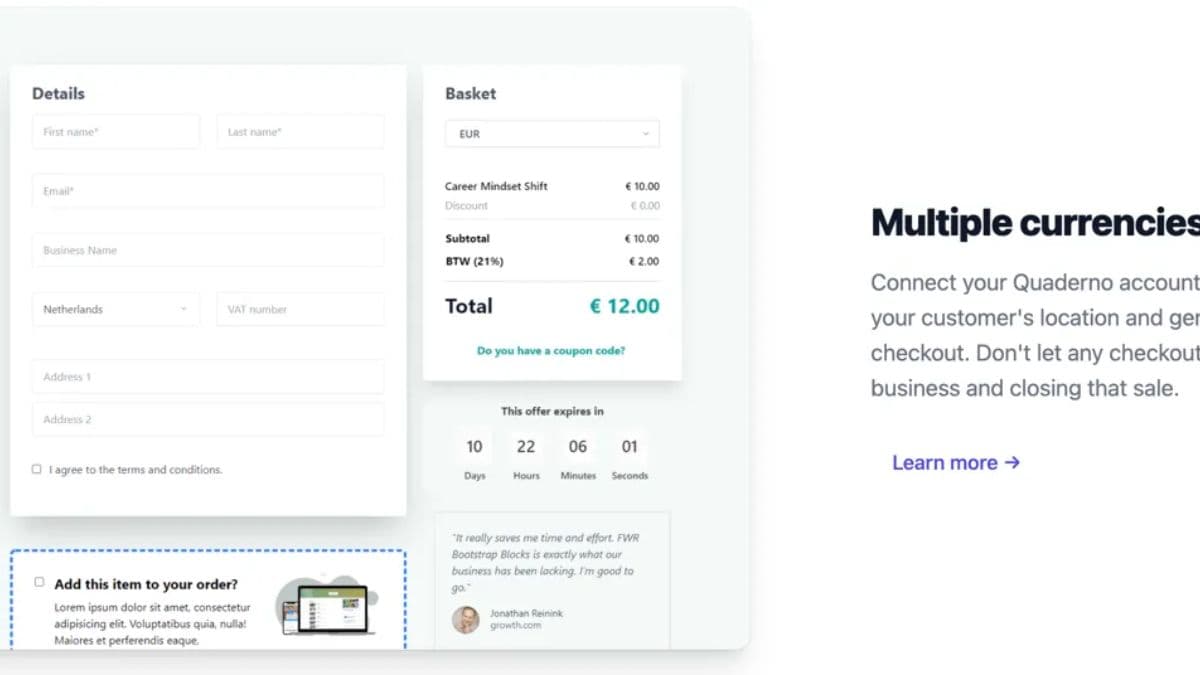
Build checkout pages instead of sending buyers through plain payment links. This matters when a creator sells a course, template, coaching package, or digital download and wants the payment step to feel like part of the brand instead of a random processor page. A cleaner checkout will not save a weak offer, but it can remove friction when the buyer is already close to paying.
Platform Integrations
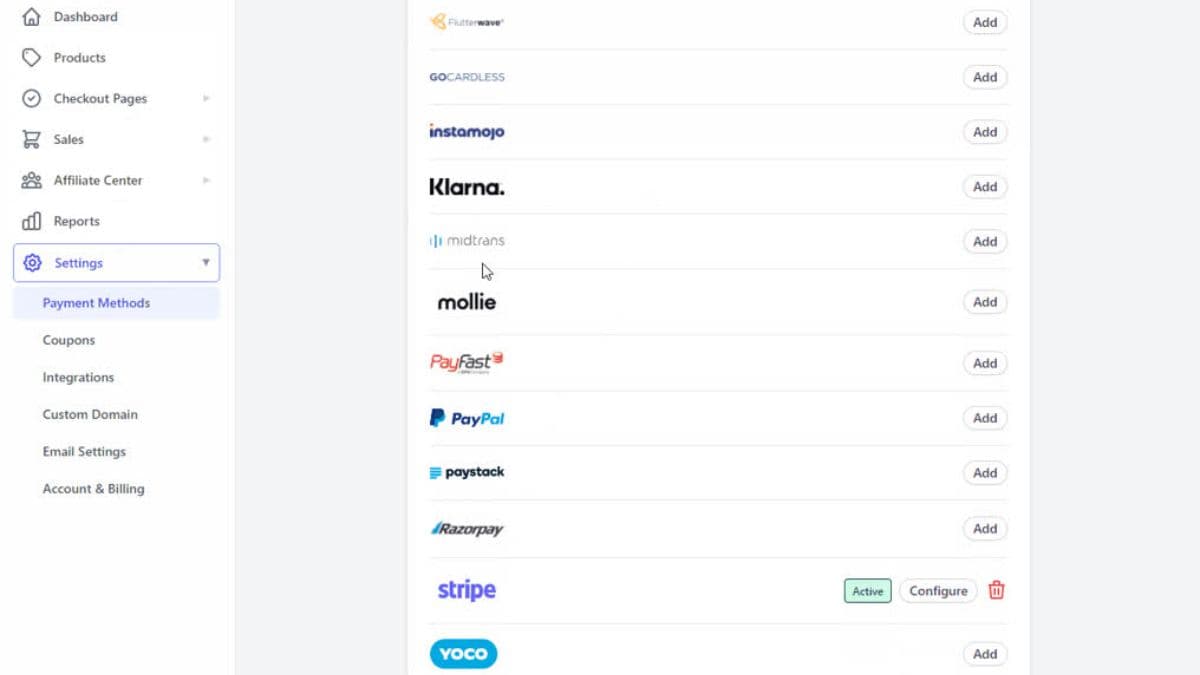
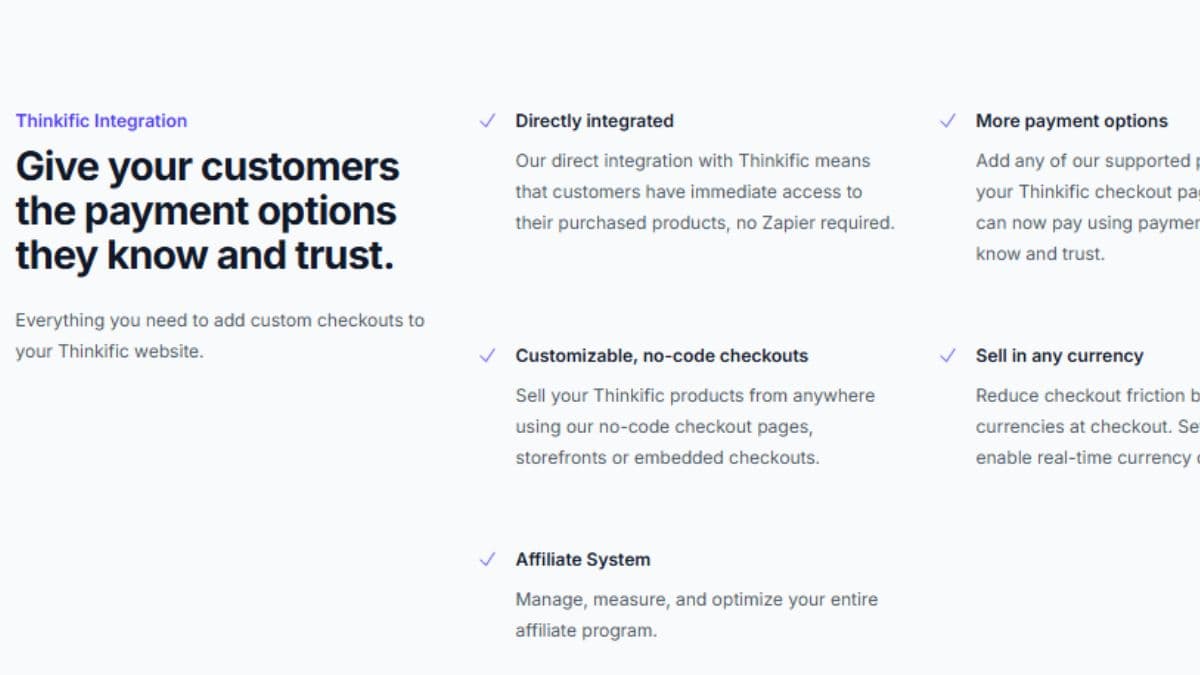
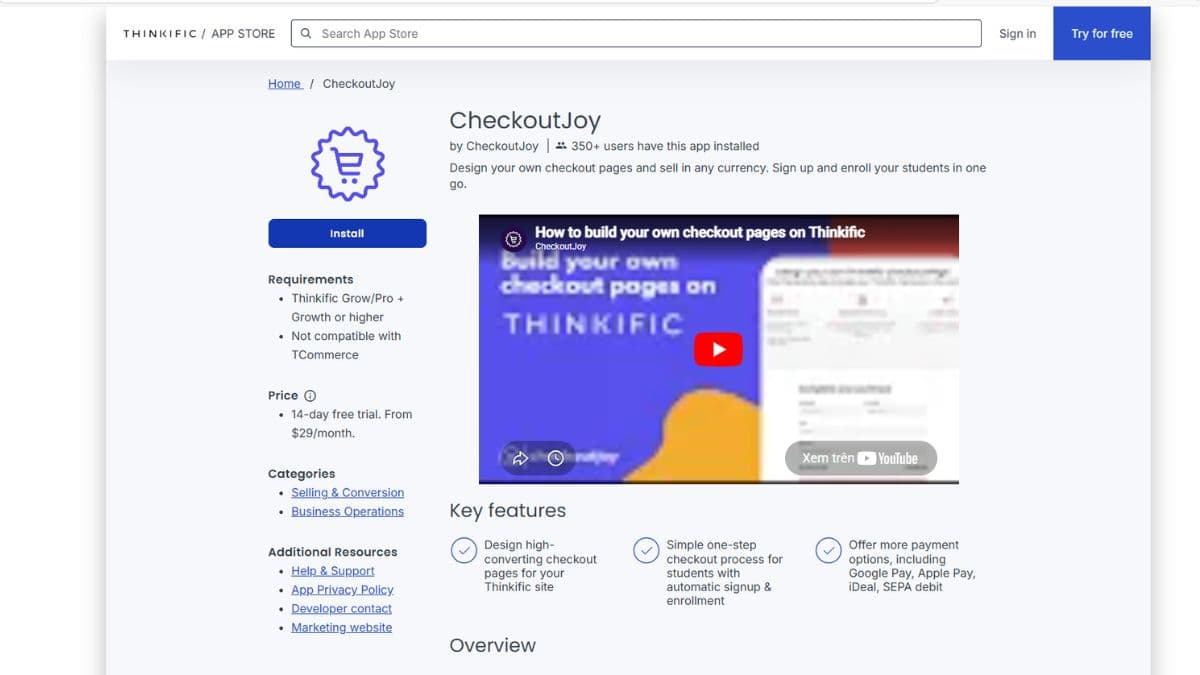
Connect checkout to tools like Kajabi, Thinkific, Kartra, Calendly, WooCommerce, and Zapier. In real work, this is useful when payment is only one step in the workflow: the buyer may need course access, a booking flow, a product record, an email sequence, or a customer tag after purchase.
Automatic Sales Tax & Invoicing
Pro adds tax and invoice features. This becomes important when sellers move beyond casual sales and need a cleaner post-purchase record for customers. Still, tax setup should be verified with the actual country, currency, product type, and payment processor before sending live traffic.
Affiliate System
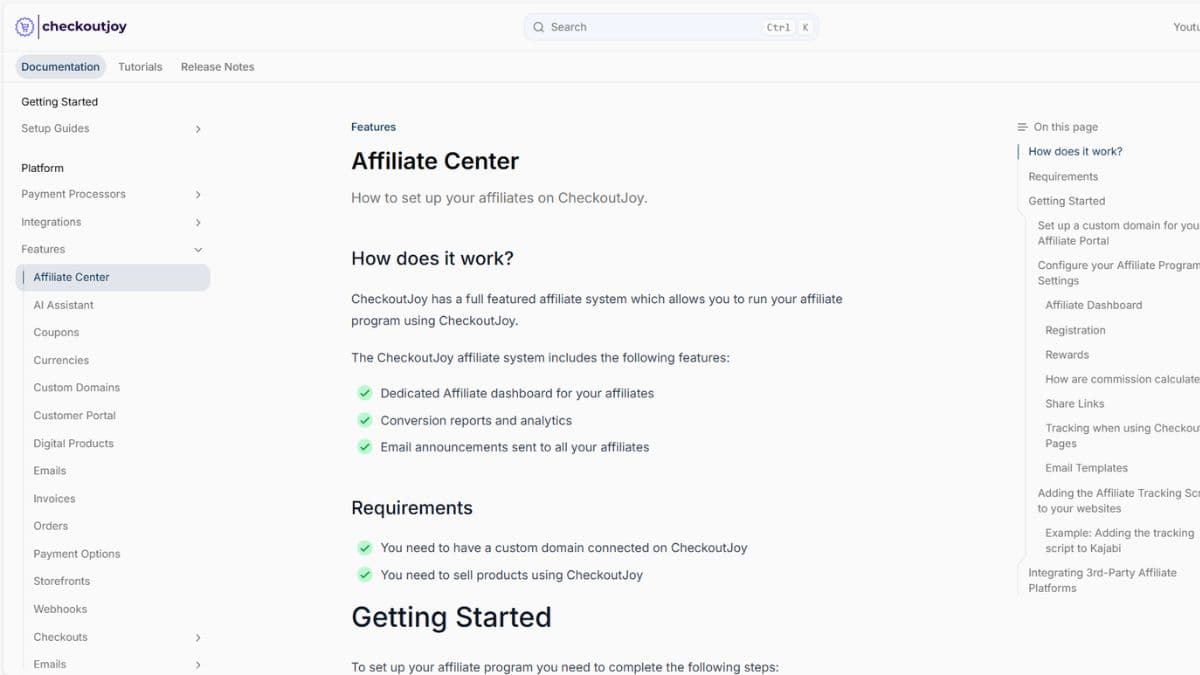
Pro includes affiliate tracking for sellers who want referral partners. This fits creators, course sellers, and small SaaS-style offers where partners help bring buyers. The practical question is not whether an affiliate feature exists, but whether tracking, approval rules, commission logic, and payout review fit your real campaign.
Custom Domains & Branding
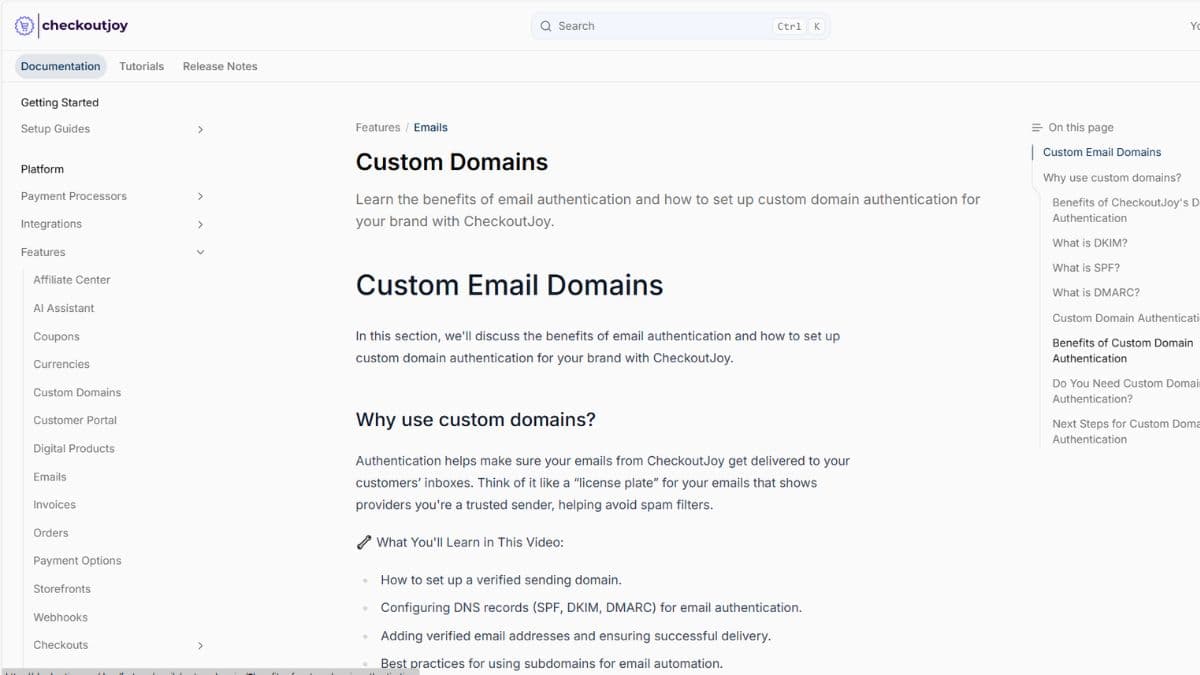
Pro adds custom domains and removes CheckoutJoy branding. This matters most when the audience already trusts the seller's brand and the checkout should not feel disconnected. A branded checkout can reduce hesitation, especially for higher-ticket offers where buyers notice every tiny trust signal because humans are exhausting like that.
Enterprise Support
Enterprise is for teams that need custom pricing, onboarding, and support terms. It makes more sense for agencies, larger course businesses, or companies with higher checkout volume, where setup mistakes cost real money and support response time is not just a nice little decoration.
How to Use CheckoutJoy Without Damaging Trust or Compliance
Checkout software touches money, tax, customer data, and access rules. Test it before sending real buyers through it. Vibes are not a payment QA process.
Best Way to Test CheckoutJoy Before Paying Long-Term
Start with one real product. Run a test purchase. Check payment, tax, invoice, email, product access, refund flow, mobile layout, and affiliate tracking.
CheckoutJoy vs Alternatives
CheckoutJoy competes with cart tools, course-platform checkout, ecommerce plugins, payment links, and funnel tools. The right choice depends on the real bottleneck. If the bottleneck is checkout workflow, CheckoutJoy is worth testing. If the bottleneck is email follow-up, course hosting, storefront management, or traffic, another tool may be the cleaner answer.
| Option | Choose it when... | Do not choose it when... | Buyer decision |
|---|---|---|---|
| CheckoutJoy | You need checkout pages, products, custom domains, integrations, VAT/invoicing, and affiliate workflow in one checkout layer. | You only need a basic one-time payment link or a full all-in-one funnel/email platform. | Best fit: digital sellers and creators who want a more serious checkout workflow without building a full ecommerce stack. |
| ThriveCart | Your main focus is cart pages, checkout funnels, upsells, and offer optimization. | You need a newer, lighter checkout workflow tied closely to products, VAT/invoicing, and creator-style onboarding. | Best fit: sellers comparing established cart/funnel tools against CheckoutJoy's checkout workflow. |
| SamCart | You want a checkout and sales-page focused tool with strong creator and ecommerce positioning. | You mainly want a lean checkout layer and need to keep the stack simple. | Best fit: creators who want to compare sales-page depth against CheckoutJoy's checkout-first workflow. |
| Kajabi / Thinkific checkout | You already sell courses inside one platform and want fewer moving parts. | You need a checkout layer that can sit across multiple tools, products, domains, and workflows. | Best fit: course creators who prefer staying inside their existing course platform. |
| Stripe / PayPal payment links | You only need to collect simple payments quickly. | You need branded checkout pages, product workflows, affiliate tracking, custom domains, or more organized buyer flow. | Best fit: early sellers who do not yet need a real checkout system. Tiny setup, tiny structure. Nature is cruel. |
| WooCommerce checkout | You already run a WordPress ecommerce store and want checkout to stay inside that setup. | You do not want plugin maintenance, store configuration, or WordPress checkout complexity. | Best fit: sellers who need a full storefront rather than a focused checkout layer. |
Which Checkout Tool Should You Choose?
Choose CheckoutJoy if you sell digital products, courses, coaching, subscriptions, or ecommerce offers and the checkout layer is becoming messy. Choose payment links if the offer is simple. Choose a course-platform checkout if everything already lives inside Kajabi or Thinkific. Choose a full ecommerce setup if product catalog, inventory, and storefront control matter more than a lightweight checkout workflow.
Pros & Cons
-
You sell courses or digital products: CheckoutJoy makes sense when checkout is part of the actual sales flow, not just a link.
-
You need more than payments: Pro adds domains, tax, invoices, affiliates, all integrations, live chat, and no CheckoutJoy branding.
-
You use creator platforms: Kajabi, Thinkific, Kartra, Calendly, WooCommerce, and Zapier workflows are part of the fit.
-
You want affiliate tracking inside checkout: Useful if partners or creators help send buyers.
-
You can test before launch: CheckoutJoy works best when you check payment, tax, invoice, access, and mobile flow before traffic arrives.
-
You only need a simple payment link: Stripe or PayPal may be enough.
-
Your offer is not proven: A better checkout will not save a product nobody wants.
-
You need tax/legal certainty without review: Software helps, but settings still need checking.
-
You are staying on Essential while growing fast: The 1,000-transaction limit can become a real ceiling.
-
You need a full funnel or email system: CheckoutJoy is the checkout layer. It is not the whole stack.
Is CheckoutJoy Worth It?
CheckoutJoy is worth testing if checkout is now part of your sales system, not just a payment link. It fits courses, coaching, digital products, subscriptions, and ecommerce offers.
Essential is enough for early sellers. Pro is the better pick once checkout supports real revenue: domains, tax, invoices, affiliates, all integrations, live chat, no branding, and unlimited transactions.
Skip CheckoutJoy if all you need is a simple payment button. Also skip it if the offer is not proven. A better checkout reduces friction. It does not make a weak offer good.
Related Buyer Decision
Compare CheckoutJoy with payment links, course-platform checkout, and cart tools.
View Alternatives →CheckoutJoy FAQ
What is CheckoutJoy used for?
CheckoutJoy is used to create checkout pages and support checkout workflows for online sellers, including integrations, payment options, custom domains, sales tax and invoicing, and affiliate tracking depending on the plan.
Does CheckoutJoy have a free trial?
Yes. The pricing screenshots show a 14-day free trial. Always confirm current trial terms on the official CheckoutJoy website before starting.
How much does CheckoutJoy Essential cost?
The pricing screenshots show Essential at $39/month on monthly billing and $31/month billed annually on annual billing.
How much does CheckoutJoy Pro cost?
The pricing screenshots show Pro at $79/month on monthly billing and $63/month billed annually on annual billing.
Which CheckoutJoy plan is best?
Pro is the best plan for most serious sellers because it includes unlimited transactions, custom domains, automatic sales tax and invoicing, affiliate system, all integrations, live chat support, and removal of CheckoutJoy branding.
Does CheckoutJoy include an affiliate system?
Yes. Based on the reviewed pricing screenshot, the affiliate system is included in Pro.
Does CheckoutJoy support sales tax and invoicing?
Yes. Automatic sales tax and invoicing are shown as Pro features in the reviewed pricing screenshot. Sellers should still verify tax settings before using CheckoutJoy in a live checkout.
Who should use CheckoutJoy?
CheckoutJoy is best for course creators, digital product sellers, coaches, ecommerce sellers, and businesses using platforms such as Kajabi, Thinkific, Kartra, Calendly, WooCommerce, and Zapier.
Is CheckoutJoy better than a simple payment link?
CheckoutJoy is better if you need a real checkout workflow with integrations, product selling, tax/invoicing, custom domains, and affiliate tracking. A payment link may be enough if you only need to collect a simple one-time payment.
Final Verdict: Is CheckoutJoy Worth Trying?
CheckoutJoy is worth trying when a basic payment link starts holding the business back. It fits sellers who need checkout pages, integrations, domains, tax, invoices, and affiliate tracking.
Essential is the starter pick. Pro is the active-seller pick. The difference is not cosmetic: Pro removes transaction limits and adds the operational features most sellers eventually ask for.
Our editorial score is 4.3/5. CheckoutJoy does one job well: it gives sellers a more serious checkout layer. It loses points because tax, payments, integrations, and compliance still need human review. Software remains annoyingly unwilling to be your adult supervision.