

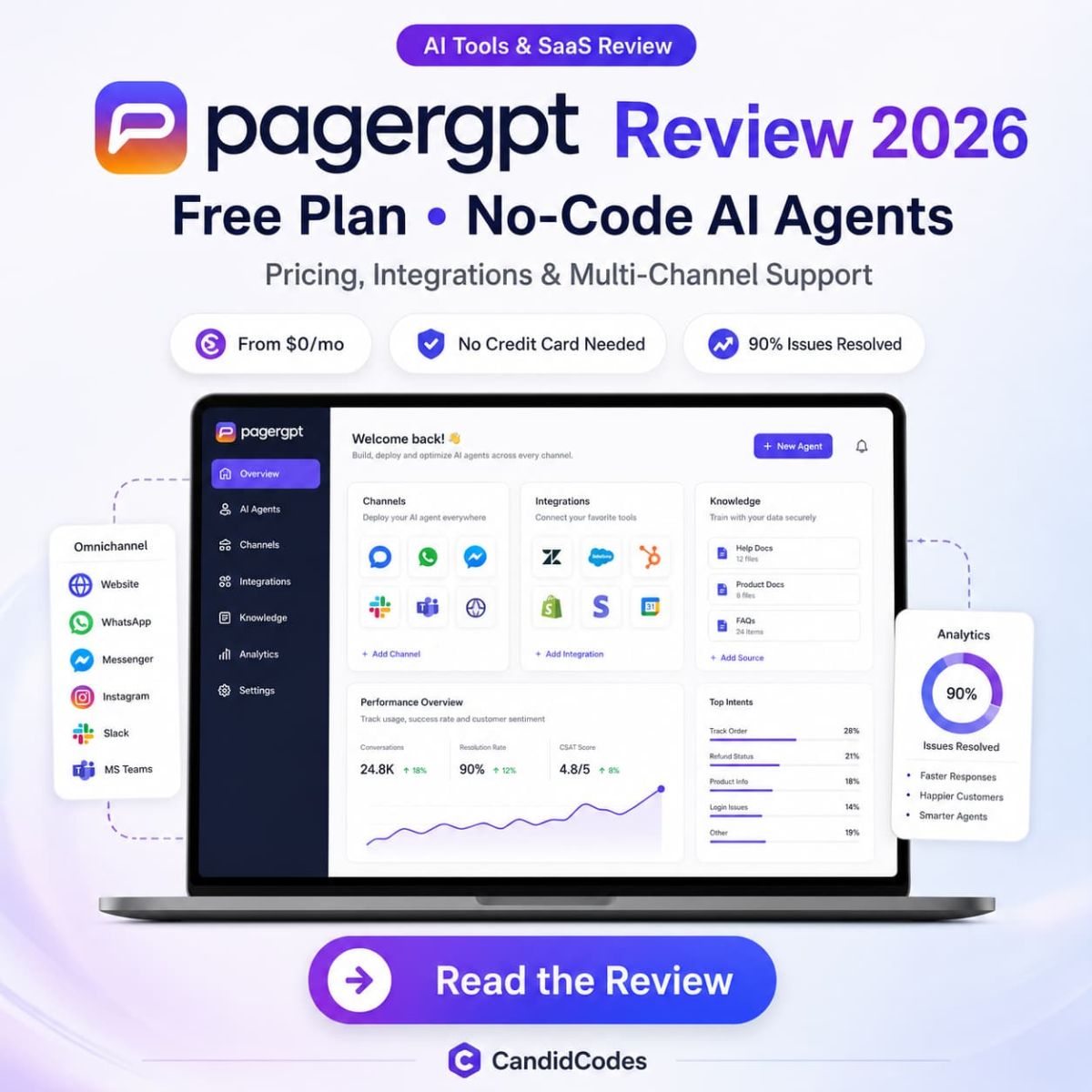
PagerGPT Review 2026: Pricing, AI Agents, Live Inbox, Integrations & Best Plan
PagerGPT is a no-code AI agent builder for teams that want to train custom AI agents on websites, documents and business tools, then deploy them across website chat, WhatsApp, Slack and other customer channels without turning every support workflow into a spreadsheet-shaped punishment.
We reviewed PagerGPT’s official website positioning, AI agent workflow, integrations, security messaging, FAQ details and the pricing screenshots supplied to CandidCodes. Pricing numbers in this review are based only on the supplied monthly and yearly screenshots, not third-party listings or old cached pages.
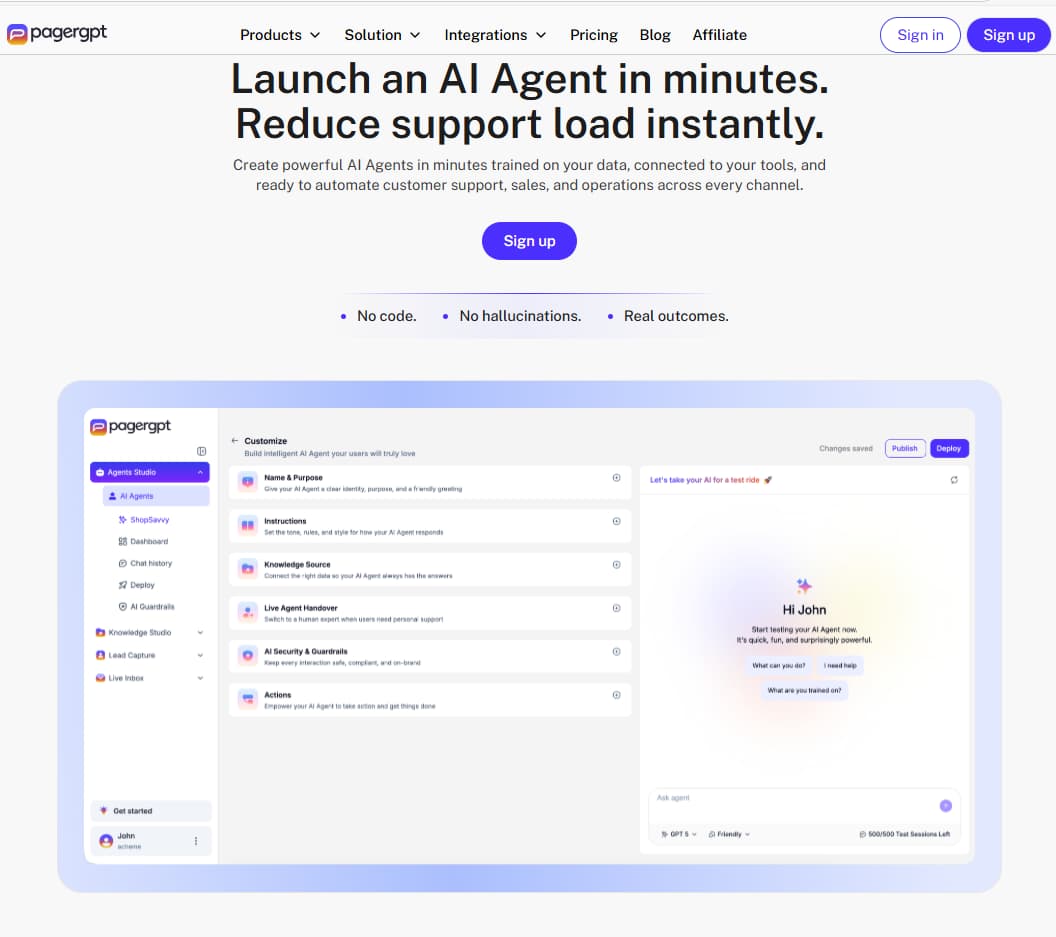
What you need to know upfront
PagerGPT pricing & plans 2026
PagerGPT pricing in this review is based only on the monthly and yearly pricing screenshots supplied to CandidCodes. The monthly screenshot shows Magic at $0/month, Starter at $99/month, Business at $349/month and Enterprise as custom. The yearly screenshot shows Magic at $0/year, Starter at $1010/year, Business at $3560/year and Enterprise as custom, with the yearly toggle showing “Save 15%”.
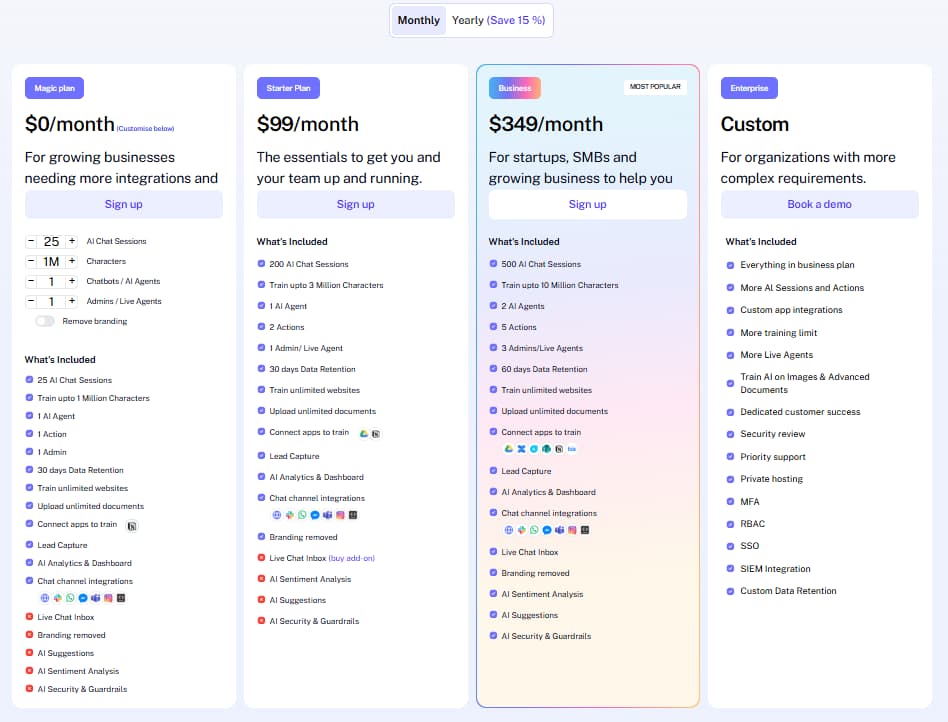
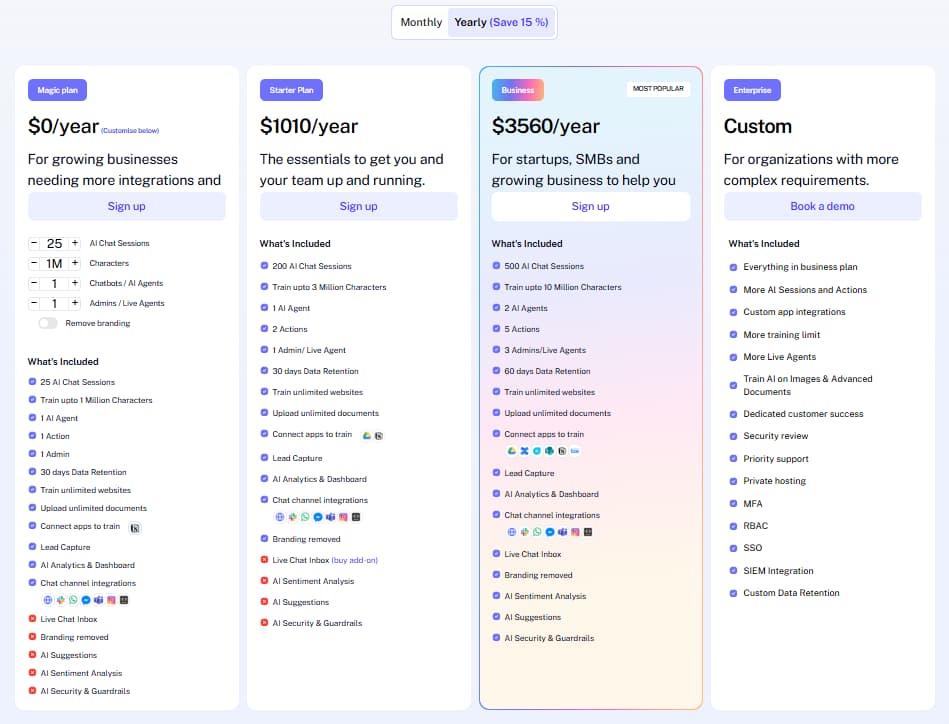
- ✓ Visible selection: 25 AI Chat Sessions
- ✓ Train up to 1 Million Characters
- ✓ 1 AI Agent, 1 Action and 1 Admin
- ✓ 30 days Data Retention
- ✓ Train unlimited websites and upload unlimited documents
- ! Live Chat Inbox, branding removed, AI Suggestions, AI Sentiment Analysis and AI Security & Guardrails are not included in the visible plan view
- ✓ Monthly screenshot shows 20 AI Chat Sessions; yearly screenshot shows 200 AI Chat Sessions
- ✓ Train up to 3 Million Characters
- ✓ 1 AI Agent and 2 Actions
- ✓ 1 Admin / Live Agent and 30 days Data Retention
- ✓ Branding removed and channel integrations shown
- ! Live Chat Inbox appears as a buy add-on; sentiment, suggestions and security guardrails are not included in the visible plan view
- ✓ 500 AI Chat Sessions
- ✓ Train up to 10 Million Characters
- ✓ 2 AI Agents, 5 Actions and 3 Admins / Live Agents
- ✓ 60 days Data Retention
- ✓ Live Chat Inbox, branding removed, AI Sentiment Analysis, AI Suggestions and AI Security & Guardrails
- ✓ Connect apps to train and chat channel integrations shown
- ✓ Everything in Business plan
- ✓ More AI Sessions and Actions
- ✓ Custom app integrations and more training limit
- ✓ More Live Agents, priority support and dedicated customer success
- ✓ MFA, RBAC, SSO, SIEM integration and custom data retention
- ✓ Private hosting and security review
| Plan detail | Magic | Starter | Business | Enterprise |
|---|---|---|---|---|
| Monthly price | $0/month | $99/month | $349/month | Custom |
| Yearly price | $0/year | $1010/year | $3560/year | Custom |
| AI agents | 1 | 1 | 2 | Custom / more scale |
| Actions | 1 | 2 | 5 | More AI sessions and actions |
| Admins / live agents | 1 admin | 1 admin / live agent | 3 admins / live agents | More live agents |
| Data retention | 30 days | 30 days | 60 days | Custom data retention |
| Best fit | First test | Small team setup | Growing team workflow | Security-heavy organization |
PagerGPT vs Chatbase vs Botpress
PagerGPT should be compared against AI chatbot and AI agent platforms, not writing tools or generic help desk software. The main decision is whether you need a customer-facing AI agent that can be trained, customized, integrated, deployed and handed off to humans, or whether you only need a simple knowledge-base chatbot.
| Feature | PagerGPT | Chatbase | Botpress |
|---|---|---|---|
| Primary fit | AI agents for customer support, sales and SMB workflows | Knowledge-base chatbot and website chat use cases | More flexible bot building and developer-friendly workflows |
| No-code setup | Strong focus | Strong focus | Can be more technical depending on workflow |
| Live inbox | Included in Business screenshot | Depends on setup | Depends on workflow and integrations |
| Training sources | Website, documents and connected tools | Knowledge sources and website content | Knowledge bases, workflows and integrations |
| Best for | Teams wanting agent + live customer workflow in one place | Simple AI chat widget adoption | Teams needing more custom automation logic |
Key PagerGPT features with real workflow context
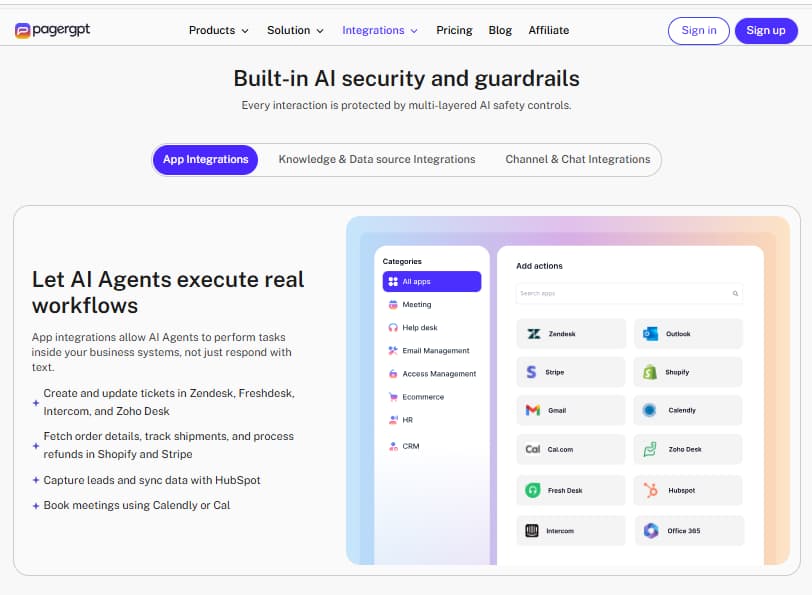
PagerGPT’s integrations section shows how AI agents can connect with business apps, execute workflow actions, and support customer conversations across help desk, ecommerce, CRM, email, and calendar tools.
Pros & cons
✅ What PagerGPT does well
- ✓ Clear AI agent builder positioning for support, sales and SMB workflows
- ✓ No-code setup flow: train, customize, integrate and deploy
- ✓ Magic plan lets teams start at $0 in the supplied screenshots
- ✓ Business plan includes live inbox, sentiment, suggestions and security guardrails
- ✓ Strong integration story across support, CRM, scheduling, payment and chat channels
- ✓ Enterprise plan covers serious security and scale requirements
⚠️ Limitations to know before buying
- ! Starter may be too limited for serious support teams if Live Chat Inbox is only an add-on
- ! Plan value depends heavily on AI sessions, character limit, actions and agent count
- ! Magic is useful for testing but not enough for a serious multi-channel operation
- ! Pricing should be checked inside PagerGPT before paying because screenshots can change
- ! Teams still need clean training data and strong support processes; AI does not magically fix chaotic documentation
🚫 PagerGPT may NOT be the right tool if...
- ✕ You only need a basic FAQ widget with no live workflow, actions or integrations.
- ✕ Your team cannot maintain accurate docs, product details or support policies for training.
- ✕ You need a full help desk replacement instead of an AI agent layer connected to customer channels.
- ✕ Your budget cannot support Starter or Business once testing moves beyond the Magic plan.
- ✕ You expect AI to handle every customer scenario without human review. Adorable. Also doomed.
Who should use PagerGPT?
Is PagerGPT worth it in 2026?
PagerGPT is worth testing if your business needs AI agents for customer support, sales, ecommerce conversations or multi-channel chat workflows. Its strongest angle is the full agent workflow: train the AI, customize its behavior, connect tools, deploy across channels and use live inbox or analytics to improve performance.
The Magic plan is the safest starting point because the supplied screenshots show it at $0. Starter is the first serious paid tier, but Business looks like the practical team plan because it adds Live Chat Inbox, AI Sentiment Analysis, AI Suggestions and AI Security & Guardrails in the visible plan view.
The main caveat is that PagerGPT is only as useful as the workflow and data behind it. If your docs, policies and product information are clean, the platform can help reduce repetitive support and sales friction. If your internal knowledge is a dumpster fire wearing a SaaS badge, fix that first.
Frequently asked questions
What is PagerGPT used for?
How much does PagerGPT cost?
Which PagerGPT plan is best?
Does PagerGPT support integrations?
Is PagerGPT good for customer support?
Does PagerGPT replace a help desk?
Tools that pair well with PagerGPT
Ready to test PagerGPT?
Start with the Magic plan or compare Starter and Business, then build one focused AI agent for a real support or sales workflow. Do not start with ten bots, seventeen channels and a dashboard shrine. Start with one use case that can actually improve customer response time.